LG Unit for A4/LT LCT (B474)
SM 1-59 D014/D015/D078/D079
Installation
1.8.2 INSTALLATION
LCT Connected to the Machine
Turn the machine off and disconnect the machine power cord before you start this
procedure.
1. If the LCT is connected to the copier:
Open the cover and remove the paper.
Close the cover.
Turn the main power switch off.
Disconnect the LCT from the copier.
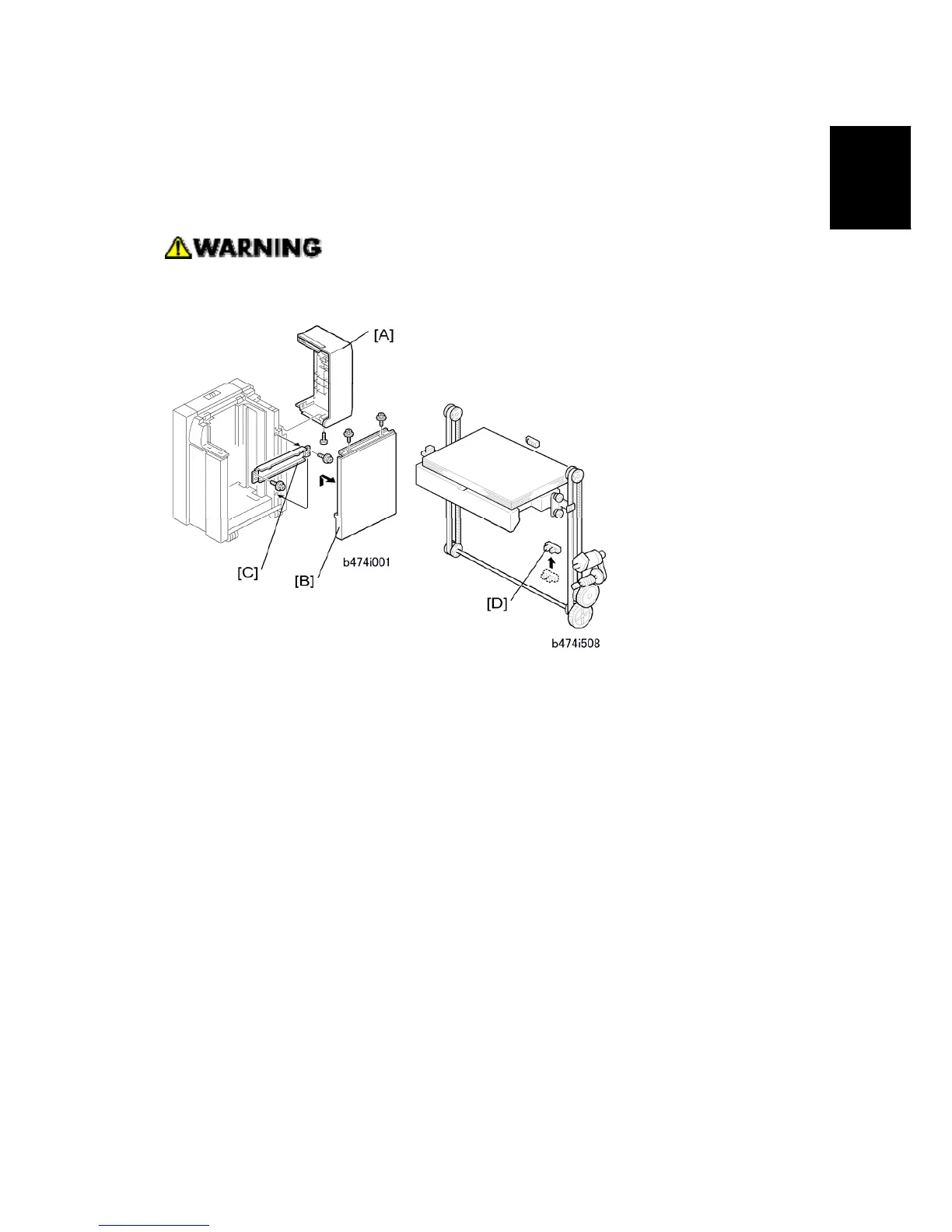
2. Remove the LCT cover [A] ( x 1).
3. Remove the right cover [B] ( x 2).
4. Remove the right stay [C] and attach it below ( x 2).
5. Change the position of the lower limit sensor [D] ( x 1).
6. Attach the harness clamp (not shown) to the rear of the plate. Use this clamp to hold
the sensor connector wire.



 To Next Page