MFP Controller Options
D014/D015/D078/D079 1-164 SM
1.18.11 FILE FORMAT CONVERTER D377
Accessory Check
Check the accessories and their quantities against this list:
Description Q'ty
1. File Format Converter (MLB: Media Link Board) 1
Installation
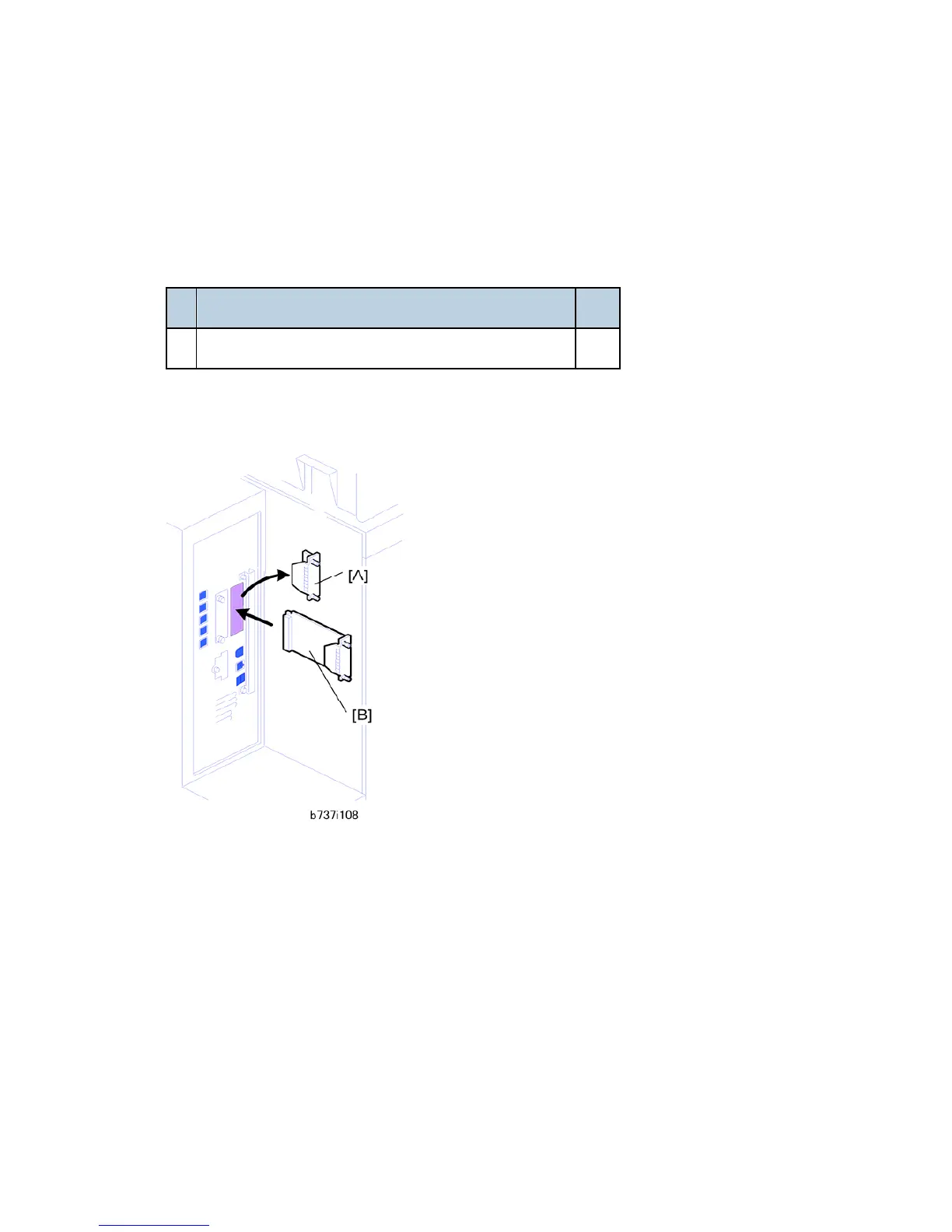
1. Remove the cover of Slot A [A] ( x2).
2. Touch a metal surface to discharge any static electricity from your hands.
3. Put the interface board [B] in Slot B.
4. Confirm that the board is inserted completely, then fasten it ( x 2).
5. Turn the machine off and on.
6. Enter the SP mode and do SP5990 to print an SMC Report.
7. Read the report and confirm that the interface board is installed correctly.



 To Next Page