2000/3000 Sheet Finishers (D373/D374)
SM 1-83 D014/D015/D078/D079
Installation
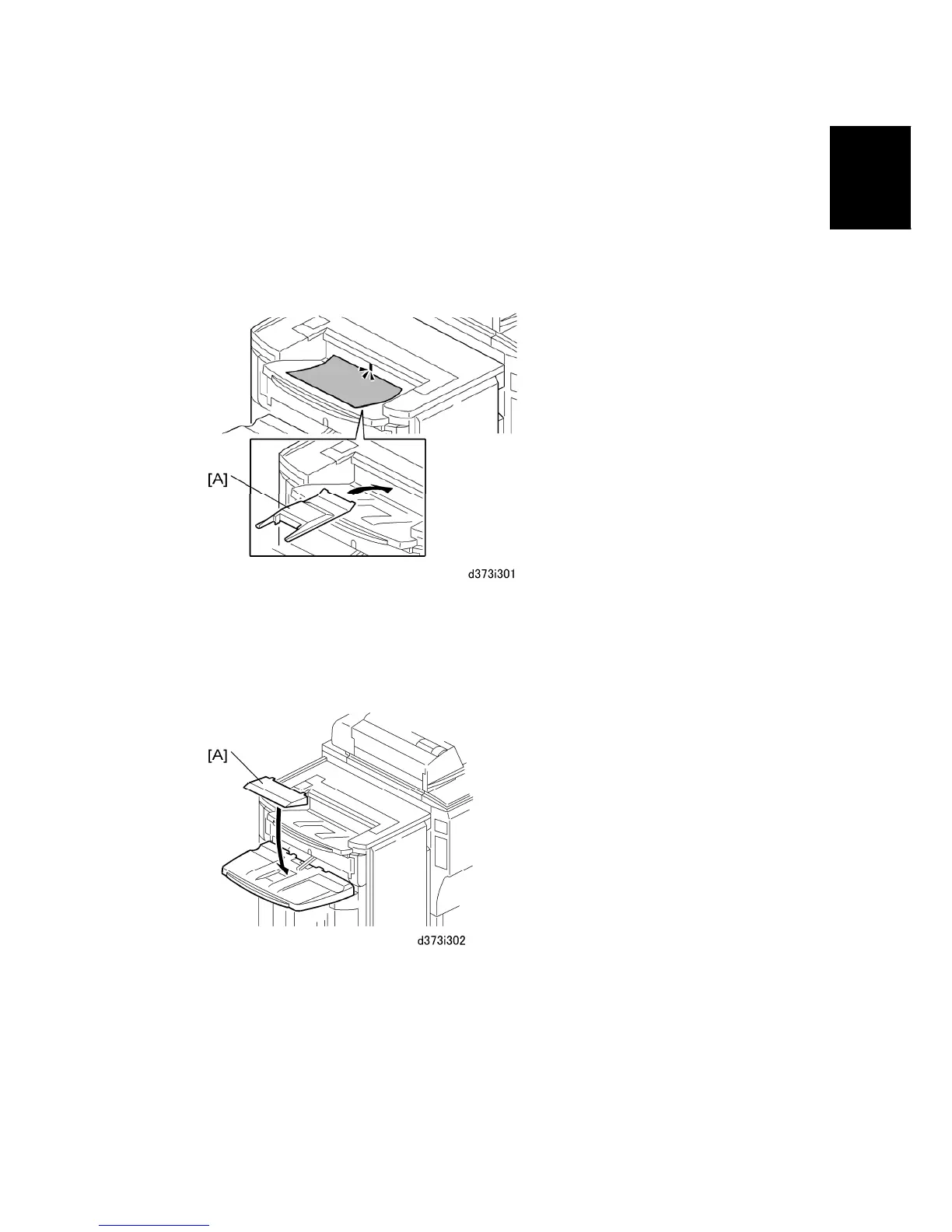
Support Plate for Upper Tray
Two support trays, one for the upper proof tray and one for the shift tray are provided.
These support trays prevent excessively curled paper from activating the "Tray Full"
message before the proof tray or shift tray is actually full.
1. Remove the paper from the paper feed tray, turn it upside down, then print.
2. If step 1 does not solve the problem, place the support tray [A] in the upper tray as
shown.
Support Plate for Shift Tray
1. Remove the paper from the paper feed tray, turn it upside down, then print.
2. If step 1 does not solve the problem, place the support tray [A] on the shift tray as
shown.



 To Next Page