MFP Controller Options
D014/D015/D078/D079 1-162 SM
3. Put the interface board in Slot B [B].
4. Confirm that the board is inserted completely, then fasten it ( x 2).
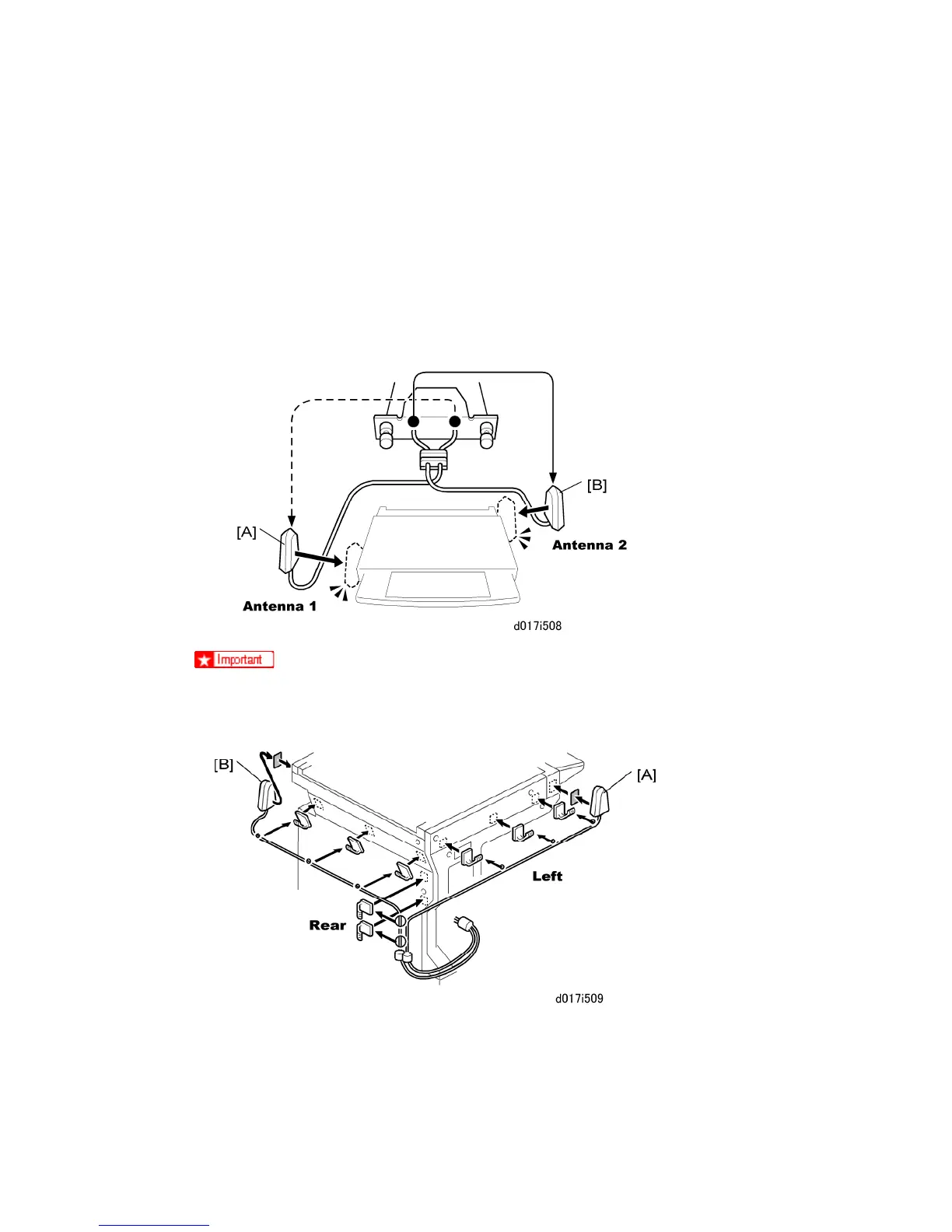
5. Pull the antennas [C] away from machine and make sure that they are not tangled.
6. Look at the markings on the antenna bracket.
ANT1. Antenna 1 transmits and receives. It must be installed on the left front
corner of the main machine. (The core on the Antenna 1 cable is black.)
ANT2. Antenna 2 only receives. It is installed on the right rear corner of the
machine.
To assure reliable data sending and receiving, Antenna 1 must be installed on
the front left corner of the machine.
7. Remove the seals from of the cable clamps and attach them to the left side of the
machine as shown above.



 To Next Page