Counters
D014/D015/D078/D079 1-46 SM
Always turn the machine off and disconnect the machine power cord before you
do this procedure.
1. Remove the cover [A] ( x 2).
2. Remove the right upper cover [B] ( x 2).
3. Remove the three caps [C].
4. If you are installing the key counter bracket, remove connector cover [D] ( x 2).
5. Attach stud [E].
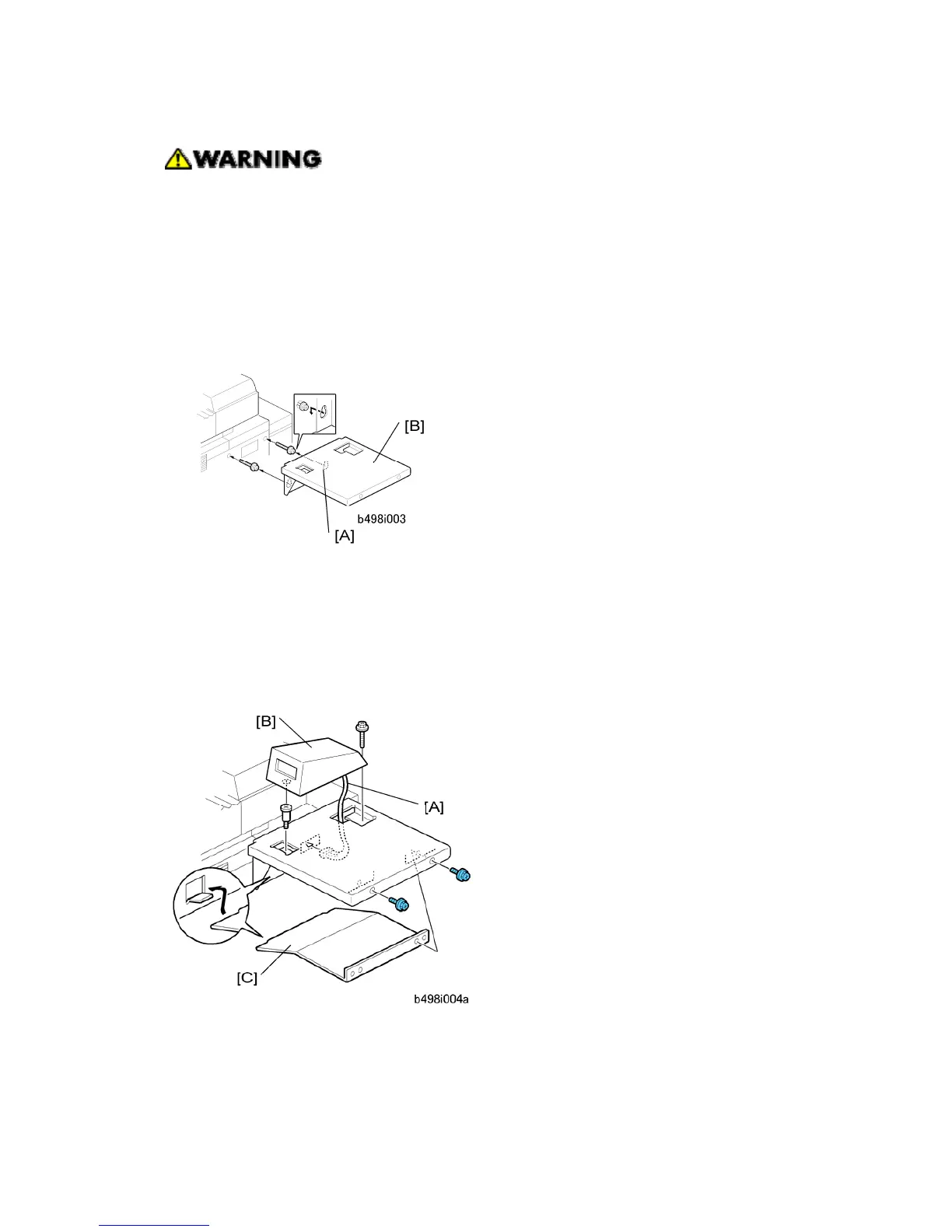
6. Put the keyholes [A] of the key card table [B] over the heads of the shoulder screws, as
shown above.
7. Tighten the screws to attach the table (M4 x 14, x 2).
8. Attach the key counter bracket or key card. (See below.)
If you are installing the key counter bracket …
1. Connect one end of the harness [A] to the key counter bracket [B] ( x1).
2. Connect the other end to the 4-pin connector on the right side of the copier.
3. Attach bracket support [C] to the side of the copier ( x 2).



 To Next Page