Installation
SM 11 D356
D356
Fax Option
Type C7500
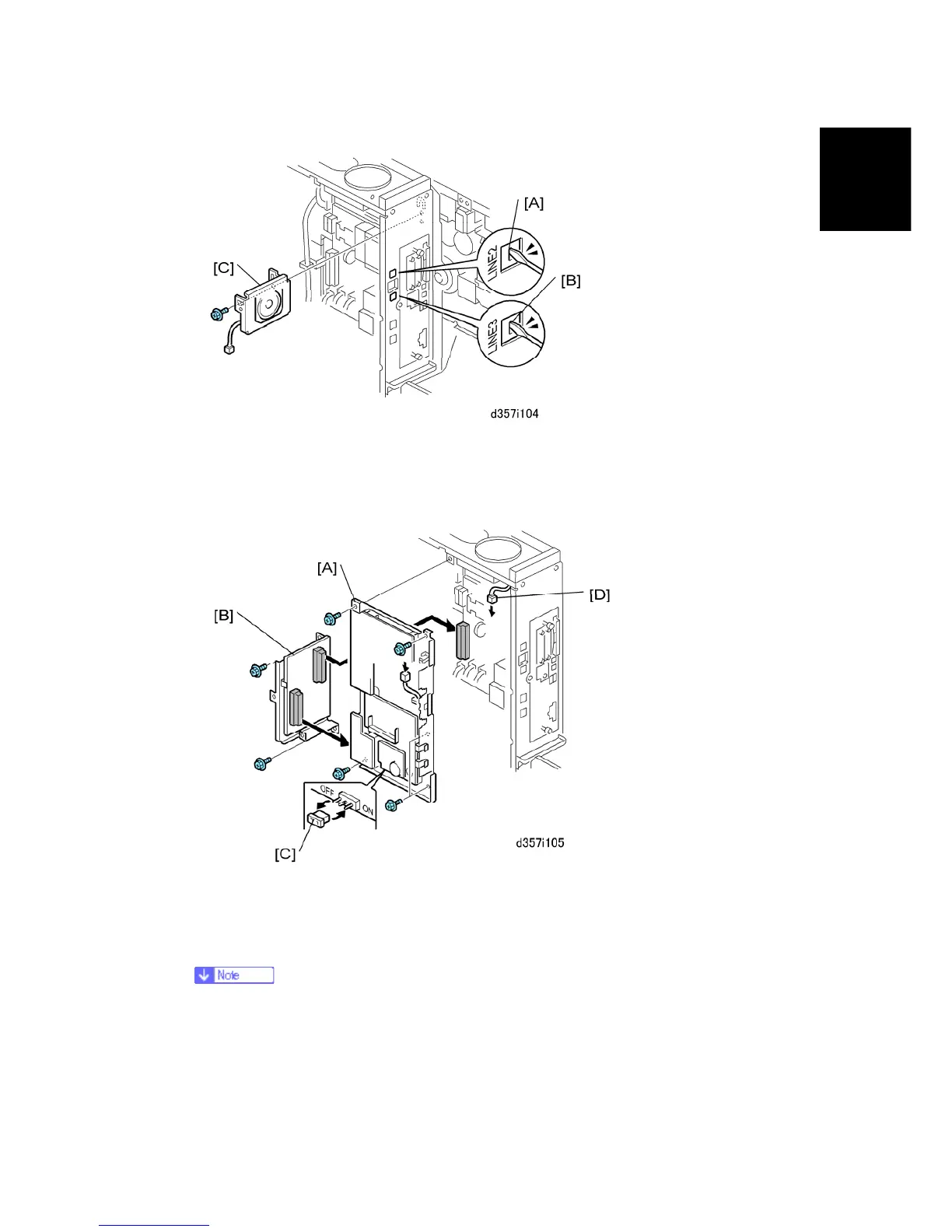
3. Use the tip of a small screwdriver to break out the "LINE2" jack cover [A] (for one SG3
board), or the "LINE2" and "LINE3" jack covers [A] and [B] (for two SG3 boards).
4. Attach the speaker [C] (x1)
5. Install the FCU [A] on the controller board (x4).
6. Attach the VITS [B] to the FCU and controller box (x4).
7. Detach the MBU battery jumper [C] and reattach it at the "ON" position.
If the MBU jumper is not set to ON, this can cause SC819 or SC820 when the
main power switch is turned on. Also, when the main power switch is turned
off, fax memory will be cleared.
8. Press down on the MBU to confirm that it is seated correctly.



 To Next Page