Installation
D356 12 SM
If the MBU is not attached correctly, this will cause SC672.
9. Connect the speaker harness [D] to the FCU (x1).
10. Check the FCU connection and confirm that it is secure.
11. Reattach:
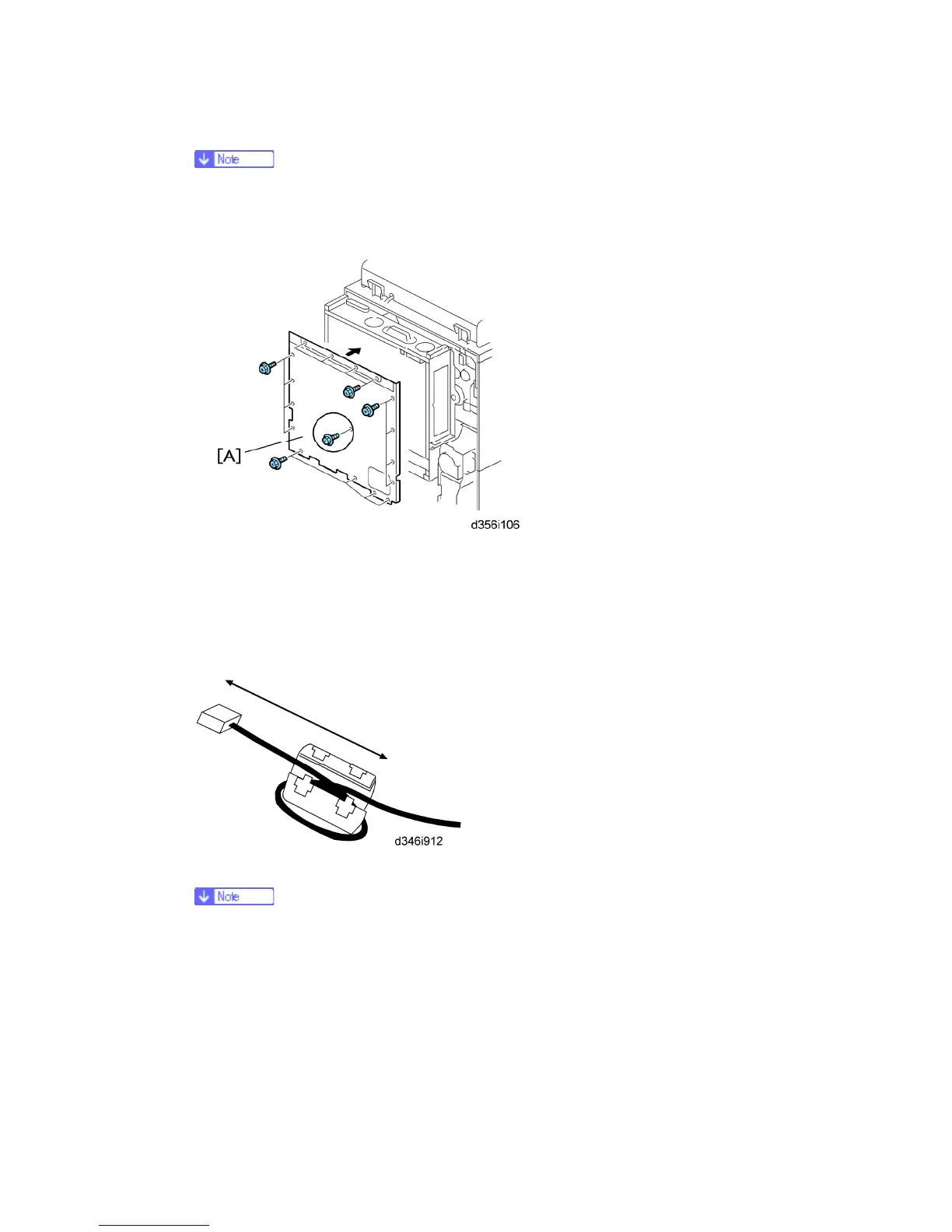
Controller box [A] (x16)
Rear lower cover (x2)
Rear upper cover (x3, Stepped x2)
1. Connect the telephone cable to the "LINE 2" or "LINE 3" jack.
2. Attach the ferrite core to the telephone cable.
The end of the ferrite core must be about 5 cm (2.1") from the end of the
cable.
3. Attach the FCC decal to the rear cover of the copier (NA only).
4. Confirm that the machine is grounded correctly at the power source.
5. Switch on the machine and confirm that it is operating correctly.
6. Confirm that the date and time settings (User Tools) are correct.
7. Enter the SP mode.



 To Next Page