LCIT RT4000 (D350)
SM 1-67 D014/D015/D078/D079
Installation
The paper tray [B] must be pushed in now. If the paper tray remains out, the
LCIT is unstable and difficult to move.
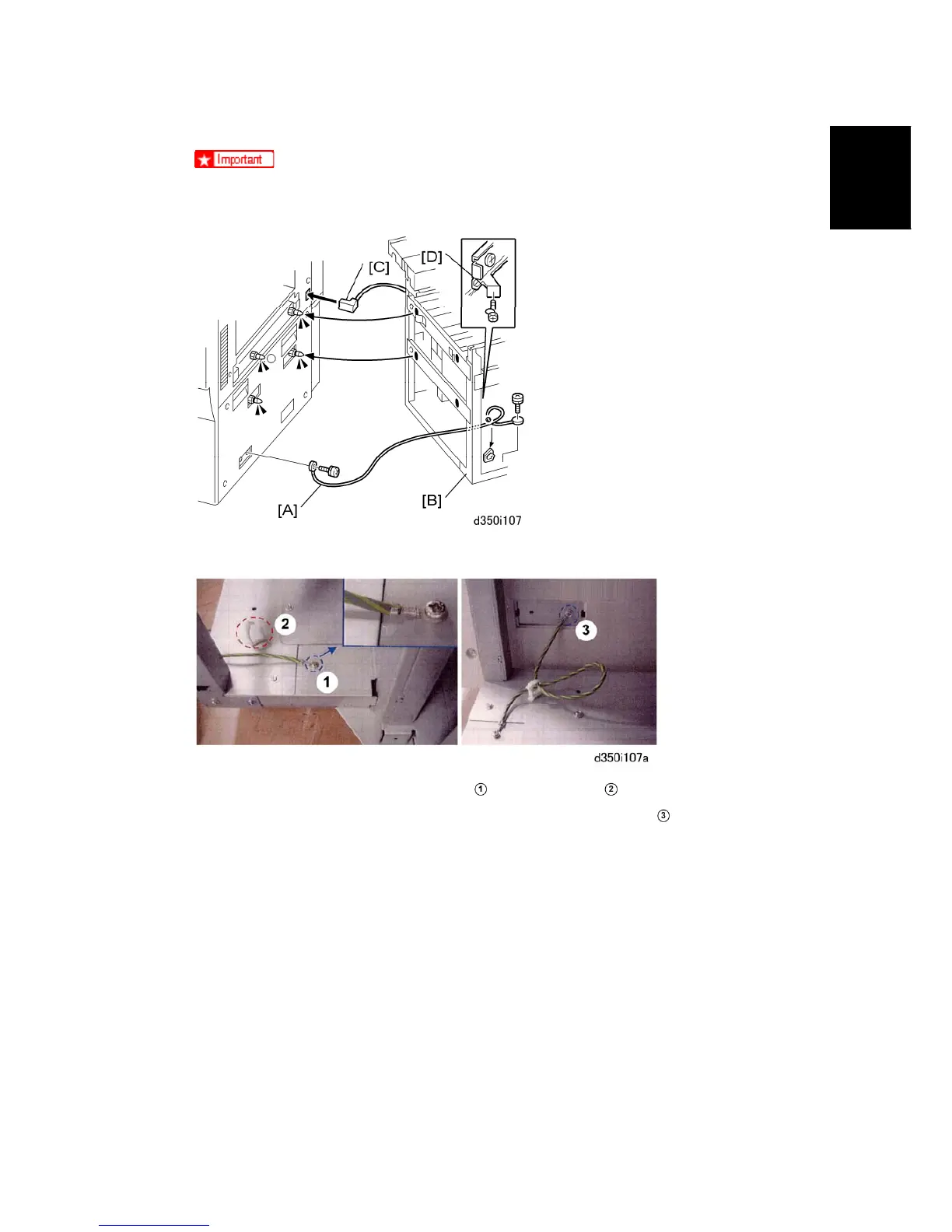
13. Attach the ground wire [A] to the main machine and LCIT ( x2).
On the LCIT, attach the ground wire
and clamp it at ( x1, =x1).
Attach the other end of the ground wire to the main machine at
( x1).
14. Push the LCIT [B] against the side of the main machine.
15. Connect the LCIT I/F cable [C] to the main machine ( x1).
16. Fasten the screw to the lock plate [D] ( x1).
17. Reattach the left corner plates ( x2 each), push the paper tray into the LCIT, and
close the paper exit cover.
18. If you are going to install the heaters, do this now. See the next section.
-or-
If you will not install the heaters, skip the next section.



 To Next Page