LCIT RT4000 (D350)
D014/D015/D078/D079 1-66 SM
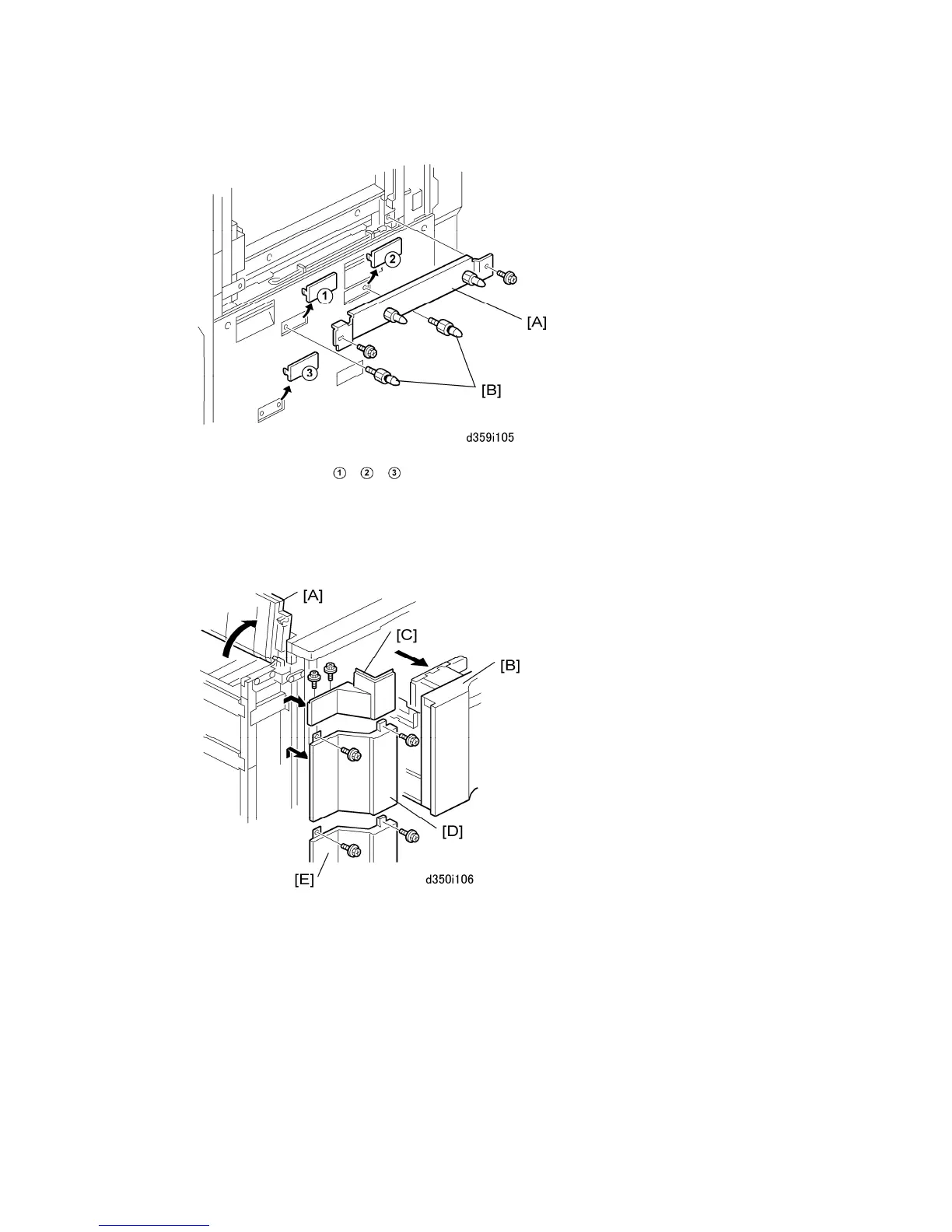
3. Remove knockouts
, , .
4. Attached the stay [A] with the provided screws ( x2).
5. Attach the joint connection pins [B] (x2).
6. Re-attach the right upper cover.
7. On the LCT, raise the paper exit cover [A].
8. Pull the paper tray [B] about halfway out of the unit.
9. Remove the left corner cover (upper) [C] ( x2).
10. Remove the left corner cover (middle) [D] ( x2).
11. Remove the left corner cover (lower) [E] ( x2).
12. Push the paper tray [B] into the LCIT.



 To Next Page