Punch Unit B831
SM 1-115 D014/D015/D078/D079
Installation
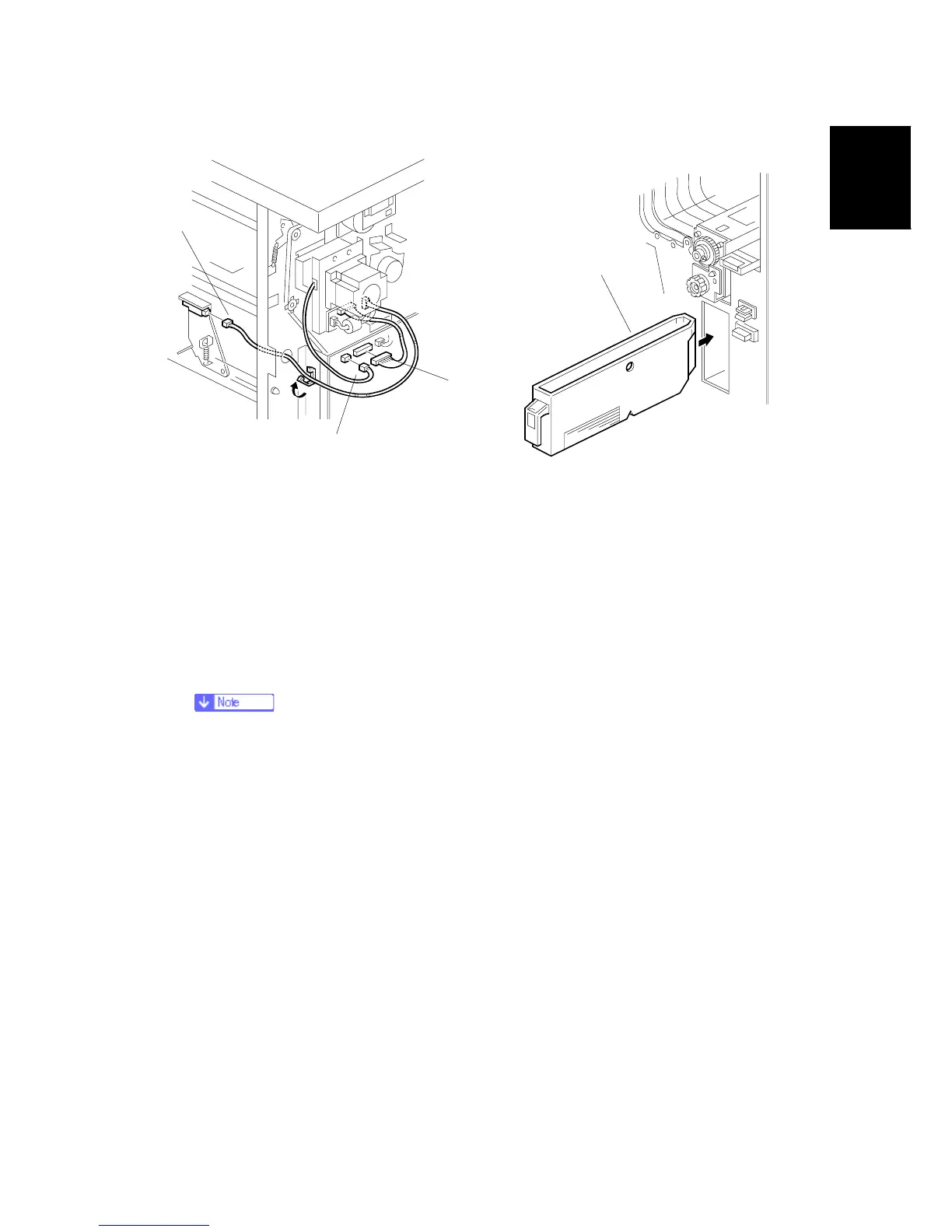
14. Connect the PCB harness connector [A] to CN135 of the finisher PCB and to CN600 of
the punch unit PCB.
15. Connect the harness [B] to CN136 of the finisher PCB.
16. Connect the single end of the hopper full sensor connector cable [C] to the hopper full
sensor on the arm (Connector x 1, Clumpx 2).
No special DIP switch settings are required for this punch unit. A signal from the punch
identifies itself by sending a signal to the copier.
17. Slide the punch waste collection hopper [D] into the finisher.
18. Re-attach the inner cover and rear cover.
19. Close the front door and re-connect the finisher to the machine.
B831I107.WMF
B831I109.WMF
[A]
[B]
[C]
[D]
Rev. 03/2008



 To Next Page