Cover Interposer Tray CI5000 (B835)
D014/D015/D078/D079 1-130 SM
18. Open the front door of the cover interposer tray.
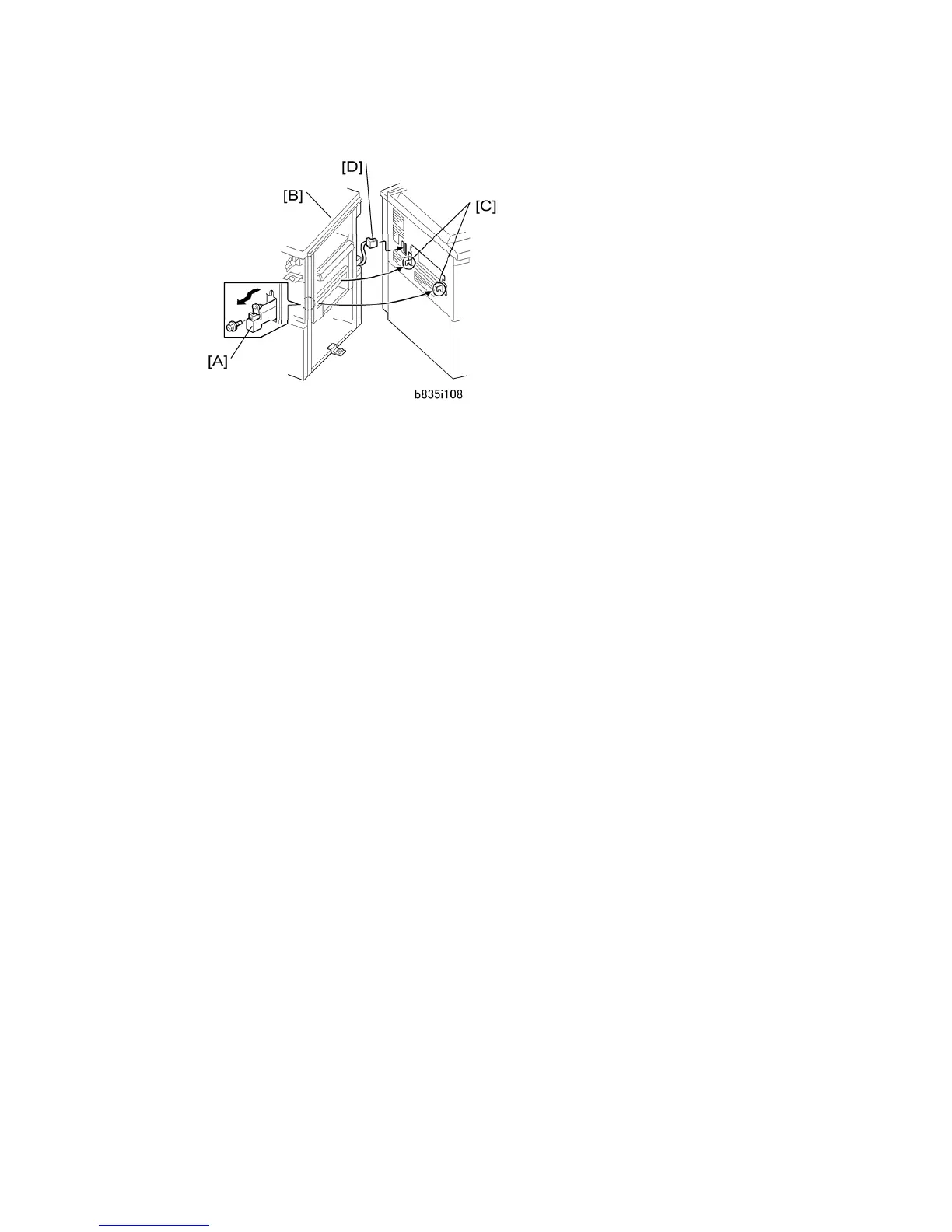
19. Pull out the locking lever [A].
20. Align the finisher [B] with the joint brackets [C], then slowly push the finisher onto the
brackets.
21. Connect the finisher cable [D] to the copier
22. Push in the locking lever.
23. Check that the top edges of the finisher are parallel with edges of the finisher (or
copier) to the right.
24. Fasten the locking lever [A] ( x 1)
25. Close the front door.



 To Next Page