PCU
D014/D015/D078/D079 3-48 SM
1. Remove:
[A] Filter frame
[B] Filter
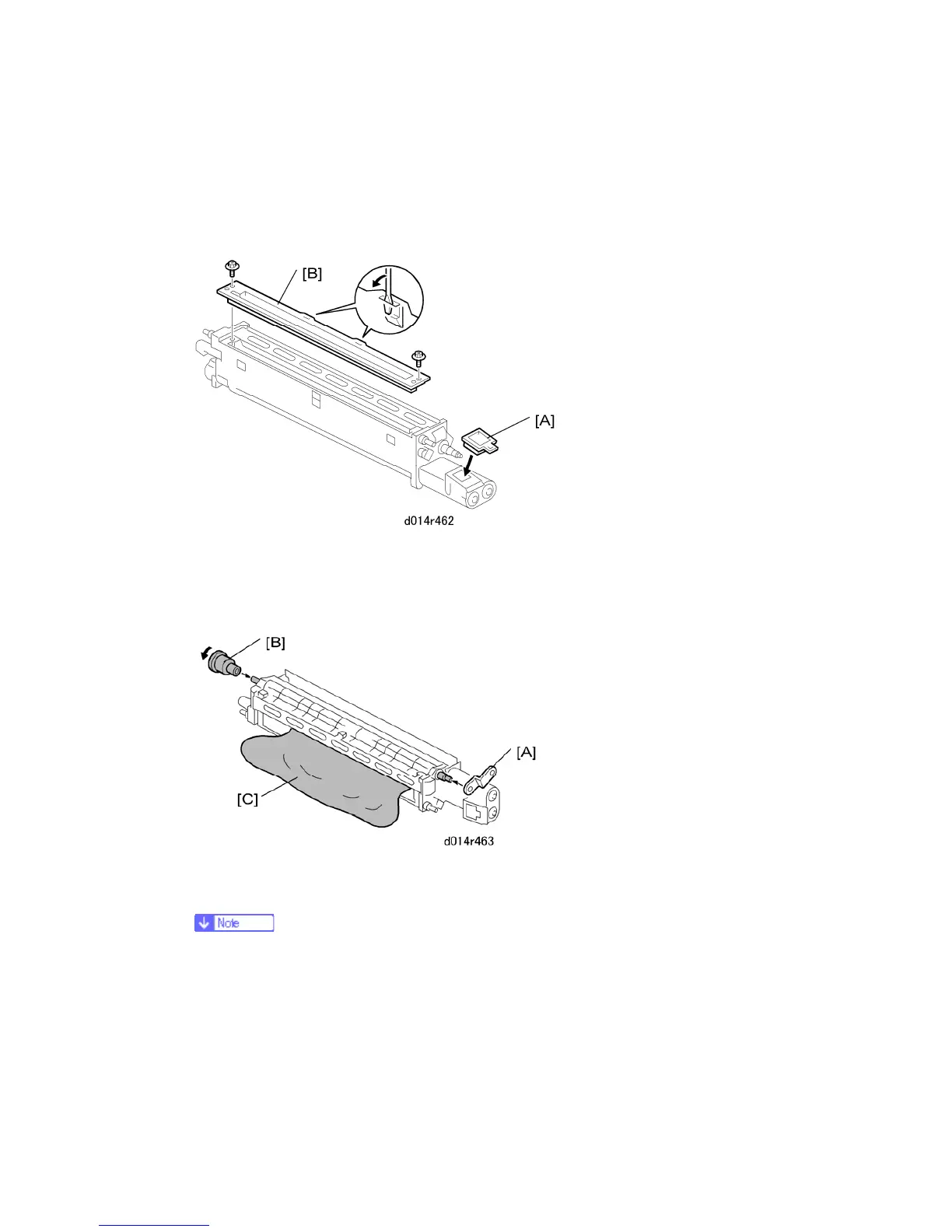
2. Insert the plug [A] into the toner port.
3. Remove the plastic cover [B] ( x2). Use the tip of a small screwdriver to dislodge the
cover.
4. Attach the metal jig [A] to the end of the development roller. The jig must be set as
shown.
The D-shaped hole of the metal jig must fit over the D-shaped shaft tip. If the
hole of the metal jig is not aligned with the shaft, rotate the D-shaped shaft tip
to position the shaft so the metal jig can be attached.



 To Next Page