Punch Unit (B702)
D014/D015/D078/D079 1-88 SM
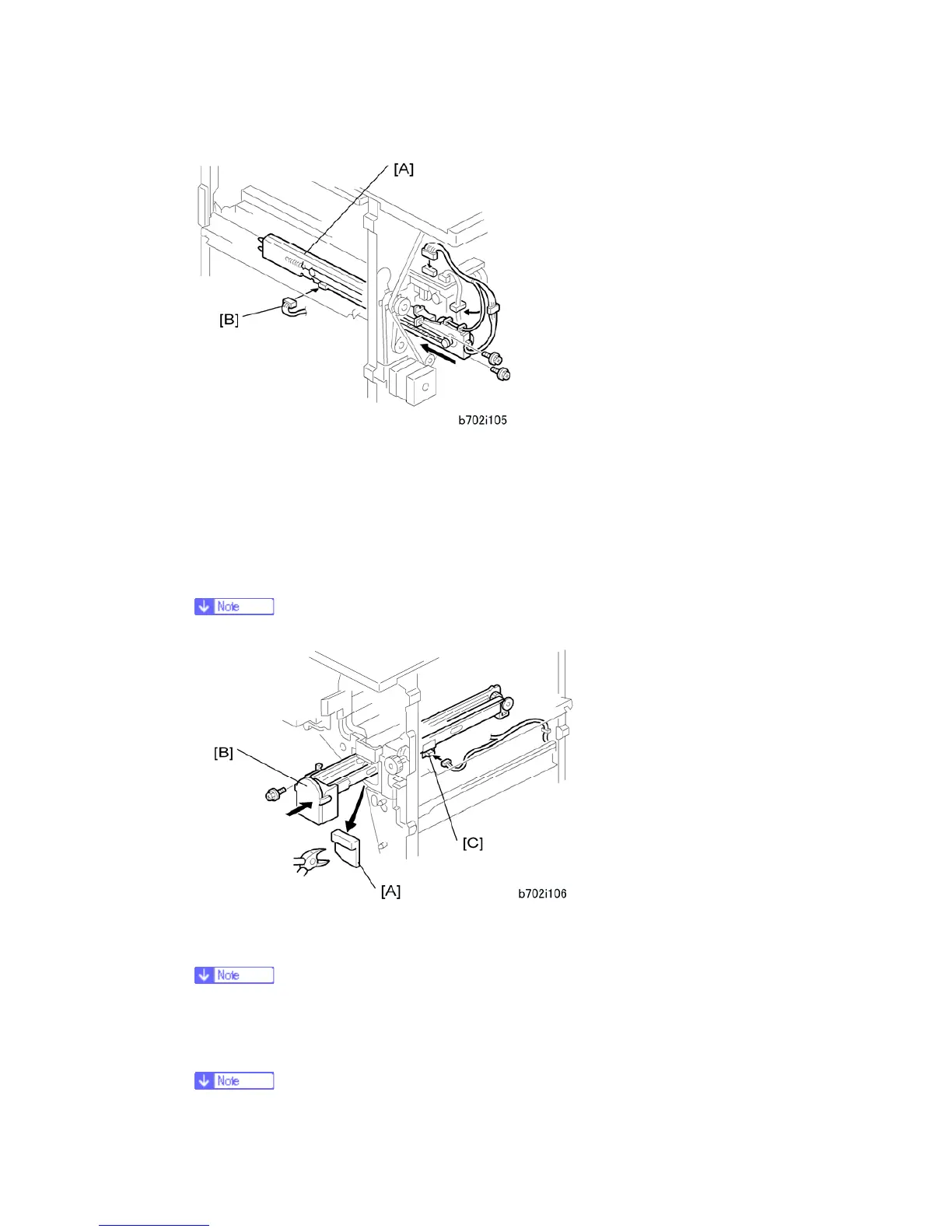
9. Put the side-to-side detection unit [A] in the machine. Make sure that the two pins are
engaged correctly at the front.
10. Make sure that the side-to-side detection unit moves smoothly on its rails. If it does not,
make sure that the rails are aligned with their grooves.
11. Attach the side-to-side detection unit and connect it at the rear ( x 2, = x 1, x 1).
12. Pull the short connector out of the connector [B] then connect the cable ( x 1).
This is the 3-pin connector.
13. At the front, use a pair of wire cutters to remove the part [A] of the cover.
14. Install the punch-waste transport unit [B] in the finisher.
Make sure that the punch-waste transport unit moves smoothly on its rails. If it
does not, make sure that the rails are aligned with the grooves.
15. Remove the short connector from the connector [C].



 To Next Page