Cobalt 8.1 - 20181029
83
Tab - Designer Summary
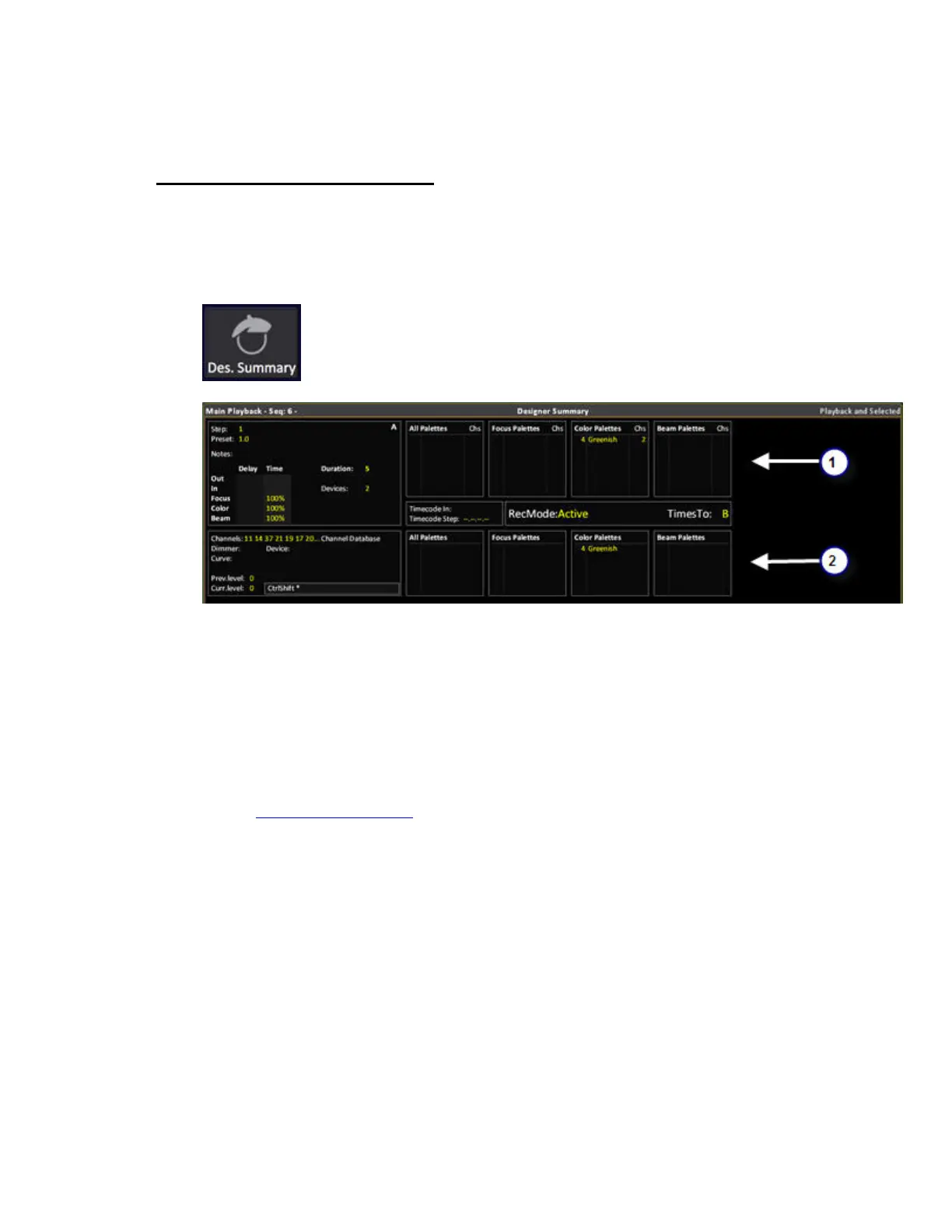
The designer summary provides playback information at a glance that is intended to be useful for the
lighting designer.
Symbol in the Tab Selector:
There are three formats that can be toggled with the FORMAT key or context menu:
• Main playback & selected (channels)
• Selected (channels)
• Main playback
1. Main Playback
• Palette information for A or B depending on what is selected in the Crossfade Settings, see
Play Settings - Crossfade
. The Palette section only shows palette info for palettes that have
been executed by the main playback, as part of the sequence. The box to the left indicates
with Red background in the playback info block that a crossfade is running.
• The number of Devices in the next fade
• The total duration of the step in A or B, plus In/Out/Delay times for intensity and Focus,
Color, Beam.
• Timecode in and the next timecode step.
• Recording mode for moving devices
• If times are set to A or B



 To Next Page