Cobalt 8.1 - 20181029
565
Magic Sheets - List (8.0)
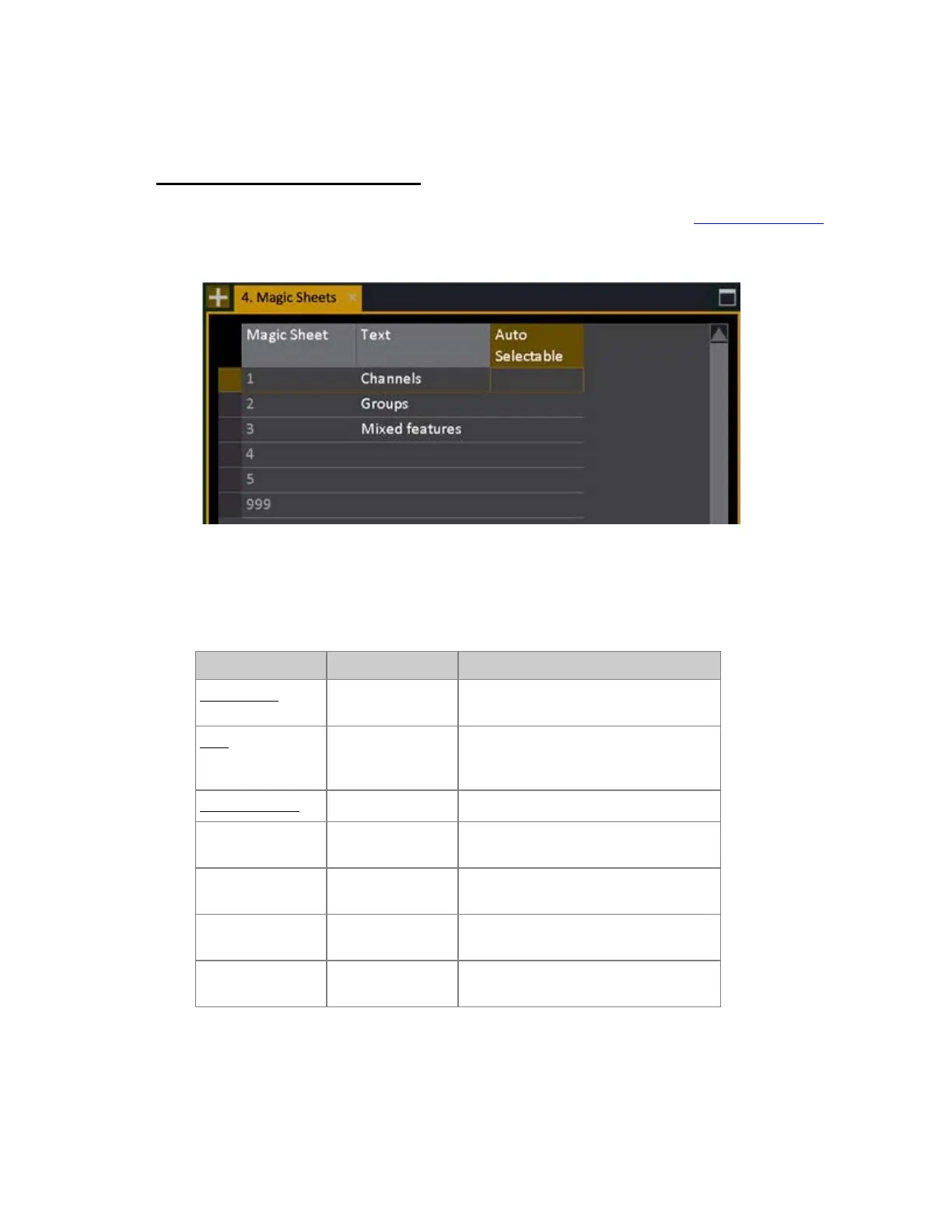
This list is used to create a Magic sheet for editing with the edit functions - see Magic Sheet - Editor.
Enter a number (#) and press INSERT to create a Magic Sheet in the Magic Sheet list (Browser
>Channels >Settings & Tools >Magic Sheet).
The Magic Sheet will be created and can be selected in any Channel View by # FORMAT
Magic Sheet List - Columns & Functions (8.0)
Function Key Feedback
Magic Sheet
The ID of each Magic Sheet. Cannot be
changed.
Text
[MODIFY]
Press MODIFY to activate and end text
input. This text is shown in the lower
right corner of the channel views.
Auto Selectable
[MODIFY]
Enables Auto-Select*
Delete Magic
Sheet
[DELETE]
Deletes the currently selected Magic
Sheet. Cannot be undone.
Insert a new Magic
Sheet #
[#] [INSERT]
Inserts a new Magic Sheet**
Copy a Magic
Sheet
[COPY]
Copies the selected Magic Sheet
Paste a Magic
Sheet
[#] [PASTE]
Pastes a copied Magic Sheet to a new
layout #
*If you select a channel that is included in a layout marked as "Auto-selectable", this layout will be
selected. If the same channel is included in several layouts, the first Auto-Selectable one will be
selected.



 To Next Page