Cobalt 8.1 - 20181029
855
Master View
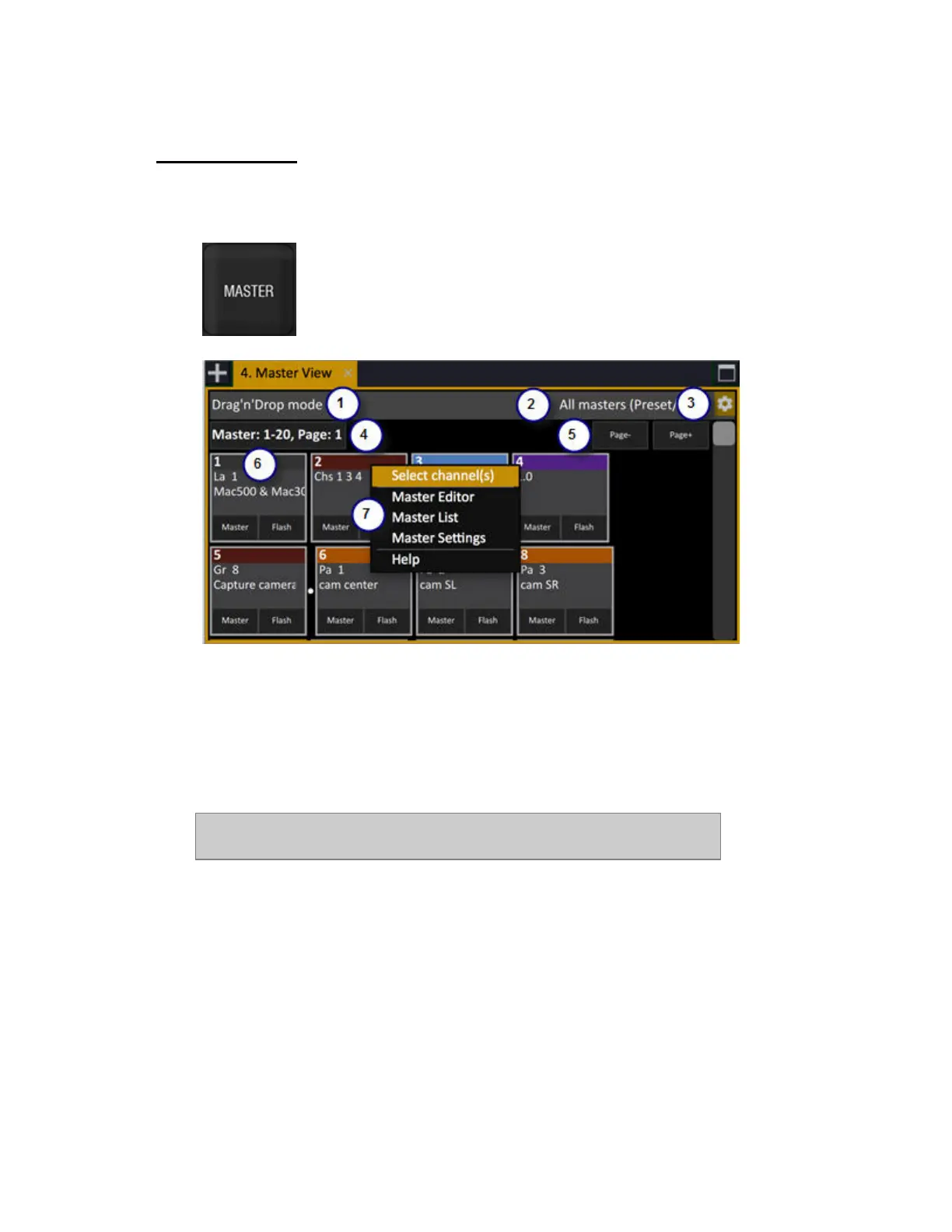
Press MASTER to open the Master View tab. The Master View is a graphical view of the content in
the master playbacks. It has several formats and is zoomable. (Browser >Masters >Master View)
1. Indication of Master View mode (see 3)
2. Context menu for viewing format
3. Master View settings and view modes
4. Master Page name and number
5. Master Page keys
6. Master symbol
7. Context menu for master symbol
NOTE
Master Views can be opened in any screen area as a tab content.



 To Next Page