Cobalt 8.1 - 20181029
1038
/parameter/intensity <0.0-1.0>
/parameter/pantilt <0.0-1.0> <0.0-1.0>
/parameter/huesaturation <0.0-1.0> <0.0-1.0>
Direct Selects
Only supported on older Congo hardware (not recommended)
/directselects/page/X, X = 1-5
/directselects/key/X, X = 1-40
Transmit - OSC Output
OSC output can be transmitted from an Action Macro, or from a template. In addition, sequence texts
and master levels are transmitted to remote devices - see Receive - OSC Input
.
To transmit OSC commands you have to activate transmittion of OSC and select a port (default 8000)
and IP address(es) of the devices to send to in Play Settings - Show Control
.
Action Macro OSC
See Cobalt Action Macros
.
Template OSC
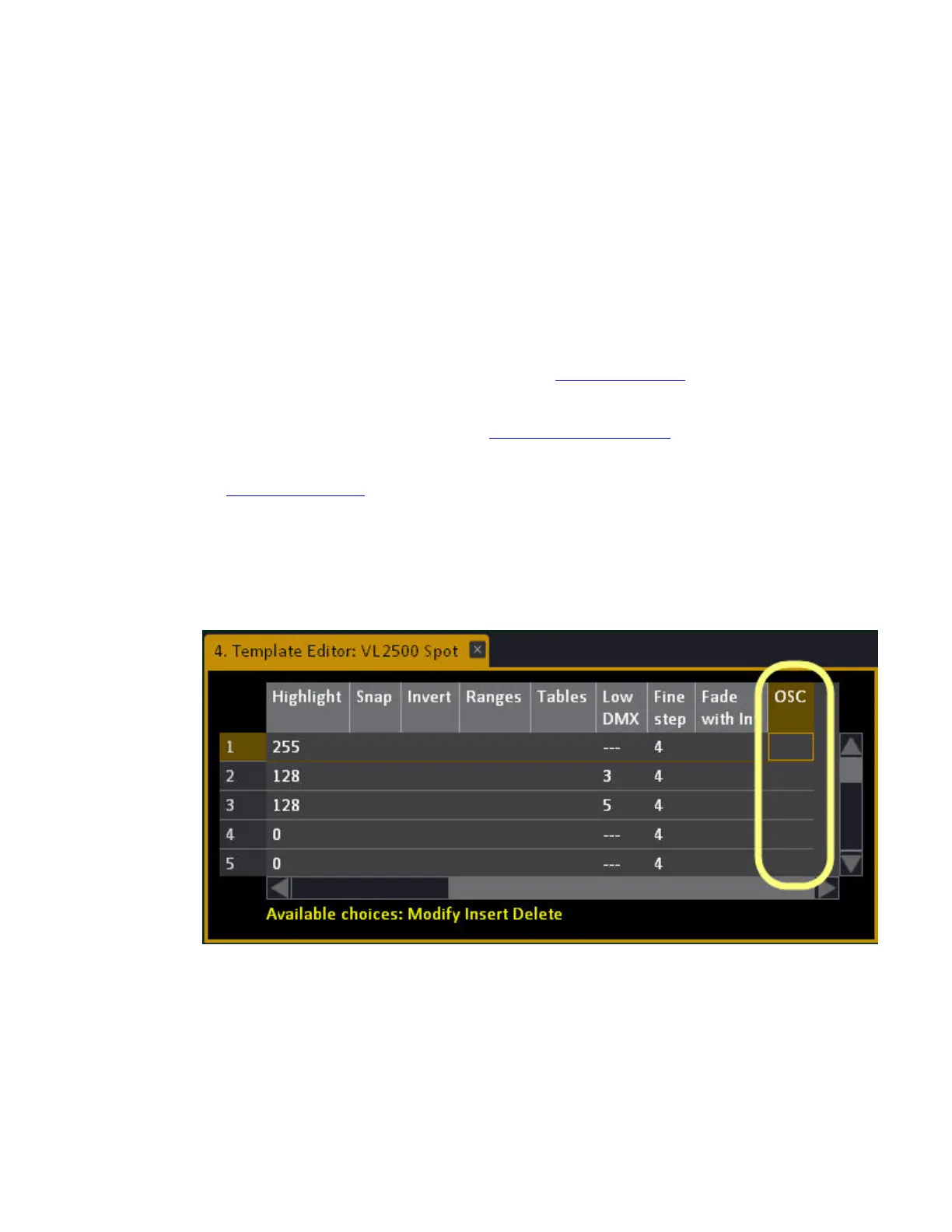
It is possible to define any parameter in a template to send optional OSC data. In the Template editor,
there is now a new column called OSC. It will open a dialog where OSC parameters can be defined.
Scaling through Max value is supported.
Press MODIFY or double-click on OSC



 To Next Page