Cobalt 8.1 - 20181029
35
This Manual - Using the Help system
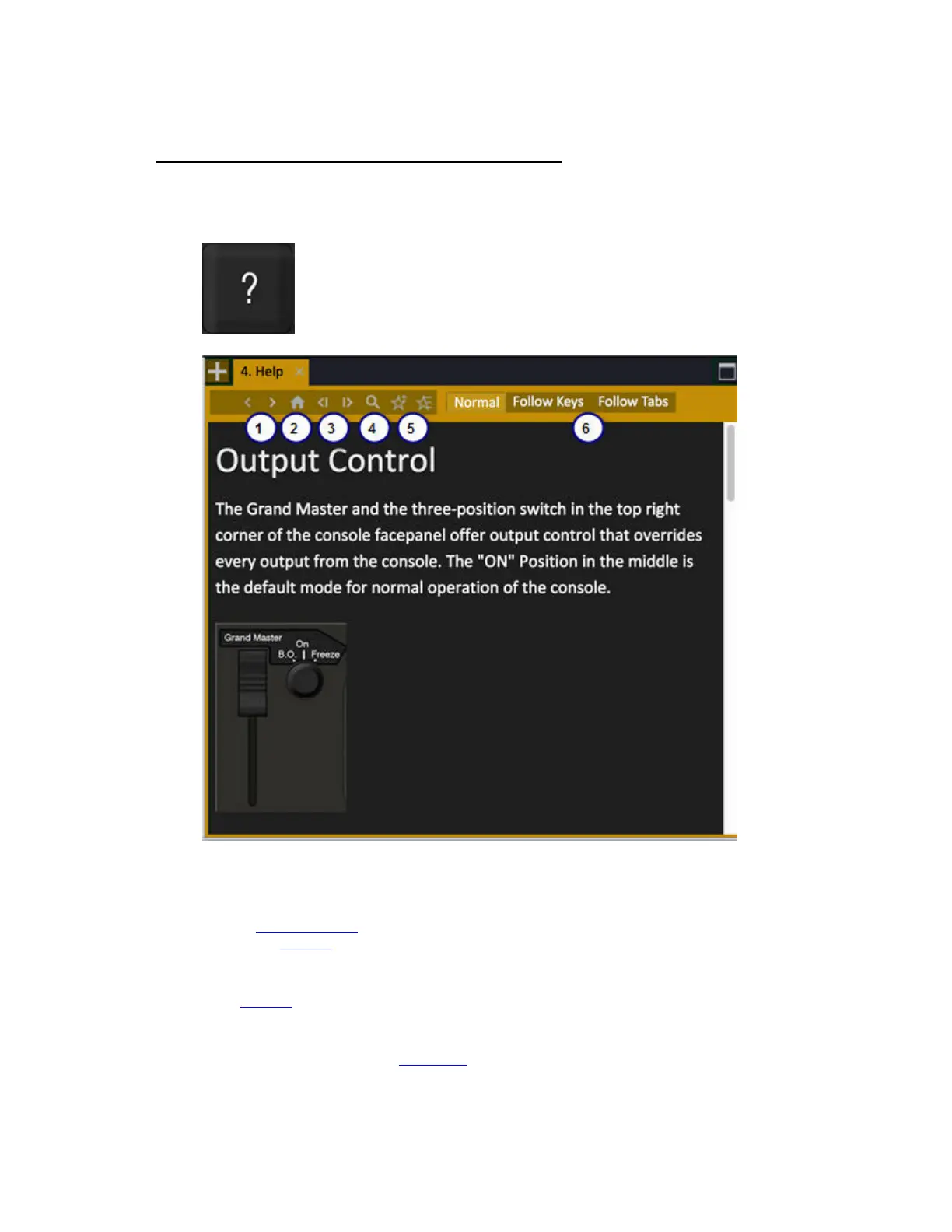
To open the help system, press the HELP key in the Programming Section. Hold help key and press
any other key for quick help.
1. Previous/Next visited page
2. Home
3. Previous/Next chronological page
4. Search Function
5. Set Favorite
6. Set to Normal or to auto-follow Keys or Tabs
In the Browser
you can display the table of contents. The right arrow expands a topic and the left
arrow jumps to the parent and closes. Press MODIFY or tap to open a topic.
You can set up a Help Tab (see Tab - Help
) If there is a help dock available, using HELP would open
content.



 To Next Page