Cobalt 8.1 - 20181029
714
Content Effect Modes
A Content Effect can play back its Series in three different modes:
• Break
• Continuous
• Build
In the Series Editor you can define a default mode that is set every time the Series is activated. It's
possible to change this mode on the fly when you edit the Effect Playback parameters. See Series List
.
What mode do I use?
The modes allow you to get completely different results, using the same Series. The beauty of the
Content Effect is that it allows you to get very specific results with little programming effort. We can
provide some examples, but the whole idea is that you create your own unique effects using this
powerful tool.
EXAMPLES OF APPLICATIONS
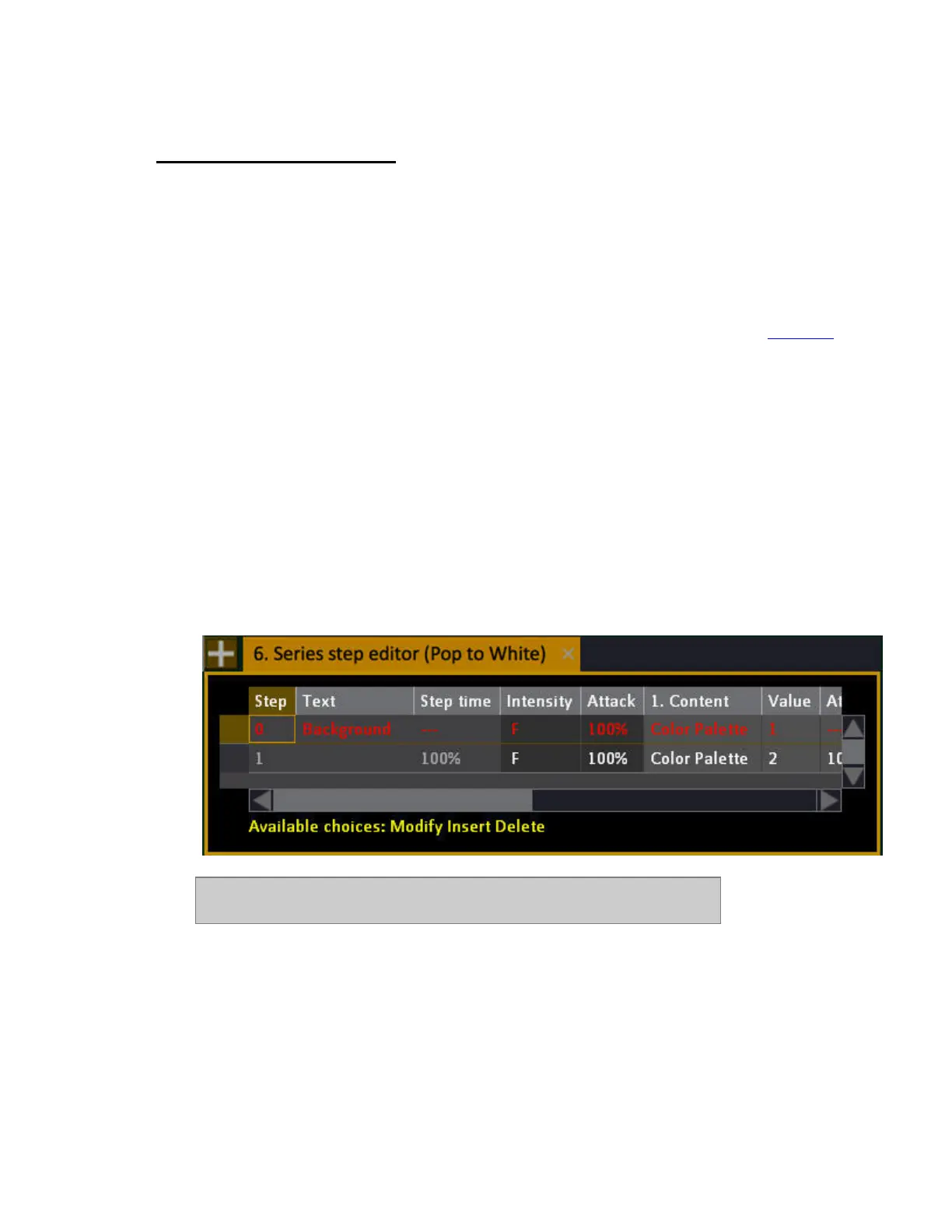
"All in blue, then pop to white one by one"
This can be done with a Content Effect in Break mode, with just a Background state (blue) and one
step (white).
In this example color palettes 1 (blue) & 2 (white) were used. It could have
been absolute values for Cyan, Magenta and Yellow as well.
"A fly out"
This can be done with a Content Effect in Break mode with a starting point (usually pointing down
with no intensity and two steps, 1) to turn the intensity on and move to the "away" position and 2) to
turn the channels off again before they return to the background state.



 To Next Page