Cobalt 8.1 - 20181029
543
NOTE
To use a Magic Sheet (or any other console function) you need to close the
Editor first.
The only way to work in this editor is with a mouse/touchscreen and external
keyboard. Commands from the console keypad are not recognized.
Magic Sheets Editor - Object Editing (8.0)
The easiest way to work with a Magic Sheet is with a mouse, you can manage most of the functions
with a touchscreen as well. An object is basically following the rules you would expect in most simple
drawing programs.
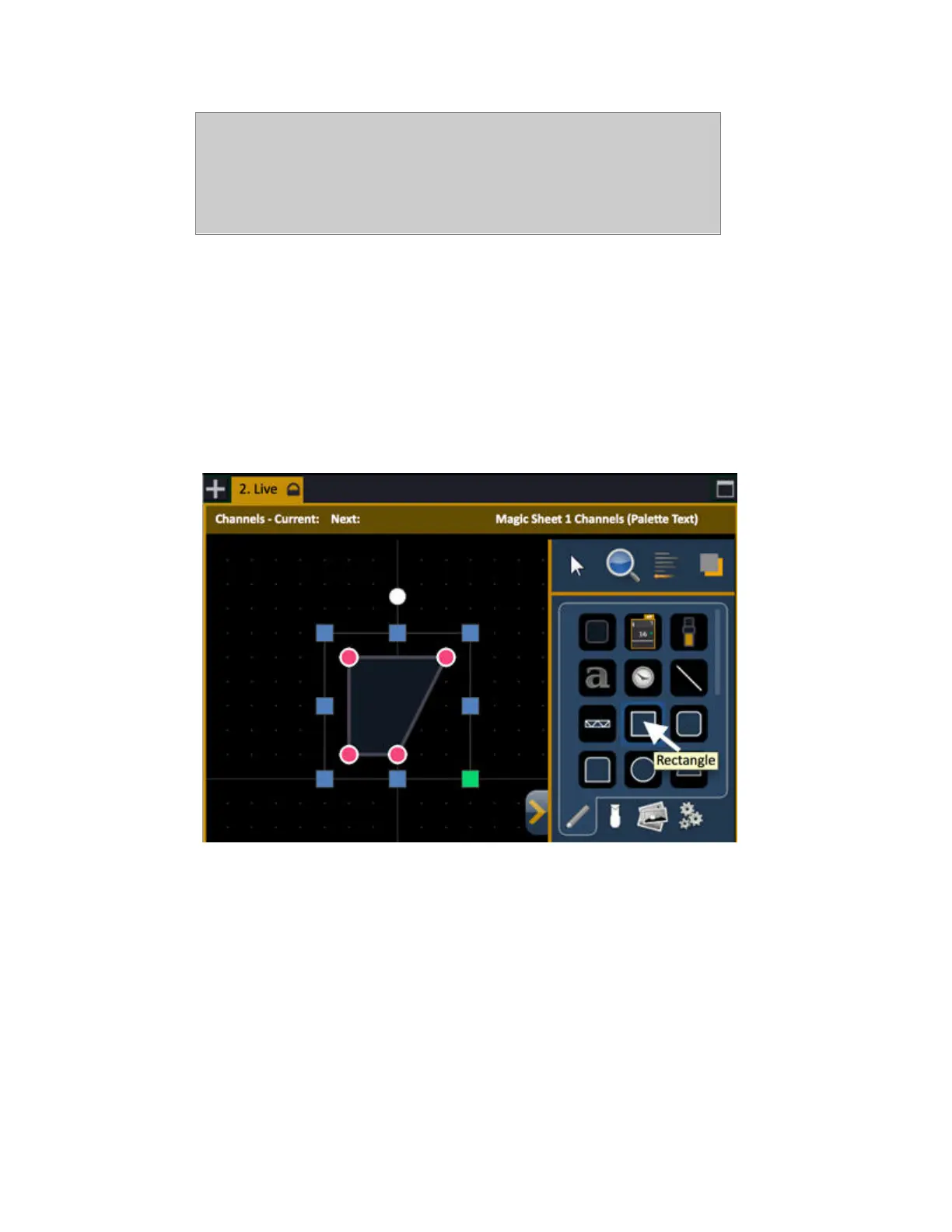
1. Choose simple arrow
2. Click in the Object Library on the rectangle
3. Click to place it somewhere in the workspace and use handles to modify
• Green Handle for proportional stretch
• Blue handles for edge stretch
• White dot handle for rotate
• Pink handles for individual point move
• Arrow keys move object
Mouse Navigation Tools
• Left click selects an object
• Right click and hold to pan or drag the display
• Use your mouse wheel to zoom in and out



 To Next Page