Cobalt 8.1 - 20181029
702
Content Effects
Content effects are simply speaking simply a series of steps containing show content like palettes and
presets or even raw parameter levels that you can apply to any existing group (or set) in your show.
The simplest form of content effect is the intensity series (on/off) that is created automatically when
you make a new play. By applying this to a group of channels you can create chase, ripple and
pulsating intensity effects on the fly. There is a default intensity content effect when you create a new
play from v6.0.
Try this
1. Open Demo_Tour
2. Open the Files >Training project >Demo Tour
3. Select Effect 2 (2 EFFECT)
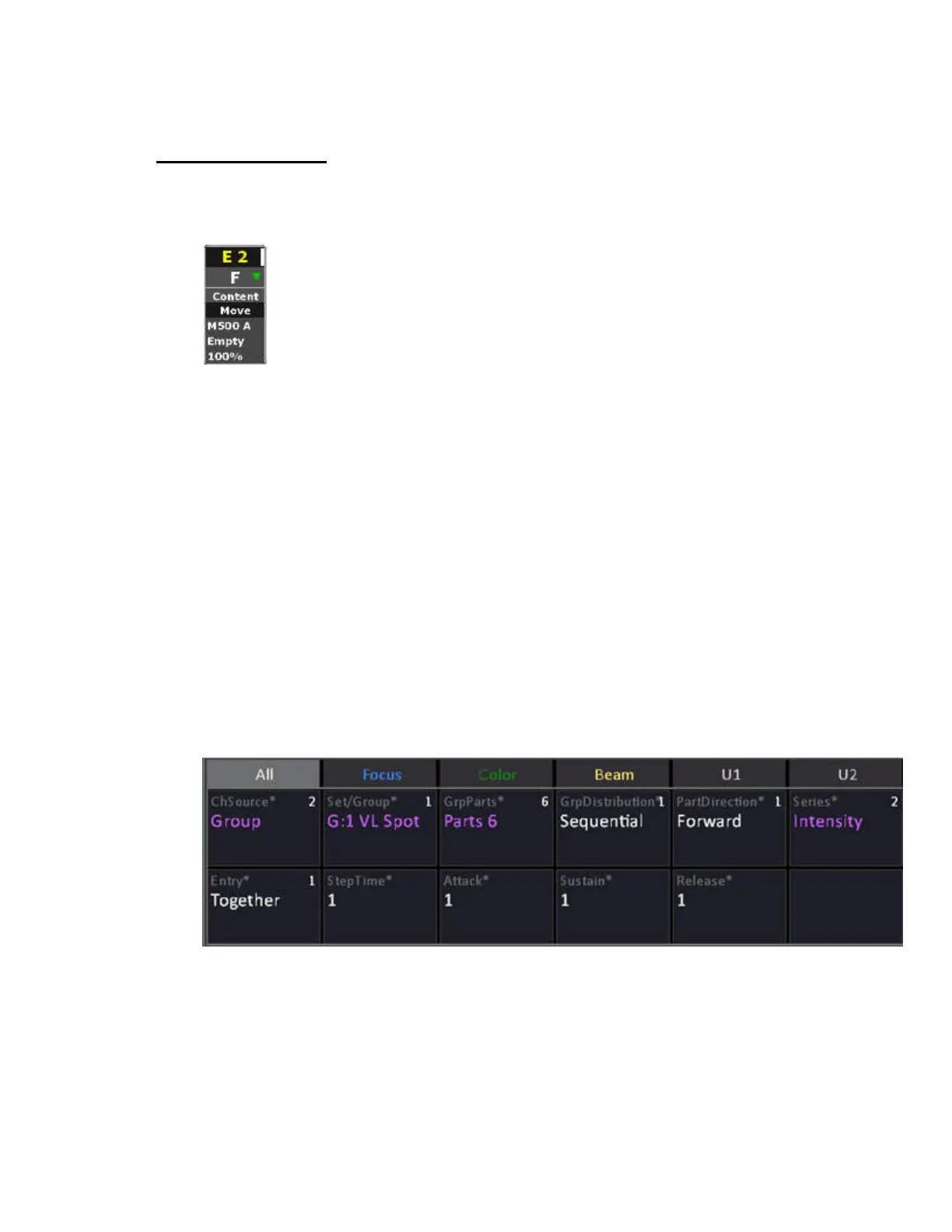
4. In the Device Control tab set the following paramters
ChSource = Group
Group = G:1 VL Spot
GrpParts = Parts 6
Series = Intensity
5. Bring the level wheel to full - Channels 51-56 should be performing an intensity chase now.
6. Change Group to G:2 VL Wash - Channels 57-60 should be perfomring the same chase now.
To record press RECORD and create a preset.
A more complex example of a content effect could be "set all devices in the target group that have a
color mix to blue, then pop to white two by two from sides to center" and it's easy to add two lines of
code to the series to make them "fly out when they pop to white".
General
The content effect separates the channel source (group or channel set) from the actions within the



 To Next Page