Cobalt 8.1 - 20181029
382
Sequence Times - Channel Times
Times are set to the step in A (Active) or B (Next) depending on the setting for times (SETUP &
TIME).
Function Soft Key Feedback
1. Select the TIME soft
menu page
TIMES (soft key) The time soft key page is
selected in the main
display.
2. Set a channel time for
the selected channels
[#] [CH_TIME]
A time is set for the
selected channels. You can
set a text label to the
channel time group.
3. Set a channel delay time
for the selected channels
[#] [CH_DELAY]
A time is set for the
selected channels.
You can set channel times with two shortcuts as well.
Function Key Shortcut Feedback
Channel time
[#] [CHANNEL] &
[TIME]
or
[#] [TIME] &
[CHANNEL]
A time is set for the
selected channels. You can
set a text label to the
channel time group.
Channel delay
[#] [CHANNEL] &
[DELAY]
or
[#] [DELAY] &
[CHANNEL]
A time is set for the
selected channels.
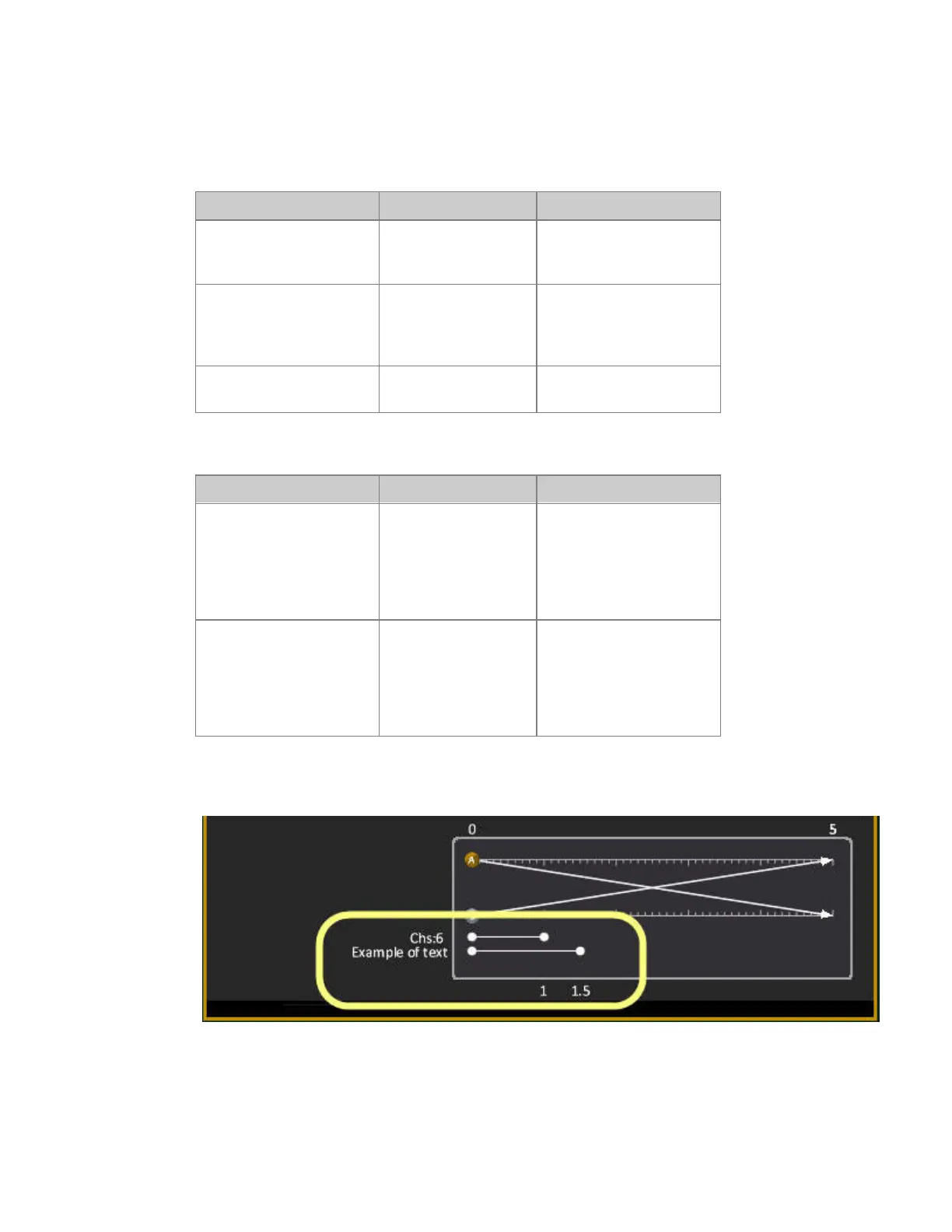
This is what it looks like in a playback view, If no name is assigned, the channel numbers will be
shown.



 To Next Page