Cobalt 8.1 - 20181029
533
NOTE
You will not get a warning if you are overwriting existing texts.
Auto Groups - From Database and Templates
The Auto Groups are channel handles that are created automatically for any type of device patched in
the device list, and for the different text lables assigned in the Channel Database.
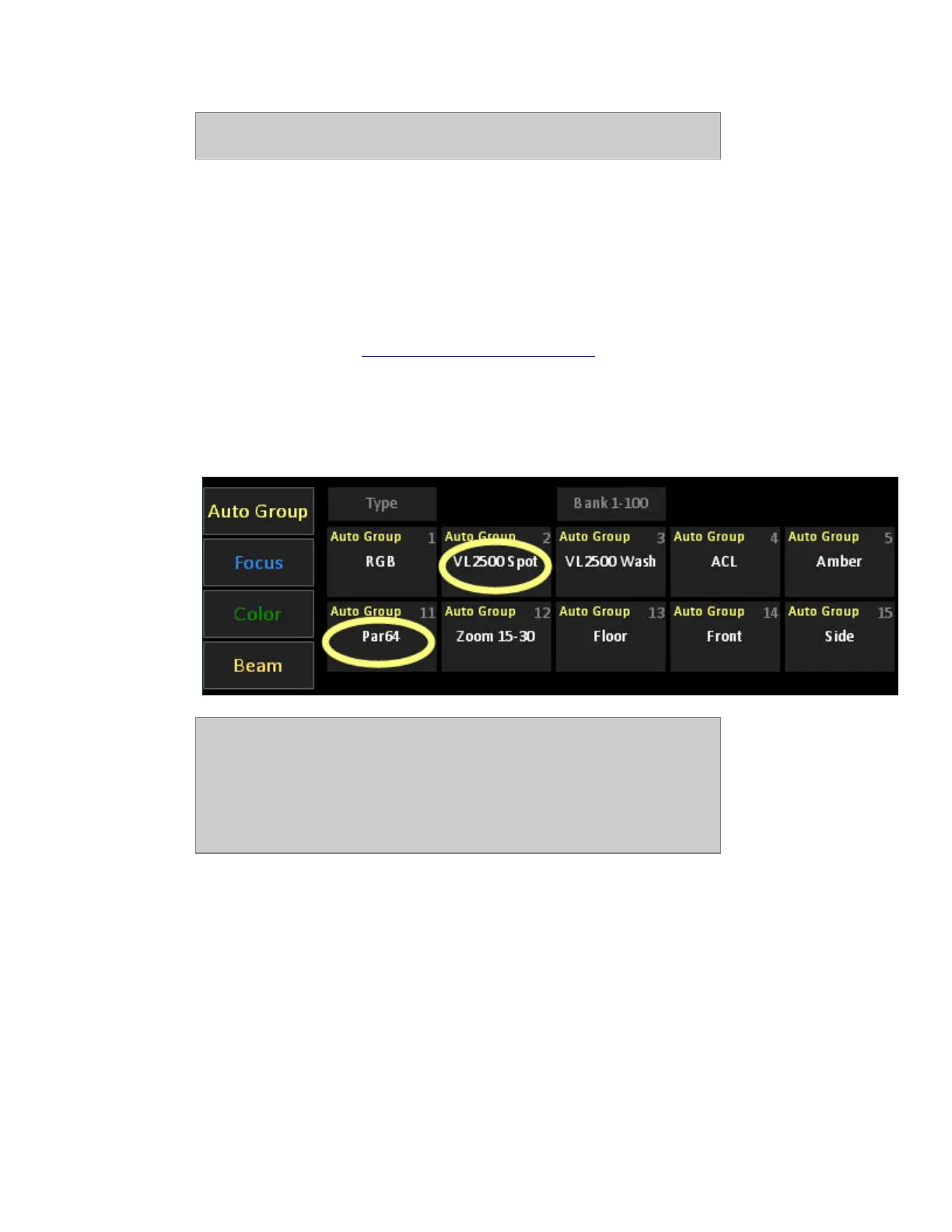
For example, if you patch a moving device with the template "VL2500Spot", an autogroup with this
name will appear in the Direct Selects for Auto Groups. Click to select all patched devices of this
type. See Auto Groups in Cobalt Direct Selects - Types of Data
.
In the same way, if the text label "Par64"is given in the channel database to a number of lights, an
Auto Group will be created, and can be used to select all channels with this tag.
Click to select the channels, click and drag to set a level directly.
NOTE
When you patch compound devices or multichannel devices with decimal
channels, three Auto Groups will be created:
- All (base channels and subchannels)
- Only subchannels
- Only base channels
Channel Database - Import Text File Wizard
The Channel Database can import any comma or tab-delimited file and assign four text fields to the
text fields (ABCD) of the database. This makes it possible to import data from programs like
Lightwright, Excel, Word, Wysiwyg and such.
The file has to have the ending .txt and is opened from the Browser (Browser >File >Import from...).



 To Next Page