Cobalt 8.1 - 20181029
744
Dynamics - Fade
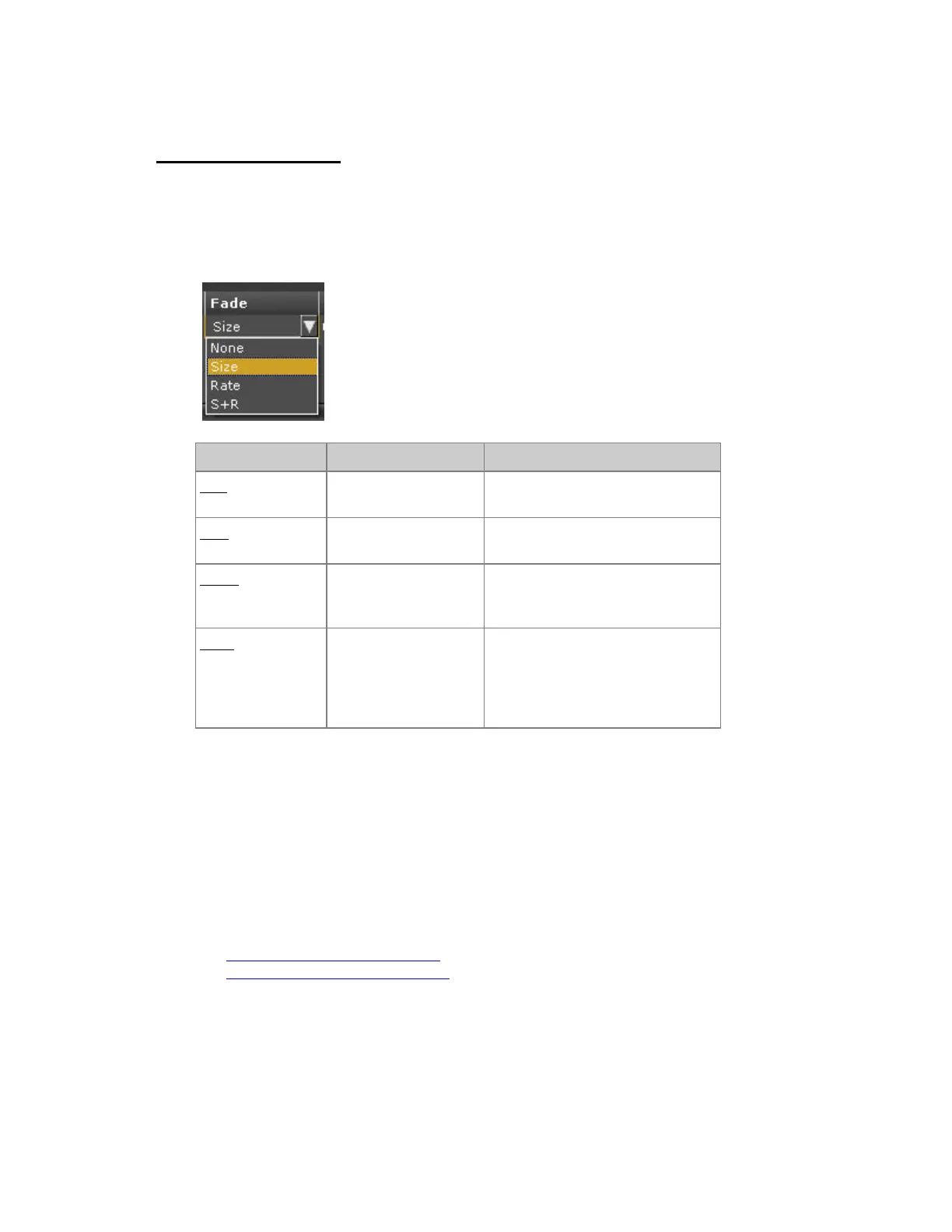
A Dynamic Effect can fade in size, rate or both when played back in a Sequence. When faded
manually in a Master Playback, size will follow the fader (0-100%).
The Fade parameter is set in the Live and Preset Dynamic Effect tabs in the Fade column.
Action Key Feedback
Size (default)
[MODIFY]
Size will fade in (and out) on the
time for the corresponding attribute.
Rate
[MODIFY]
Rate will fade in (and out) on the
time for the corresponding attribute.
S & R
[MODIFY]
Size & Rate will fade in (and out)
on the time for the corresponding
attribute.
None
[MODIFY]
Size and Rate will snap directly to
the values of the dynamic effect.
Activating a new attribute value
will stop a corresponding dynamic
directly.
Intensity Dynamics
When a Stop Table is activated, the Dynamic Effect will fade out on the in time of the corresponding
sequence step. If the Stop Table is assigned manually, the effect will snap out.
Attribute Dynamics
When new attribute values are played back from the Sequence, they will fade from the Dynamic in the
attribute time of that Sequence Step. When they reach zero the Dynamic is deleted automatically.
See Dynamics - Live Dynamic Effects
See Dynamics - Preset Dynamic Effects



 To Next Page