Cobalt 8.1 - 20181029
178
Subnet Mask: 255.255.0.0
Default Gateway: 10.101.1.1
This addressing scheme should allow a Cobalt console to communicate with other ETC
equipment via Ethernet without requiring any changes to these settings. If more than one
Cobalt console of the same type are to be connected to the network, ensure that the default
addressing has been changed on consoles #2 and above.
Default IPs for all Cobalt family products
10.101.84.101 (Cobalt 20 console)
10.101.82.101 (Congo/Cobalt Light Server)
10.101.79.101 (Cobalt Nomad)
10.101.80.101 (Congo Console)
10.101.81.101 (Congo jr)
10.101.83.101 (Congo Kid)
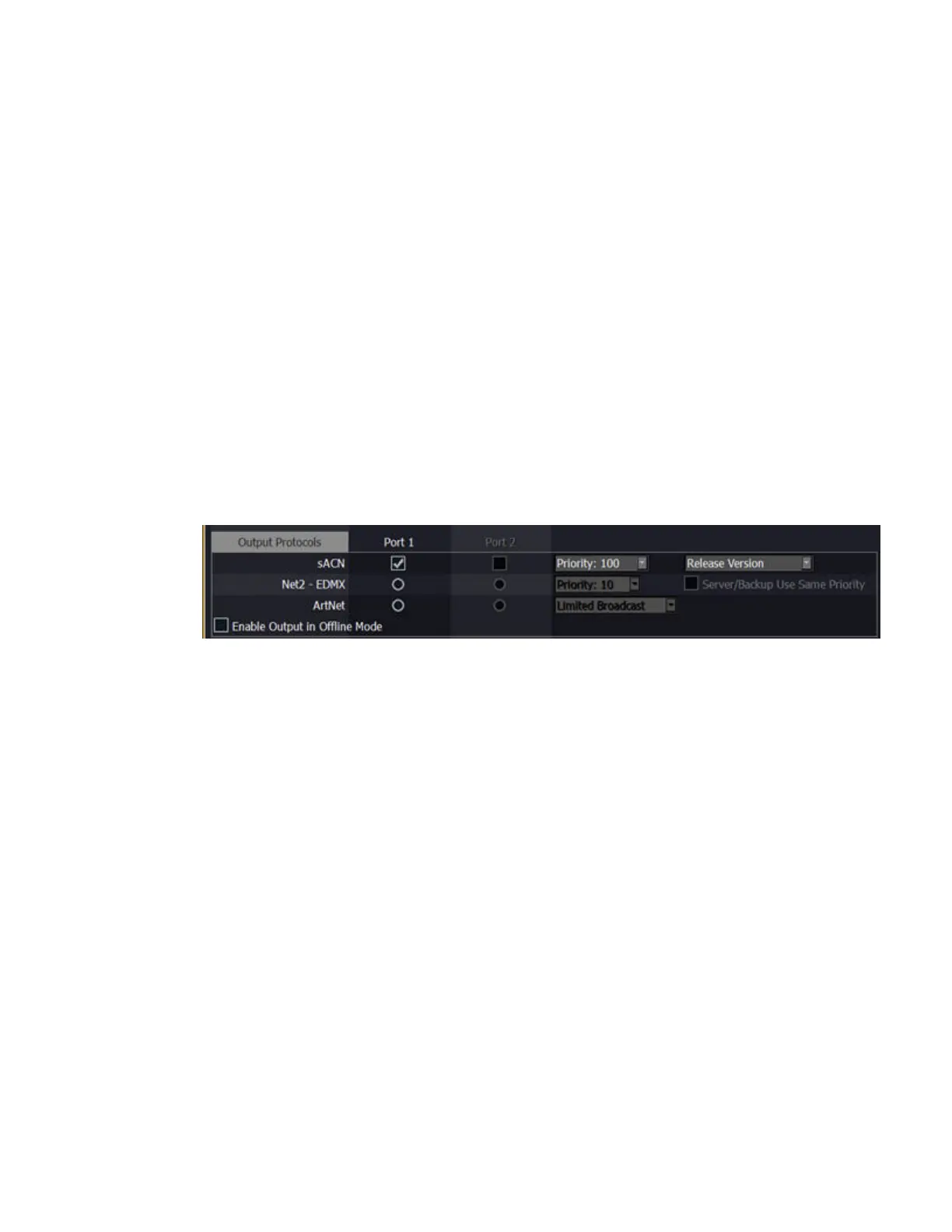
System Settings - Output Protocols
This is where you activate different output protocols.
• Streaming ACN (E1.31)
This is a broadcast protocol, like DMX over ethernet, designed to be simple. Check this
feature if you are using devices or nodes receiving streaming ACN. Priority is fetched from
the setting above. In Offline mode, Streaming ACN is sent on priority 1. Visualisation
software such as Capture require sACN tor CITP.
• ETCNet2
Priority: An ETCNet2 source can have a priority of 20-1. 1 is highest, and 20 is lowest. This
parameter decides the priority status of this system if there are multiple sources (for example
Cobalt and Unison). Sources with the same priority share on an HTP level. If there are
different priorities, the highest one will "win". The system name that is exposed on Net2 is
“Cobalt “ + the system name. See ETCNet2 documentation.
• Server/Backup Use Same Priority
This setting inhibits the Cobalt Backup unit from activating at a higher priority than the
server. Normally, the backup will activate at a higher priority to ensure that the system is
being controlled by only one server. In some systems, however, control is shared by the
Cobalt server and other consoles or architectural lighting control in such a way that having
the backup jump a priority can cause unexpected behavior of the system. In those systems, it
may be desired to force the backup to activate at the same priority as the server.



 To Next Page