Cobalt 8.1 - 20181029
87
Tab - Time Code
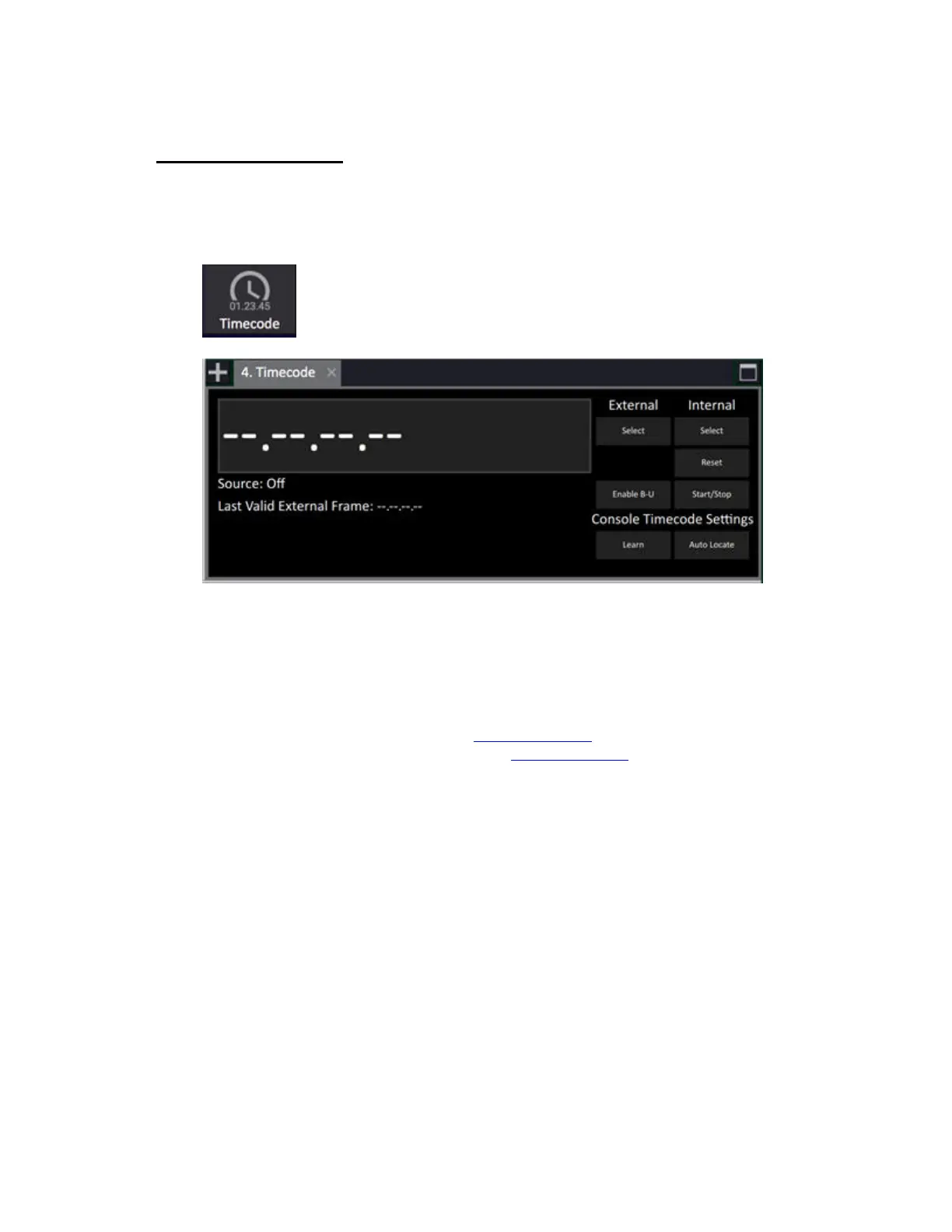
The Time Code tab provides a summary of the important time code features and information.
Symbol in the Tab Selector
To the right, use the screen buttons to select Internal or External time code source.
Enable BU (BackUp) clock will set the internal clock to take over if the external source is lost.
Console Time code Settings
• LEARN activates learn mode. See MIDI - Time Code
• Auto Locate activates auto location. See MIDI - Time Code



 To Next Page