Cobalt 8.1 - 20181029
1047
Content Types
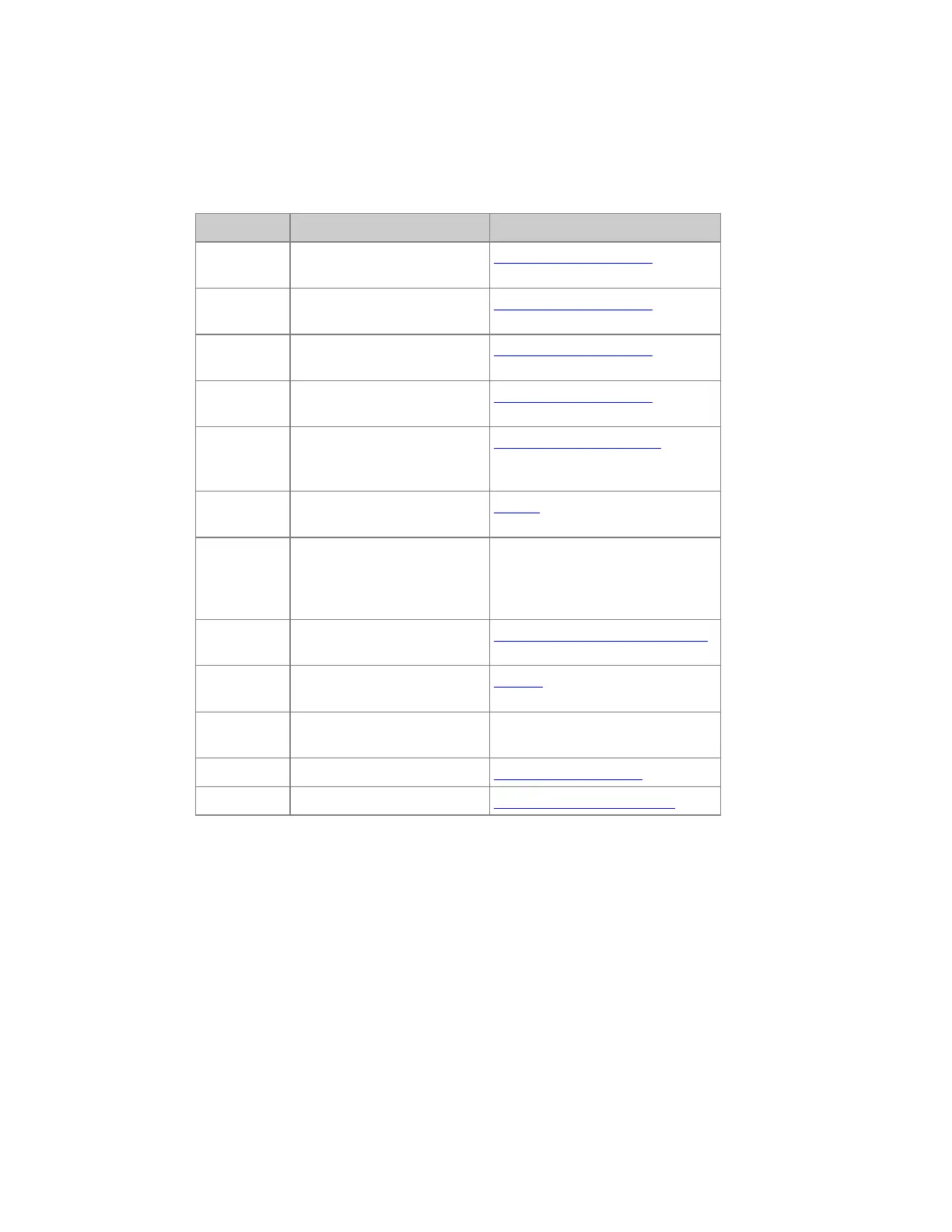
These are the possible Types of content for the Direct Selects and the corresponding keys in the
Congo Jr/Kid when they are activated for the display.
Type Function Read More
Focus
Activates a Focus Palette for
the selected channel(s)*
Moving Device - Palettes
Color
Activates a Color Palette for
the selected channel(s)*
Moving Device - Palettes
Beam
Activates a Beam Palette for
the selected channel(s)*
Moving Device - Palettes
Pal
Activates an all Palette for the
selected channel(s)*
Moving Device - Palettes
Gel
Select a Gel color for a
moving device from the gel
picker.
Device Views - Gel Picker
Group
Selects the channels in a
Group***
Groups
Param
Ranges for a parameter (gobo
wheel)
First select Param, then press the
wheel key for a moving device
parameter to connect that range to
the Direct Select keys.
Auto Group Auto Groups generated from
the Channel Database**
Channel Database & Auto Groups
Screen
Press to select the stored
screens
Screens
Mast
(jr/Kid)
Master keys (1-80) The keys will correspond to master
keys in a wing.
Masks
Masks User Masks - Functions
Section
Sections Sequences - Section Markers
*You can enter a time # before pressing a key to activate the change in this time.
**Auto Groups are sorted by Text Column from the Channel Database.
***You can hold the GROUP key and use the level wheel to change levels for this group directly
Direct Selects - Record & Update
The data in the Direct Selects is loaded as it is recorded, regardless of how it is recorded. It is also
possible to record and update directly to the direct select keys, which is a very fast working method
requiring few keystrokes.



 To Next Page