Cobalt 8.1 - 20181029
313
Patch - Dimmer Curve Editor
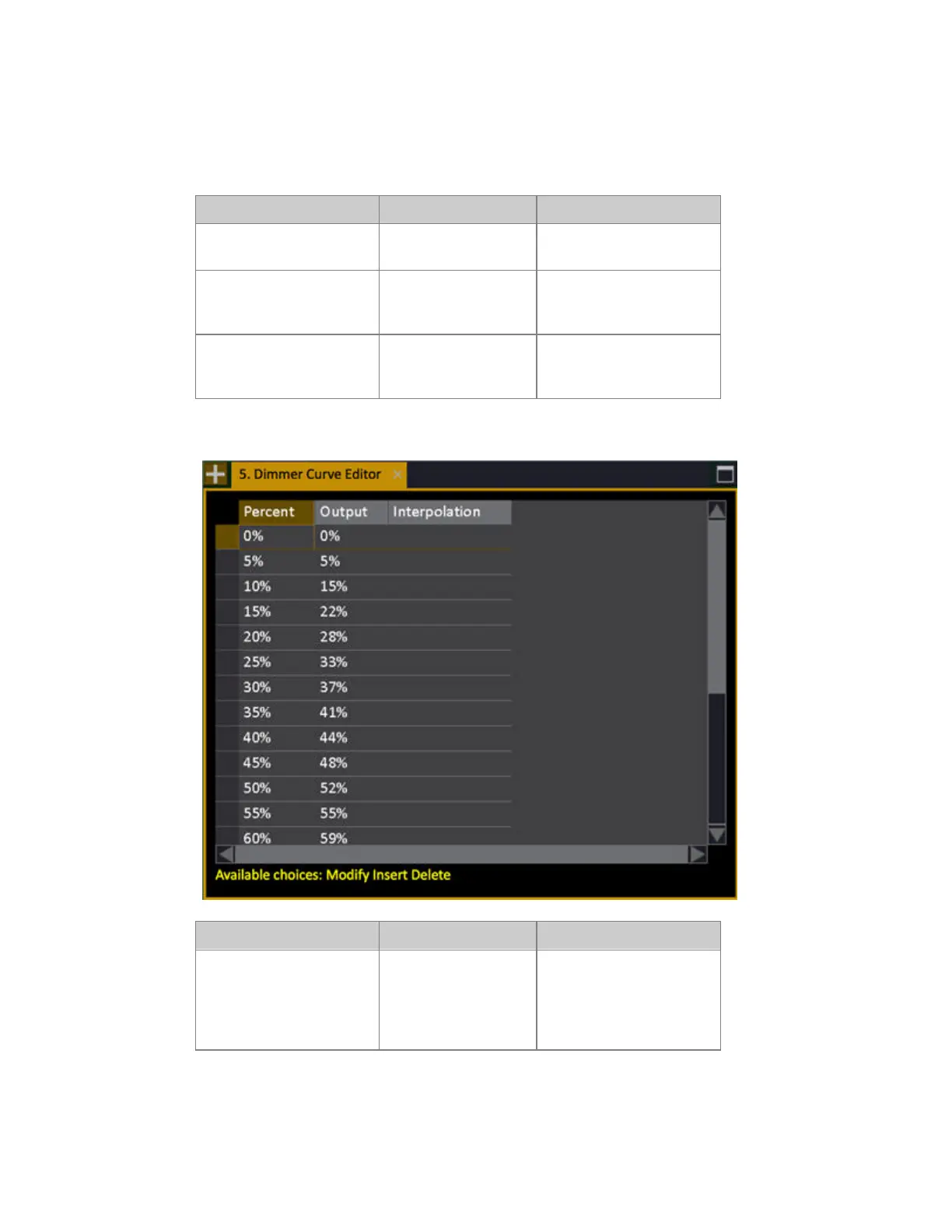
It is possible to create any kind of curve in the Dimmer Curve Editor.
Action Key Feedback
1. Open the Dimmer Curve
List
Browser >Patching
>Dimmer Curve List
The Dimmer Curve List is
opened.
2. Insert a New Curve
[INSERT]
A new curve is inserted.
You can name it in the Text
cell.
3. Open the Dimmer Curve
Editor
[MODIFY]
Press MODIFY in the
Dimmer Curve cell to open
the editor.
Dimmer Curve Editor (example: On/Off Curve)
Action Key Feedback
4. Insert a position
[INSERT]
A position is inserted. You
can set percent, Output and
if this step should use
interpolation to the next
step.



 To Next Page