Cobalt 8.1 - 20181029
448
Channels - Views
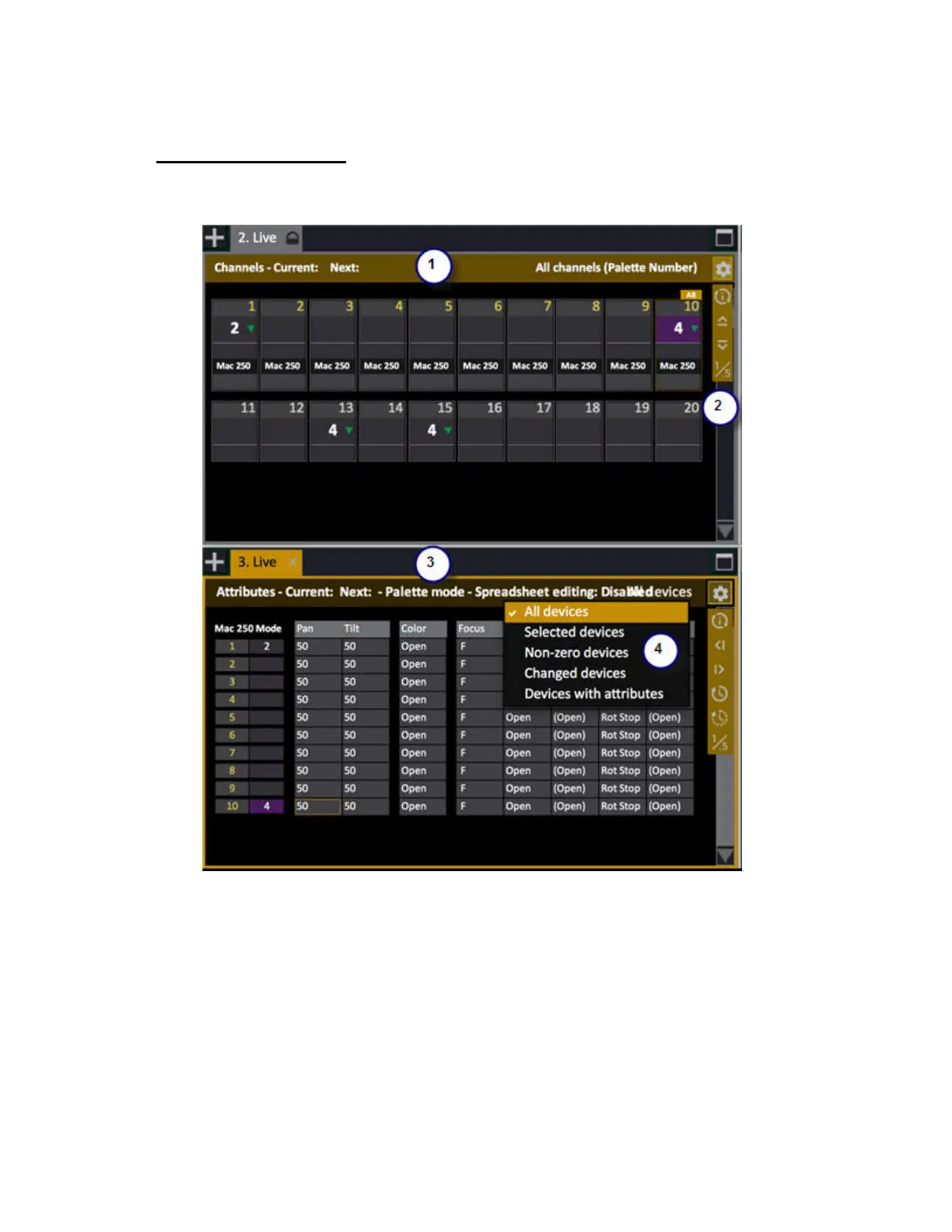
Channels (dimmers and devices) are displayed in channel views.
1. This is the Live tab in Channels mode
2. Settings - expand/compress level of detail, switch palette name or number
3. Live tab in Attributes mode for devices. Use context menu or ATTRIB to toggle
4. Context menu for format, if you click on a channel there are channel functions.
A Channel View like the Live Tab shows only channels, but a channel view can also be a part of
editors like the Preset Editor, the Sequence Editor, Effect Editors etc.



 To Next Page