Cobalt 8.1 - 20181029
823
Record a sequence to a master
When you record a second step to a master, or if a sequence is loaded to a master - you will get the
option to continue to record to that sequence using the same recording logic as when you record to the
sequence in the Main Playback.
Record a preset to a sequence in a master
1. Select channels (selection) or select none (all) to record.
OPTION: Enter a preset or cue number. If you don't the next free last used for masters will be
suggested.
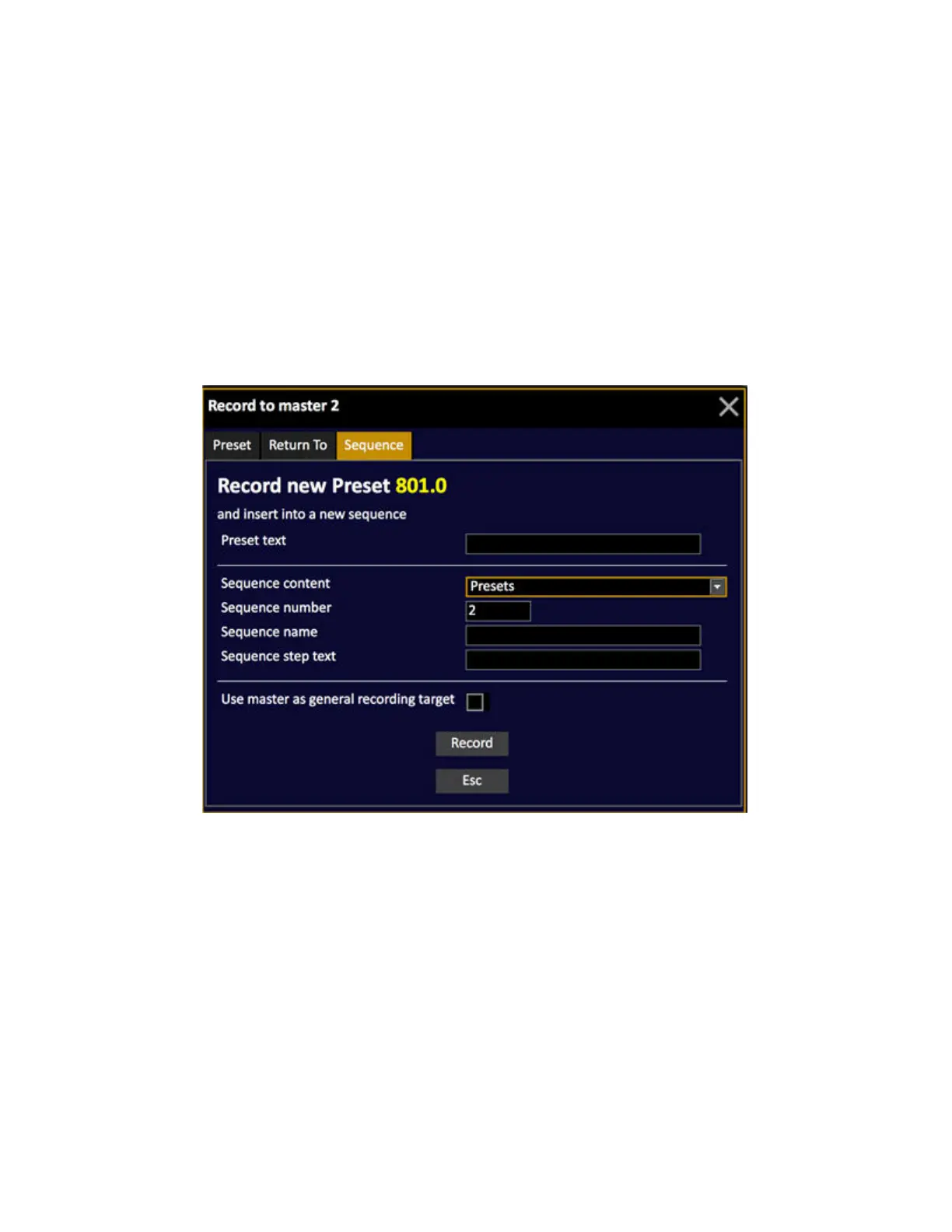
2. Hold RECORD & Master key. Use the right arrow to select Sequence.
3. Enter a preset (or cue) text, Sequence name, and step text (optional) and press RECORD again.
In "Use master as general rrecording target" you have the option of selecting this master as the
general recording target, which means that all new presets or cues recorded in the Live tab will be
added to the sequence in this master.
Master settings for sequences
These are the settings you can change for masters with sequence content.
Hold SETUP and press the Master key to open the settings.



 To Next Page