Cobalt 8.1 - 20181029
388
Sequence Times - FCB Times
FCB Times are set to the Preset of a Sequence Step. See Moving Device Times - FCB Time
Sequence Times - Parameter Times
Individual Moving Device Parameter times are set to the preset of a Sequence Step. See Moving
Device Times - Parameter Time.
Sequence Times - WAF Alert Times
An Alert time will count down from the completion of the previous crossfade, and alert the operator as
to when the next fade should be manually executed.
There is a Learn Mode that will record Alert times automatically as a show is played back in real time
by an operator. This mode is activated with the soft key LEARN ALERT in the Times Soft Key page.
See The Times Soft Key Page
.
Time Limit
There is both a visual and an audio warning set to alert 5 seconds before the next fade. You can
change this time limit in the Time Settings. See Settings - Crossfade
.
Visual
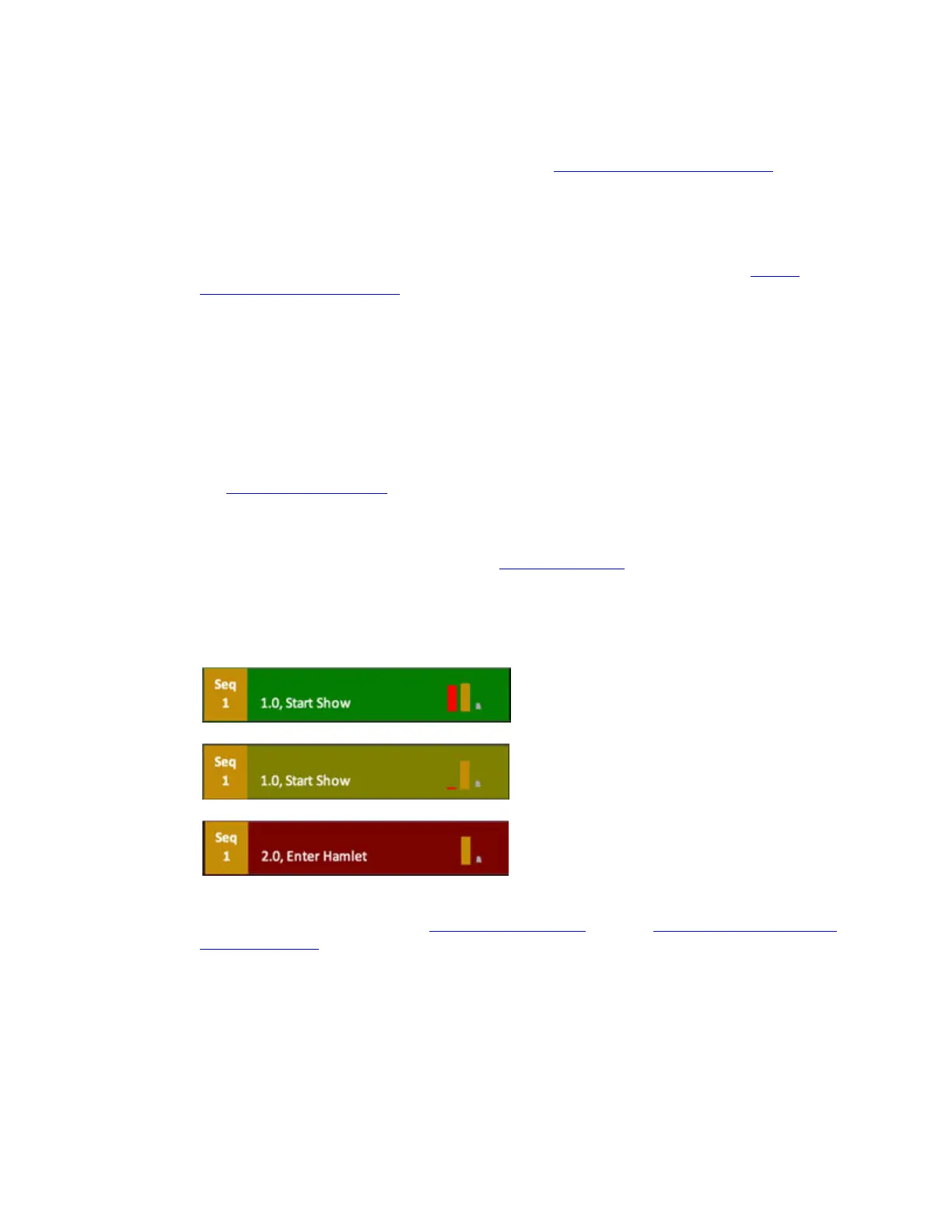
The top part of the playback view will be green as long as the alert time is over 5 seconds. At 5
seconds it turns yellow and after completion it turns red.
The Alert time is edited in the Sequence List WFA and WFA Time columns. It can be toggled to be a
Wait or Followon Time as well. See Sequence List - Columns
. See also Sequence Times - WFA Wait
& Followon Times.
Sequence Times - WAF Wait & Followon Times
It's possible to set a Wait or Followon time between each step of a Sequence.



 To Next Page