Cobalt 8.1 - 20181029
96
Cobalt Direct Selects - Bank and Page
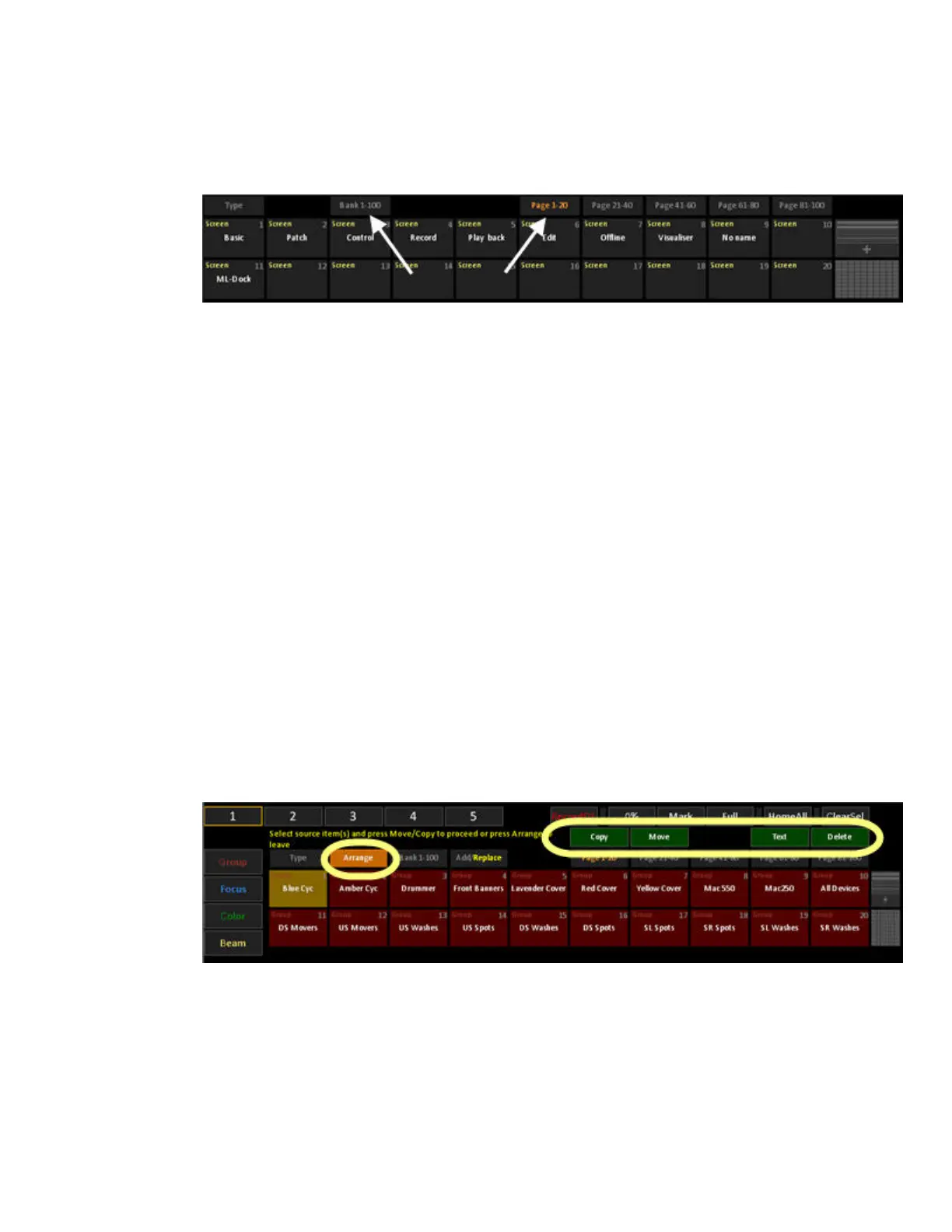
Every block of direct selects can be arranged by bank and page within this bank.
Bank
Sets the block of direct selects to a range of that data type, based on the current number of buttons
displayed multiplied by five pages. For example, with 20 buttons displayed, a bank equals 100
possible objects. With 50 buttons displayed, a bank equals 250 objects. The bank is subdivided into
pages for quick access to additional objects.
Page
One fifth of a bank. Used for quick access to additional objects when you don’t want to use large
portions of the screen for direct selects of a given type. The page buttons indicate the data object
numbers – so when a Page buttons shows “Page 51-100” it indicates that you are jumping to show
groups (or whatever data type) 51-100.
Cobalt Direct Selects - Arrange, Copy/Move/Delete/Text
Arrange mode is supported for Palettes, Groups and Action Macros.
For a DS block with Palette/Group/Action Macro content, the Arrange button is shown.
1. Press it to enter selection mode where you pick the source items.
2. When there are items selected, the Copy and Move buttons will be active and can be pressed
to specify a target. If there are conflicts, a warning dialog is presented. TEXT opens a text
dialogue and DELETE a delete dialogue. You cannot add text labels to unrecorded item.
On Move, Palette references in presets will be updated to refer to the new palette number. Group
references in effects will be updated.
You will stay in arrange mode until Arrange is pressed again, to exit.



 To Next Page