Cobalt 8.1 - 20181029
641
Device Times - Introduction
A Moving Device can have Times and Delays in the following ways.
• No time - follows the Sequence Step In-time.
• Parameter group times - an attribute time for FOCUS, COLOR or BEAM parameters.
• FCB times - Same as above, but there is a shortcut for setting all three
• Device parameter times - A time for each attribute of a Moving Device.
NOTE
All times are set to the Preset in the A or B field depending on the setting of
the parameter "Set Times To Field" in the Cobalt Settings.
All attribute times are stored with a Preset.
There is a default Attribute Time that is used when Moving Devices are positioned manually or with
GoInB. See Moving Device Times - Default Attribute Time.
Percent times, or seconds?
Times for Moving Devices are set in seconds (absolute) or as a percentage of the IN time of a
Sequence Step.
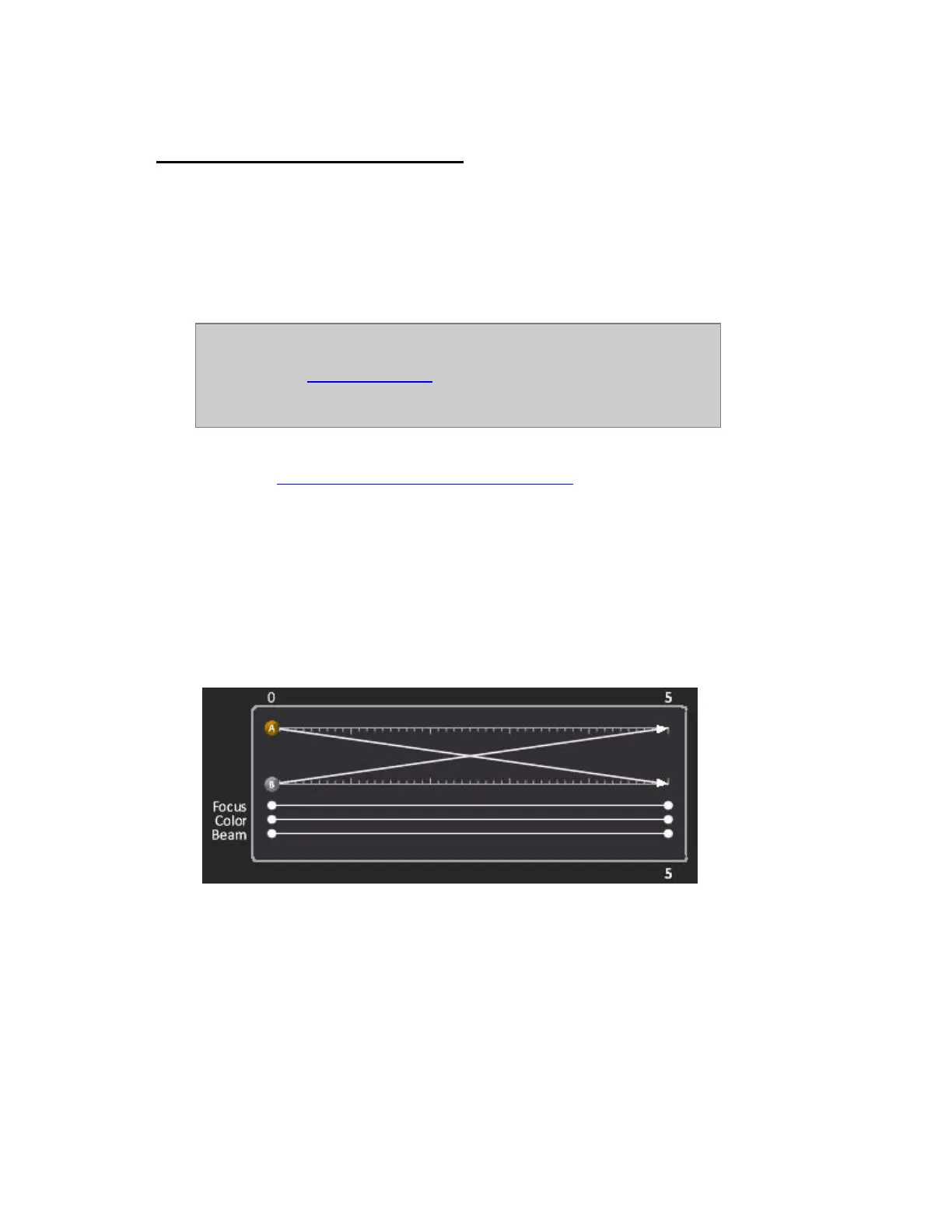
The default setting is percent. This means that all FCB-Times will equal the IN time of a Sequence
Step, and all FCB-Delay Times will execute as a percentage of the IN time of a Sequence Step.
In the example above, the FCB Times are 100% of the In time (5 seconds).



 To Next Page