Cobalt 8.1 - 20181029
770
Main Playback - Functions
The Main Playback can play back a Sequence in normal/chase mode, or random presets. While a
crossfade is being executed the "Playback" status at the lower right corner of all screens will be red.
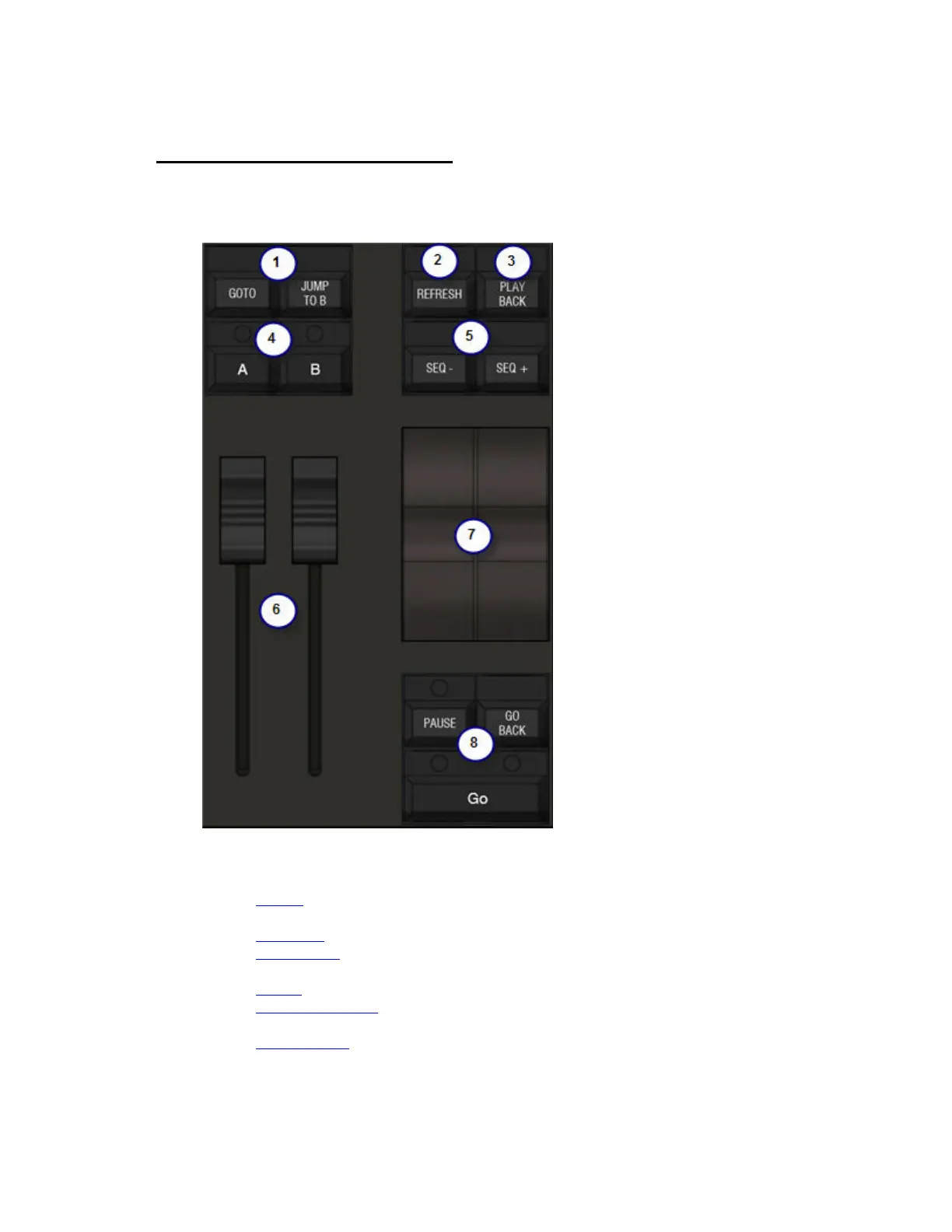
The main playback has the following controls.
1. GO TO
(live) and JUMP TO B (blind) will accept a numeric argument for going directly to
any part of the sequence.
2. REFRESH
to refresh values to those of the Playback.
3. PLAYBACK
for assigning sequences and selecting the Main Playback Tab.
4. A/B buttons for direct acces to the CURRENT (A) and NEXT (B) parts of the playback.
5. Seq +/-
for stepping without times
6. Manual crossfaders
7. Split speed controls for in and outgoing channels.
8. Transport keys
for timed fades with default or pre-programmed times.



 To Next Page