Cobalt 8.1 - 20181029
778
Playback View
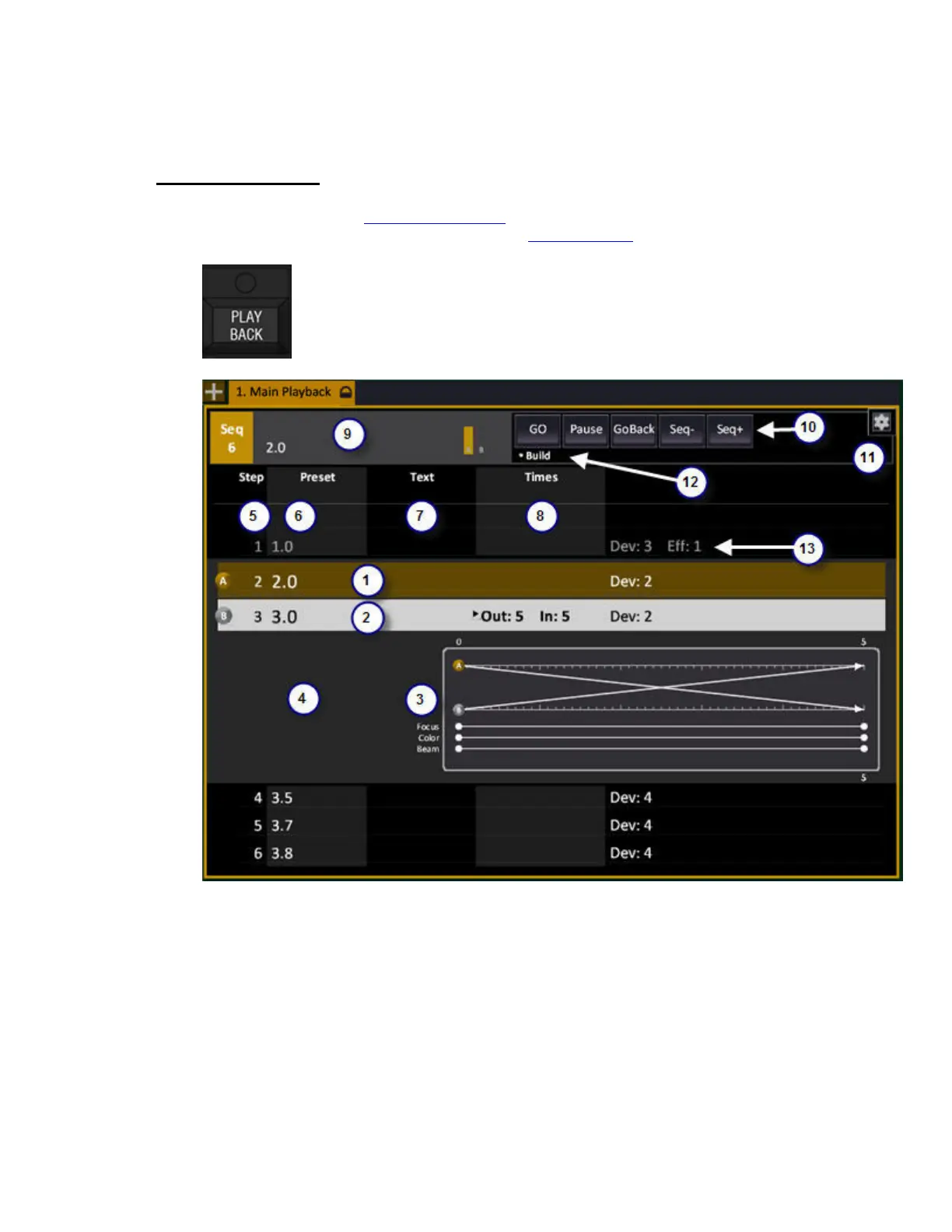
Press PLAYBACK in the Main Playback section to open the Playback tab. The Playback views
normally have a packed format like this. There is an unpacked format
as well (see below).
1. Current sequence step, on stage.
2. Next sequence step to be faded in.
3. A graphical representation of the times in the next step to be faded in.
4. Notes are shown with a yellow flag and displayed to the left of the graphical view for the next step.
There are progress bars for A/B at the top.
5. Sequence step number.
6. Preset number in this step.
7. Sequence or Preset text.
8. Times



 To Next Page