Cobalt 8.1 - 20181029
429
Playlist
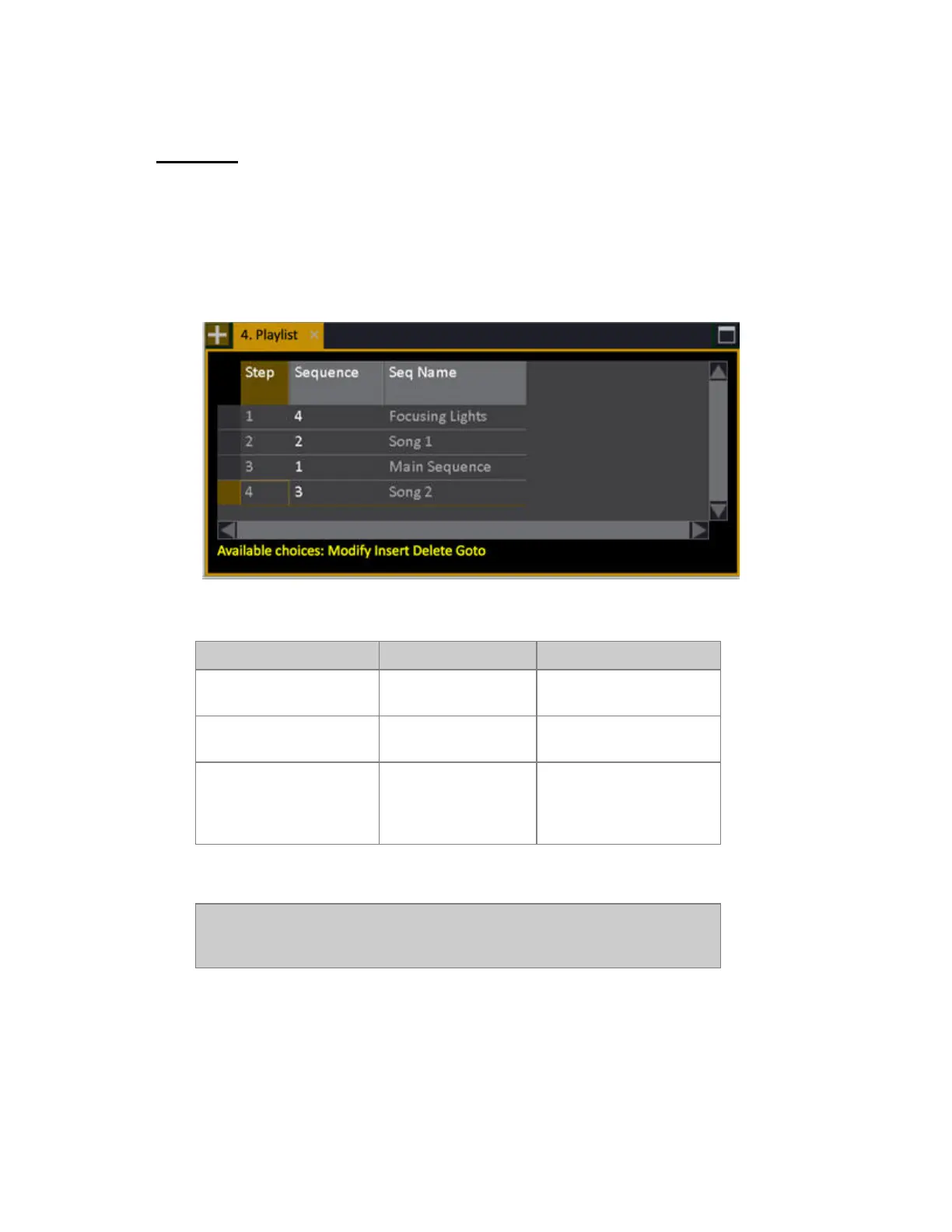
The Playlist allows you to arrange the order in which sequences are loaded to the main playback.
1. Make sure you have some sequences to arrange in the playlist.
2. Open the Playlist editor
The Playlist is opened from Browser >Main Show Data >Playlist.
These are the functions in the Playlist.
Function Keys Feedback
Insert
[#] [INSERT]
Sequence # is inserted into
the Playlist
Delete
[DELETE]
Sequence # is deleted from
the Playlist
Load
[GOTO]
Loads the selected
Sequence to the Main
Playback from the next
fade.
3. Activate Playlist Mode from the Misc Soft Key Page (see below).
NOTE
You can reset the Playlist to strart from the top at anytime by holding C and
pressing PLAYLIST in the Misc Soft Key Page.



 To Next Page