Cobalt 8.1 - 20181029
439
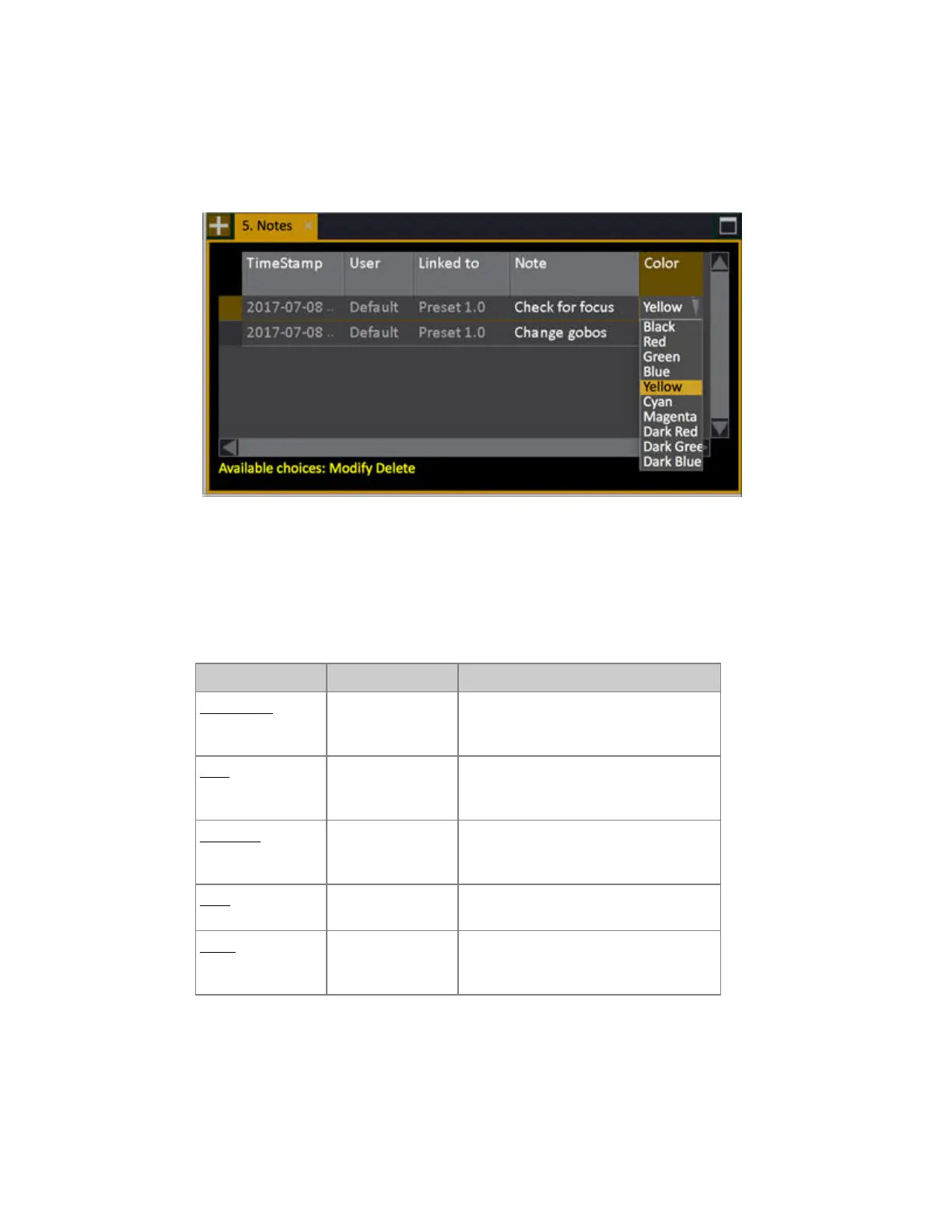
Notes - Editor
Open the Notes Editor by holding MODIFY and pressing NOTE or from the Browser (Browser
>Main Show Data >Settings and Tools >Note Editor).
You can change the color of the NOTE flag in the far right column of this editor.
Note Editor - Columns
These are the columns in the Note Editor.
Column Input Function
TimeStamp
[MODIFY]
The time stamp of this Note - Press
MODIFY to open the editor for this
object.
User
[MODIFY]
The user that created this Note - Press
MODIFY to open the editor for this
object.
Linked to
[MODIFY]
The object of this Note - Press
MODIFY to open the editor for this
object.
Note
[MODIFY]
The Note text. MODIFY opens the text
for editing.
Color
[MODIFY]
The color popup (only for the playback
tab). Press MODIFY to open and select.
Press MODIFY to close*
*The color flag is shown for Notes in the Playback View, and the text is shown to the left of the
graphical view of the crossfade.



 To Next Page