Cobalt 8.1 - 20181029
670
4. Select a roll with arrow keys.
5. Press MODIFY to confirm.
The currently selected color will be shown in the black box under the level in the Channel Views.
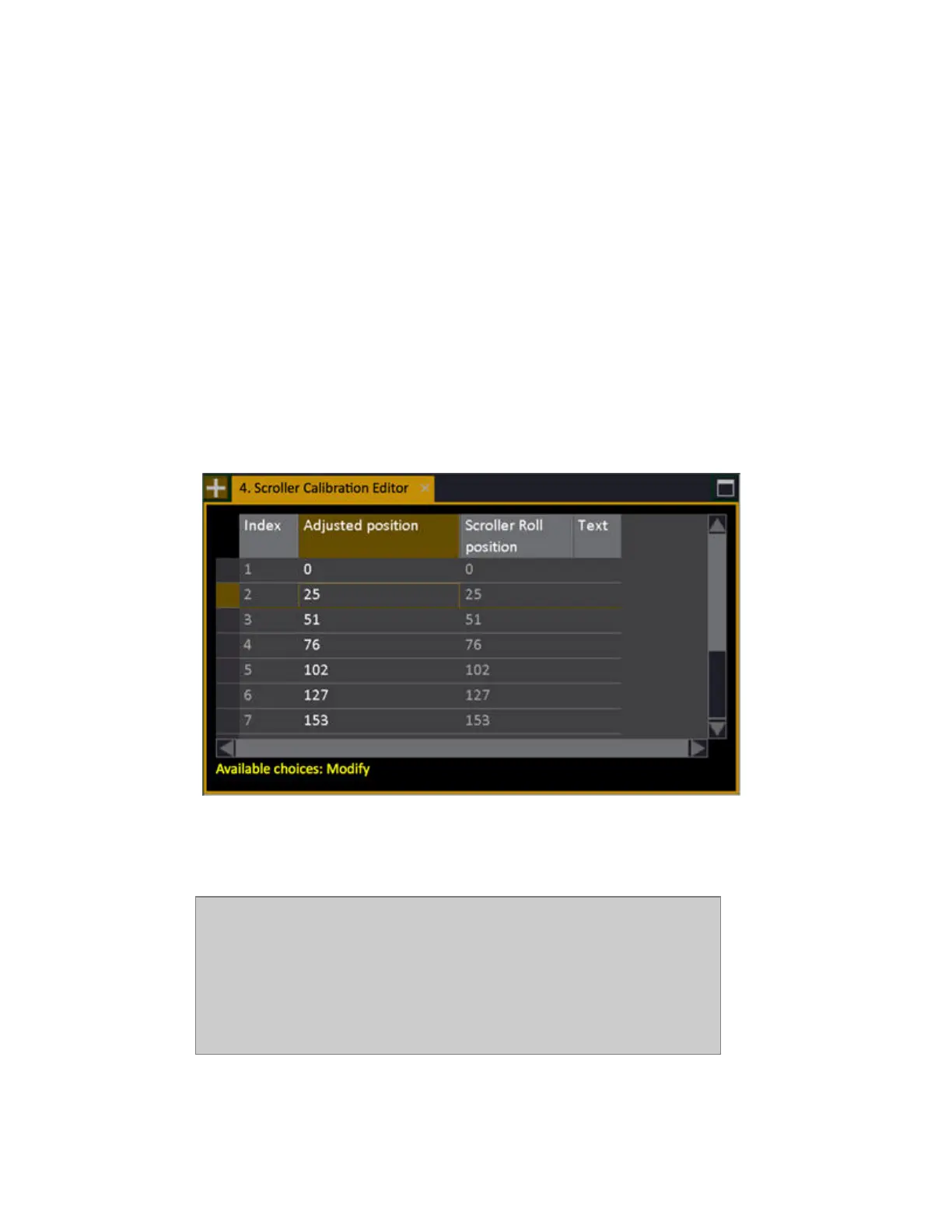
Calibrate Individual Scroller Rolls
Each scroller roll can be calibrated individually. This is done in the Scroller Calibration Editor that is
opened from the Device List.
1. Open the Device List (Browser >Patching >Device List).
2. Use arrow keys to select the Calibration Editor cell to the far right.
3. Press MODIFY to open the Calibration Editor for the selected channel.
4. Select Adjusted Position, enter a new value (confirm with MODIFY). It is updated live.
5. Press ESC to exit. Changes are stored automatically.
NOTE
(v5.0) If you change the scroller calibration for a device and close the Scroller
Calibration Editor, recorded data (presets, palettes) for the previous frame
values will be updated to the new frame values. Values between frames will
not be affected.
To "clear" calibrations from a device/scroller: Re-select the same scroller roll
in the Device list



 To Next Page