Cobalt 8.1 - 20181029
93
configured independently for type, number of rows displayed, and which bank/page is
currently displayed.
5. Select type of content in each block. (See Cobalt Direct Selects - Types of Data
)
6. Arrange functions for copying and moving items. See also Add/Replace.
7. Select Bank. (See Cobalt Direct Selects - Bank and Page)
8. Select Page. (See Cobalt Direct Selects - Bank and Page
)
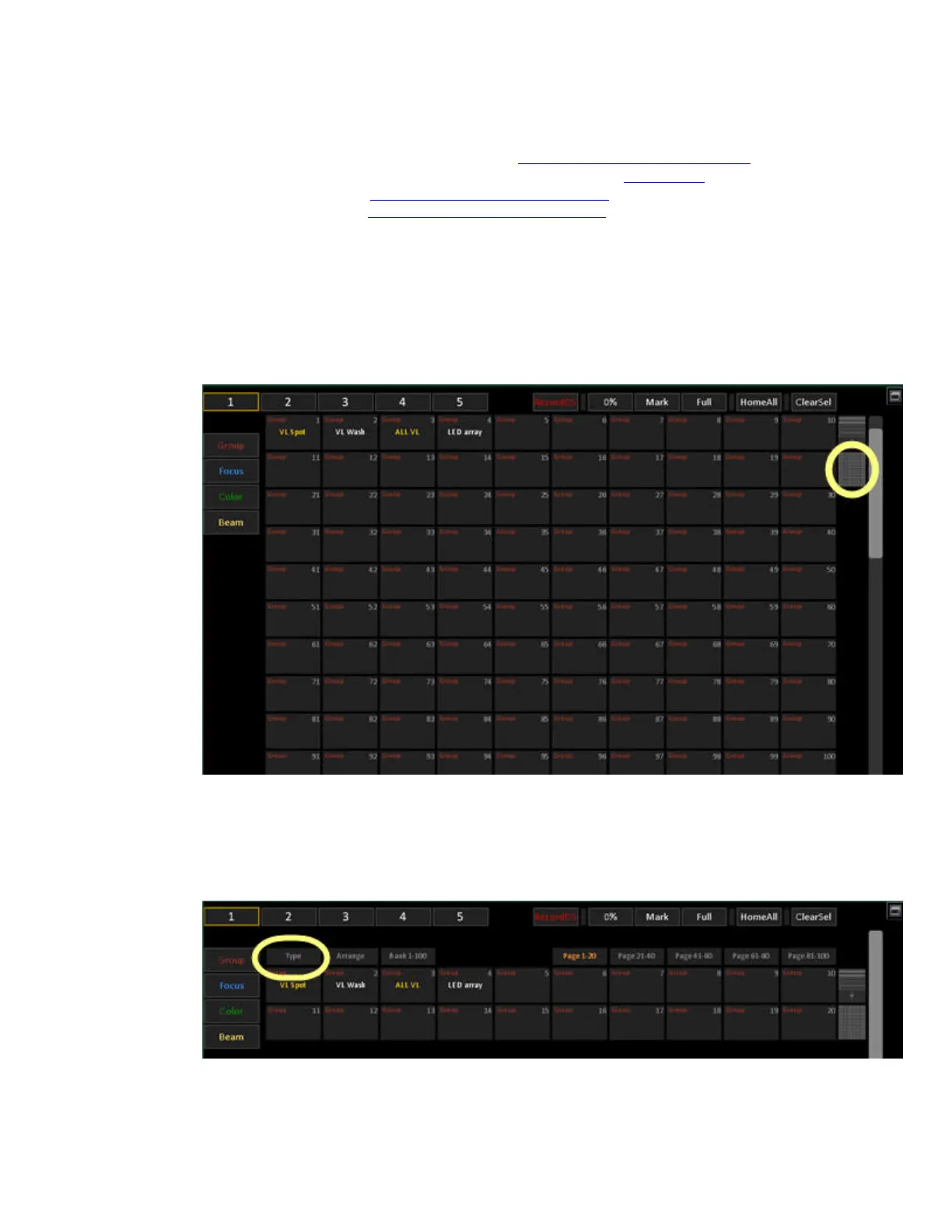
9. Tap the Rows+ button to increase the number of buttons displayed up to 5 rows/50 buttons.
Tap once more to return to 2 rows/20 buttons.
10. Tap the Matrix button to access the 10x10 view. Tap the Rows+ button to return to the
normal view.
11. The blocks of direct select buttons may be displayed with 2, 3, 4 or 5 rows of 10 buttons
each, or as a full 10x10 matrix.
Full mode
Cobalt Direct Selects - Types of Data
Every Direct Select block can be set to contain the following types of data by pressing TYPE.



 To Next Page