Cobalt 8.1 - 20181029
215
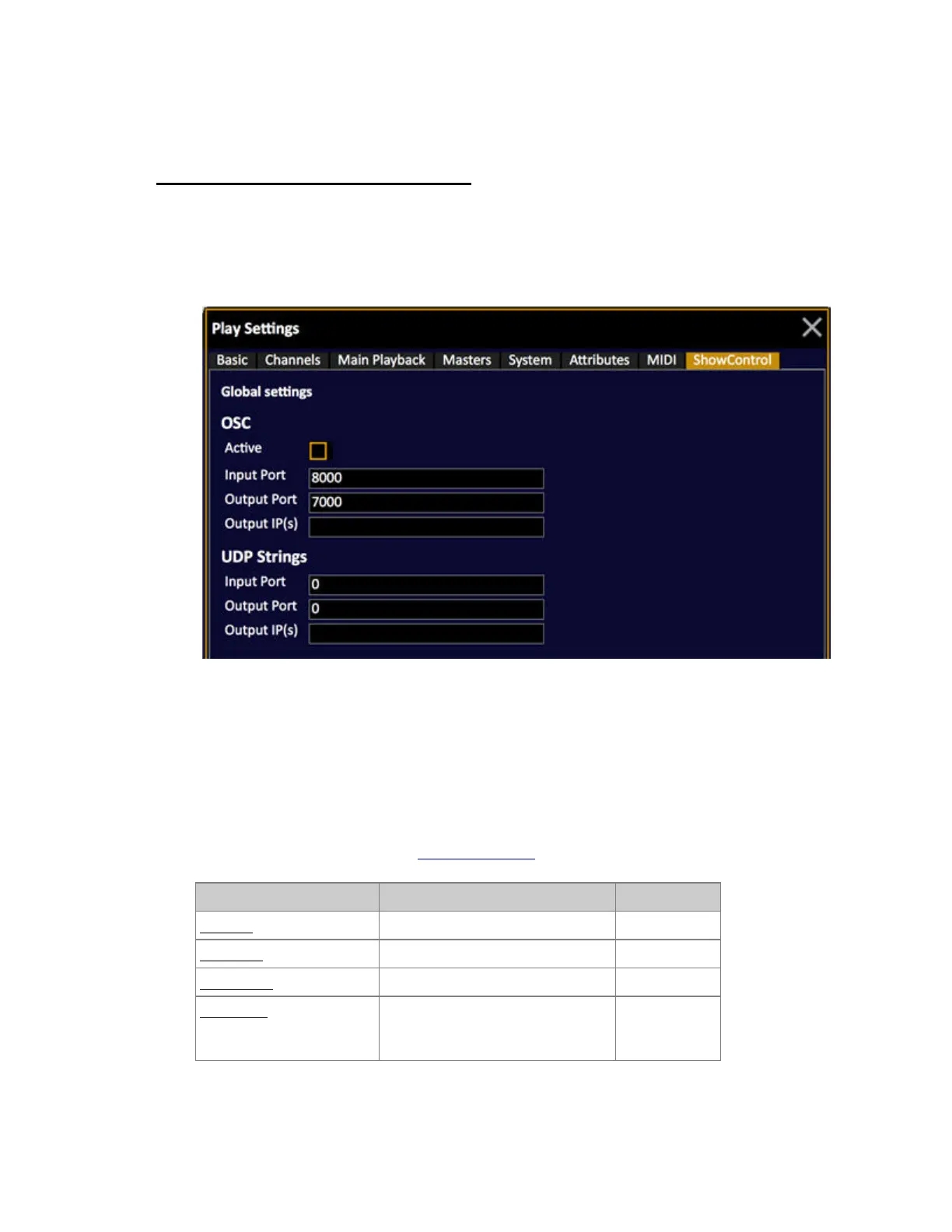
Play Settings - Show Control
Press SETUP and use the right/left arrows to select the Show Control Settings tab.
• Use the down arrow to select a cell.
• Use MODIFY or # MODIFY to change values.
Show Control Settings
The Show Control Settings are general for the system.
OSC
Open Sound Control (OSC) is a content format for messaging among computers, sound synthesizers,
and other multimedia devices. See OSC Functionality
.
Function Explanation Default value
Activate Activate OSC Off
Input Port The Input Port Cobalt listens to 8000
Output Port The Output port Cobalt sends to 7000
Output IPs The Output IP(s) Cobalt sends to,
add multiple and separate with
semicolon ";".
-



 To Next Page