EPSON AcuLaser CX11/CX11F Revision B
TROUBLESHOOTING Printer 192
FIP-31
Panel Message
Jam C, E, F
Possible parts that caused the error
Troubleshooting
FUSER ASSY ROLL-REGI METAL
ROLL REGI RUBBER CLUTCH ASSY REGI
HARNESS-ASSY P/H1 HARNESS-ASSY P/H2
MOTOR-PH PWBA MCU
2ND BTR ASSY SHAFT-CENT 2ND
FRAME ASSY BTR BEARING-BRUSH CAM
Photoconductor Unit SENSOR FUSER IN
HARNESS ASSY ADC HARNESS ASSY 2BTR SENS
CAM ASSY-2ND SENSOR 2BTR RETRACT
HARNESS ASSY MAIN MOT ASSY MICRO
EXIT SENSOR (Sensor in Fuser) MOT ASSY FSR
LV/HVPS HARNESS ASSY MCU C/L
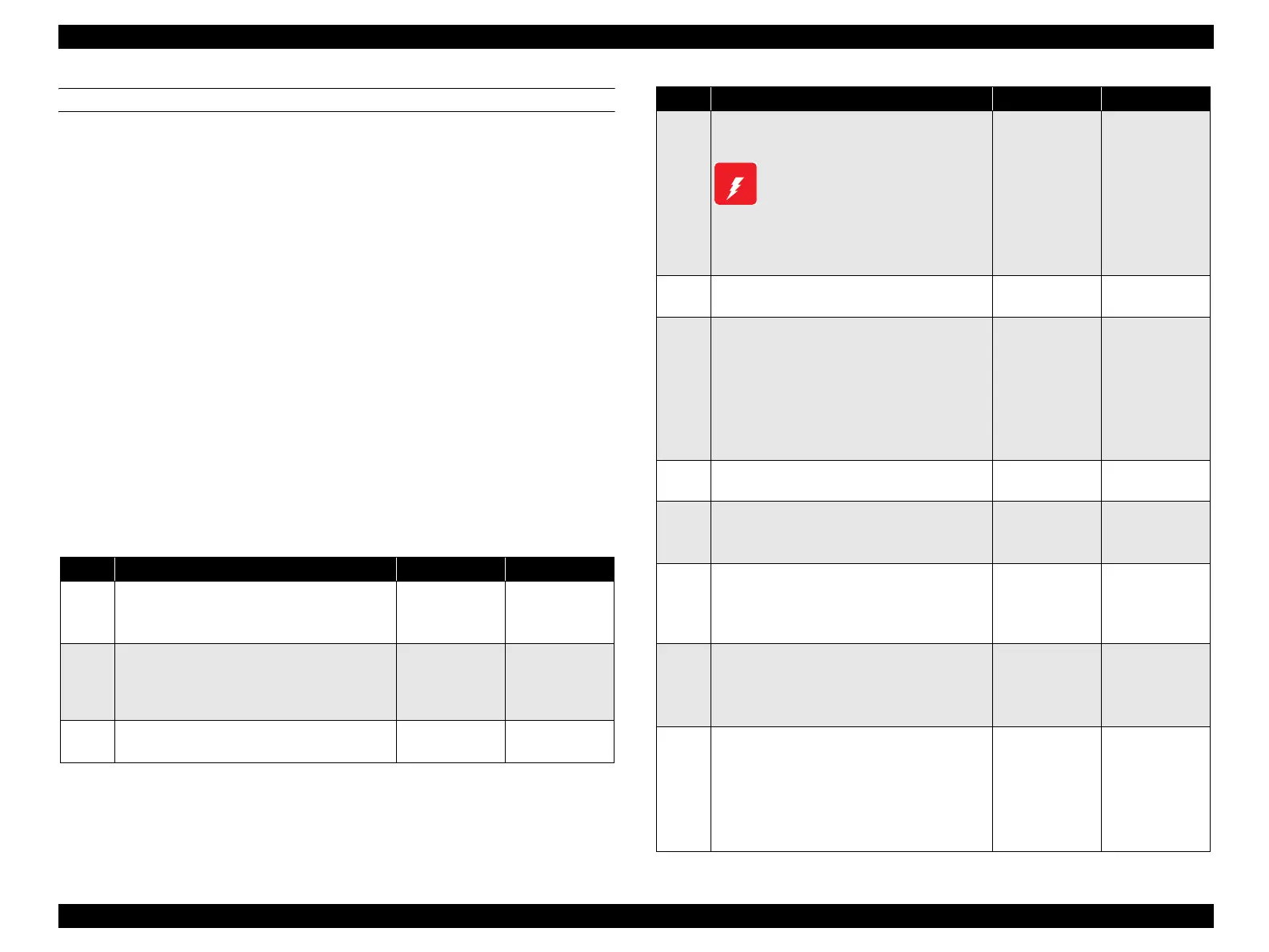
Step Check Yes No
1
Check of the paper
Is the paper loaded in the paper tray wrinkled or
torn?
Replace with
new, dry paper.
Go to Step [2].
2
Paper size setting check
Does the size of the paper in use match the size
of the paper set on the control panel?
Go to Step [4]. Change the paper
size setting, and
proceed to step
[3].
3
Does the error recur when a test print is
made?
Go to Step [4]. End of procedure
4
Paper check at Gate section inside FUSER
ASSY
Allow FUSER ASSY to cool down
before performing work.
Remove FUSER ASSY. (p.415)
Is there any paper remaining at the Gate section
inside FUSER ASSY.
Remove the
remaining paper
and proceed to
step [5].
Go to Step [6].
5
Does the error recur when the power is
turned ON?
Go to Step[6]. End of procedure
6
Shape and operation check of ROLL-REGI
METAL
Open CHUTE ASSY-REAR.
Is ROLL REGI RUBBER attached correctly?
Also, do these parts rotate smoothly without
any dirt or damage?
Turn by hand to check.
Go to Step [7]. Replace ROLL in
question.
7
Does the error recur when a test print is
made?
Go to Step [8]. End of procedure
8
Check of paper position
Is the leading edge of the paper stopping before
REGI-ROLL?
Go to Step [10]. Go to Step [9].
9
Check of paper position
Has the leading edge of the paper passed
through REGI-ROLL, and stopped before Fuser
Roll inside FUSER ASSY?
Go to Step [17]. Go to Step [30].
10
Operation check of CLUTCH ASSY REGI
Does CLUTCH ASSY REGI operate normally?
Make a test print and confirm by the operating
noise.
Go to Step [14]. Go to Step [11].
11
Continuity check of HARNESS-ASSY P/H1
Disconnect the P/J408 from PWBA MCU.
Do all of the wiring below have normal
continuity?
J408-3 ↔ J603-10
J408-4 ↔ J603-9
Go to Step [12]. Replace
HARNESS-
ASSY P/H1.
Step Check Yes No
W A R N I N G
manuals4you.commanuals4you.com



 To Next Page
 Loading...









