EPSON AcuLaser CX11/CX11F Revision B
DISASSEMBLY AND ASSEMBLY Printer 371
4.2.5.3 FRAME ASSY-2ND
REMOVAL
1. Remove COVER ASSY RH. (p326)
2. Remove CHUTE ASSY-FSR and COVER ASSY-RR 2ND. (p366)
3. Remove 2ND BTR ASSY. (p374)
4. Remove PLATE BIAS-2ND ASSY. (p384)
5. Remove CAM ASSY-2ND. (p376)
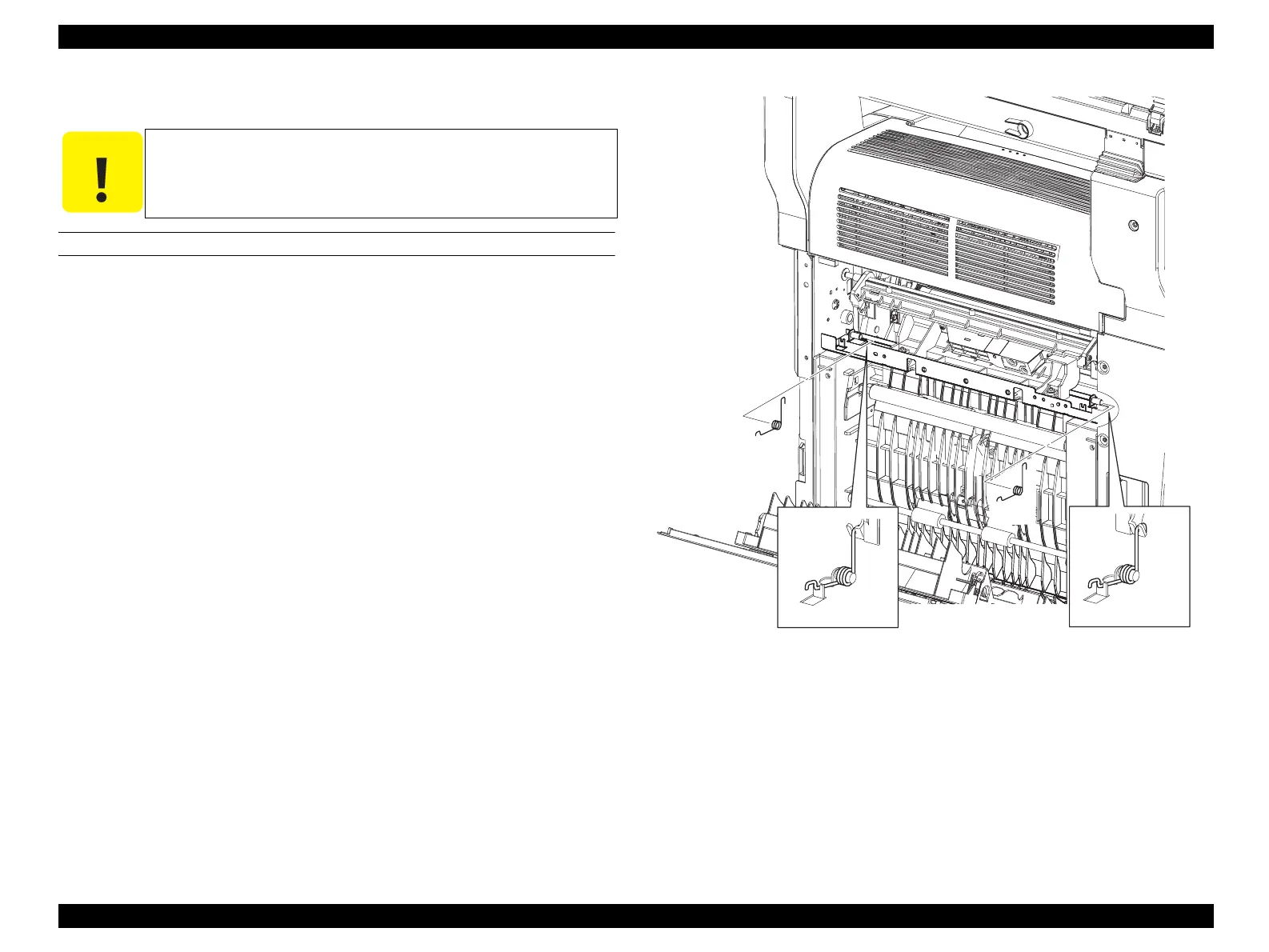
6. Remove SPRING-2ND fastening both the left and right sides of FRAME ASSY-
2ND to the main unit.
Figure 4-62. Removal of FRAME ASSY-2ND (1)
C A U T I O N
Step numbers with [ ] in the figure indicate the step of
reinstallation.
Leg_Sec03_146RB
CAUTION
CAUTION
6)
6)



 To Next Page
 Loading...









