EPSON AcuLaser CX11/CX11F Revision B
DISASSEMBLY AND ASSEMBLY Printer 318
4.2.2.10 COVER FRONT L, COVER FRONT ASSY U
REMOVAL
1. Remove COVER ASSY RH. (p326)
2. Remove COVER ASSY LH. (p321)
3. Remove COVER MSI. (p317)
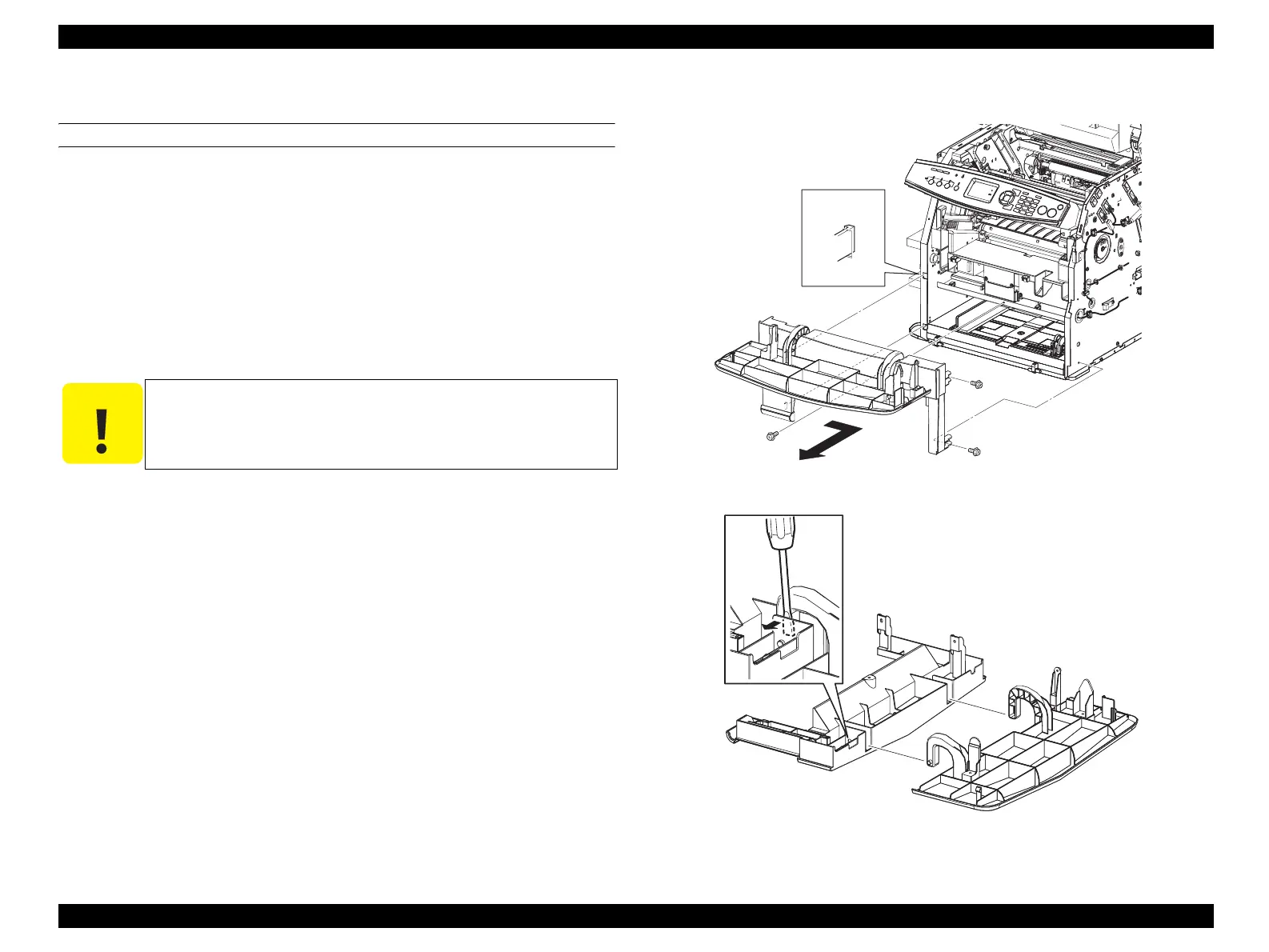
4. Remove the 3 screws (silver, with flange, 8 mm) fastening COVER FRONT L to
the main unit.
5. Slide COVER FRONT L to the right, unhook the two hooks on the rear of COVER
FRONT L from the holes on the main unit, and remove COVER FRONT L
together with COVER FRONT ASSY U.
6. Press the bosses on the left and right of COVER FRONT ASSY U by inserting a
screwdriver, and draw out from the holes on COVER FRONT L to remove
COVER FRONT ASSY U from COVER FRONT L.
Figure 4-13. Removal of COVER FRONT L and COVER FRONT ASSY U (1)
Figure 4-14. Removal of COVER FRONT L and COVER FRONT ASSY U (2)
C A U T I O N
When performing the following work, take care not to damage the
COVER FRONT ASSY U boss.
Leg_Sec03_009RB
5)-1
5)-2
4)
4)
4)
Leg_Sec03_010EB
6)-1
6)-2
manuals4you.commanuals4you.com



 To Next Page
 Loading...









