EPSON AcuLaser CX11/CX11F Revision B
TROUBLESHOOTING Printer 205
FIP-38
Panel Message
Service Req E513
Possible parts that caused the error
Troubleshooting
NOTE: It is assumed to be due to external noise.
Proceed to
“FIP-71 Electrical Noise” to check to be sure.
PWBA MCU
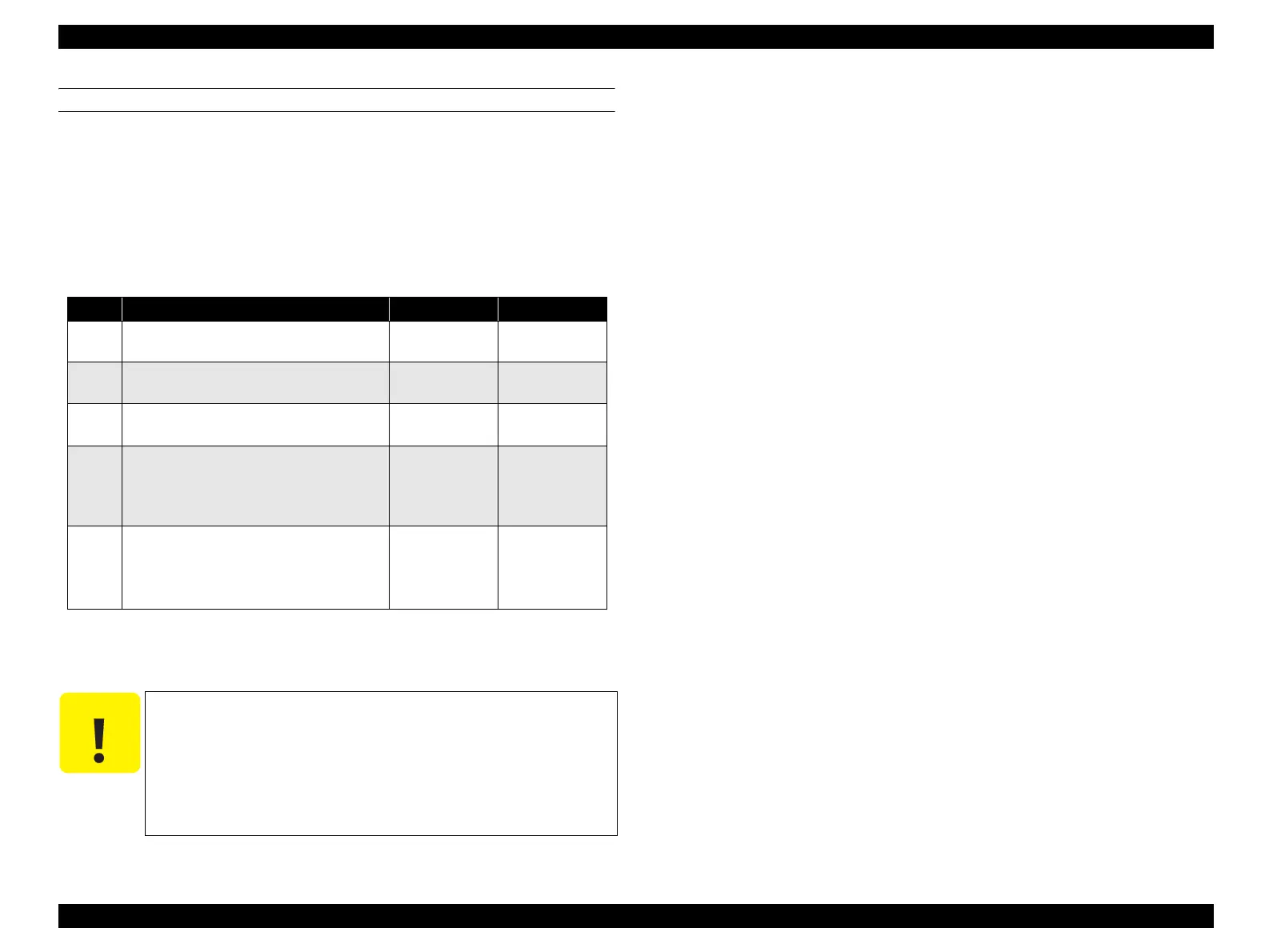
Step Check Yes No
1
Does the error recur when the power is
turned off and back on?
Go to Step [4]. Go to Step [2].
2
Does the error recur even when the power
is turned off and back on again?
Go to Step [4]. Go to Step [3].
3
Does the error recur even after the power
has been switched several times?
Go to Step[4]. End of
procedure*
4
Disconnect and re-connect all connectors
connected to PWBA MCU.
Does the error recur when the power is
turned ON?
Go to Step [5]. End of procedure
5
Check after replacement of PWBA MCU
Replace PWBA MCU. (p.432)
Does the error recur when the power is
turned ON?
Go to “FIP-71
Electrical Noise”.
(p.244)
End of procedure
C A U T I O N
If “NVRAM Error (Service Req E513)” occurs soon after replacing
the PWBA MCU, the installed PWBA MCU may be previously used
for another product.
Be sure to replace it with a new one.
Note that once the PWBA MCU is installed and the product is
turned on, the PWBA MCU cannot be used for another product
anymore.



 To Next Page
 Loading...









