Cobalt 8.1 - 20181029
982
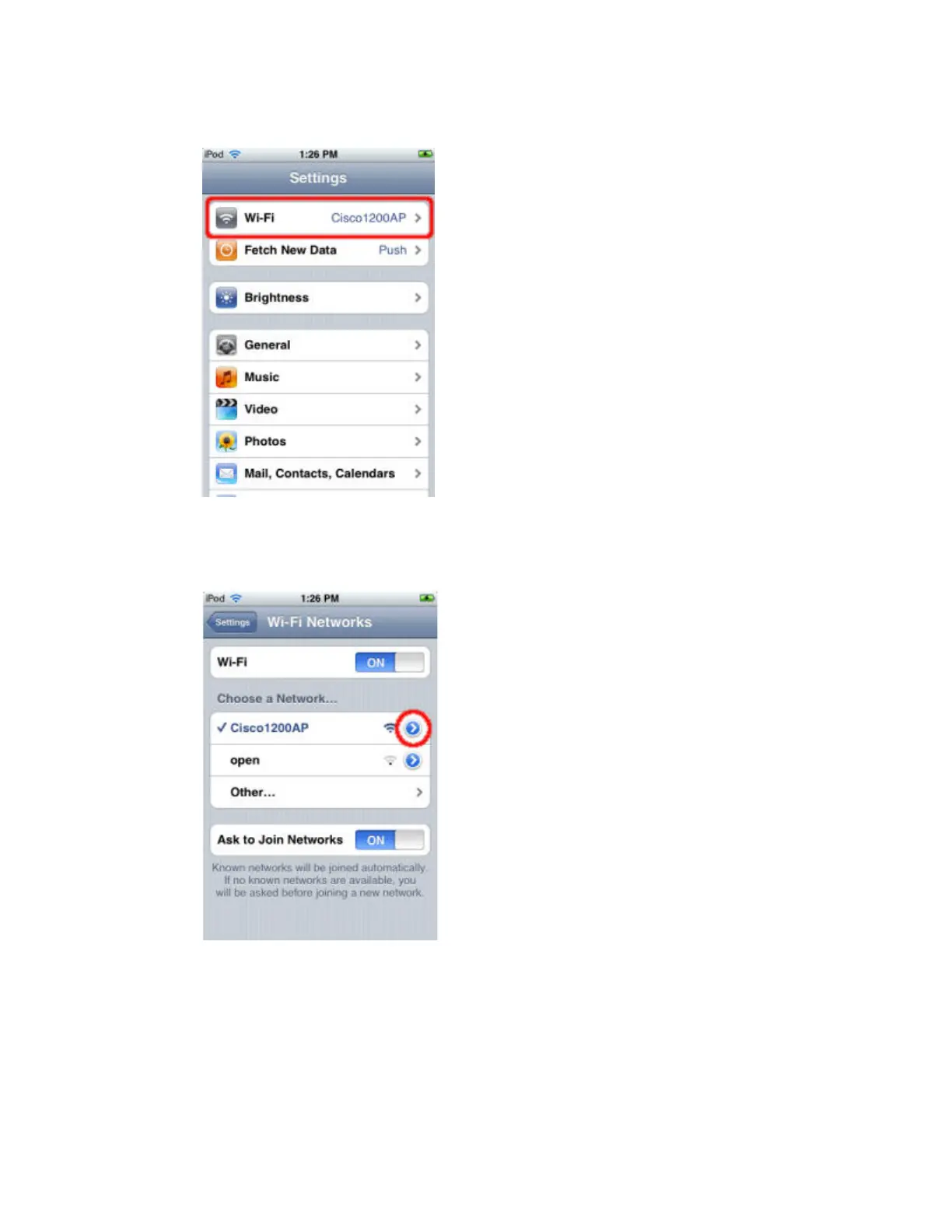
2. At the Settings screen, select Wi-Fi.
3. At the Wi-Fi Networks screen, find the wireless network your console is on and select it. Once
connected, you will see a check mark to the left of the network name. Now press the round blue arrow
button to configure your network settings.
4. Now you must configure your iPhone/iPod's network settings so that it can connect to the console.
The reccomended IP address is as follows for a standard static network configuration.



 To Next Page