Cobalt 8.1 - 20181029
984
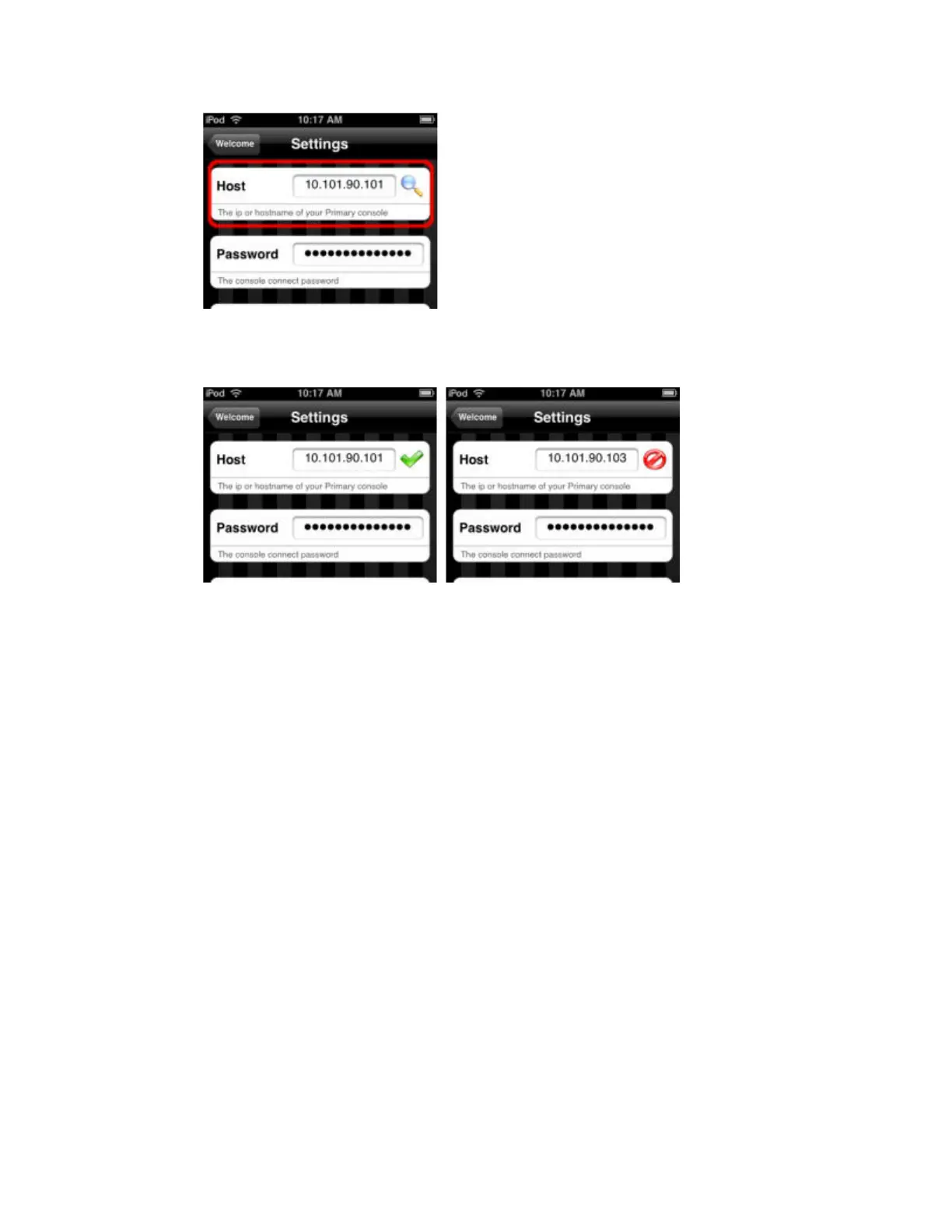
4. Now, press the magnifying glass to test communication between your iPhone/iPod and the console.
You will see either a green checkmark for YES or a red circle with a line through it for NO.
5. If the communication test FAILS, double-check that you have entered the correct IP address of your
console in the Host field at the Settings screen. If the test still fails, exit the iPhone/iPod home screen
and verify that you are still connected to your console's WiFi network.
You can find the IP address of your console in Browser >About >About Cobalt and in System
Settings >Network.


 To Next Page
 Loading...




