Cobalt 8.1 - 20181029
986
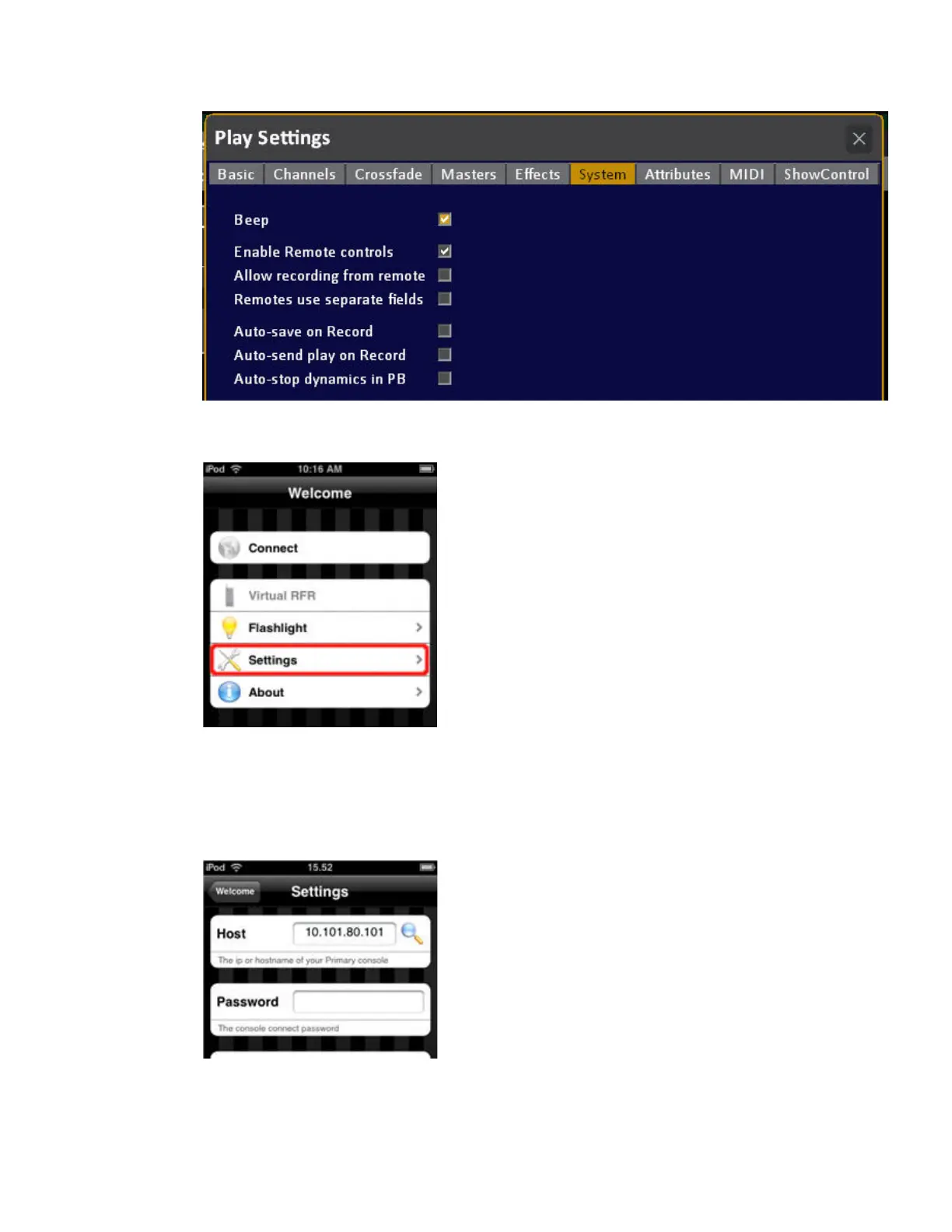
2. Launch the iRFR app on your iPhone/iPod. At the Welcome screen, select Settings.
3. At the Settings screen, enter your console's IP address in the Host field (this is different for Cobalt,
Jr and Light Server, see above). If you do not see a green checkmark after entering the IP, you won't
be able to connect. That means you have either entered the wrong IP address or there is a problem
with your wireless network configuration. The Password is not used with Cobalt and CobaltJr
consoles. Only with Eos/Ion/Element. Leave the Password field blank.


 To Next Page
 Loading...




