iPECS eMG80 & eMG800 & UCP
Administration and Programming Manual Issue 1.6
87
3.3.5.4 DID Service Attributes – PGM 145
PSTN DID lines can be assigned the type of “Start” signaling and treatment of any received digits.
Digits can be used “as is” to route the call within the system, digits can be converted and used to
route the call, or digits can be converted to a Table index to determine the call routing based on
the assigned conversion method, see Table 3.3.9.7-1 (PGM 231).
PROCEDURE:
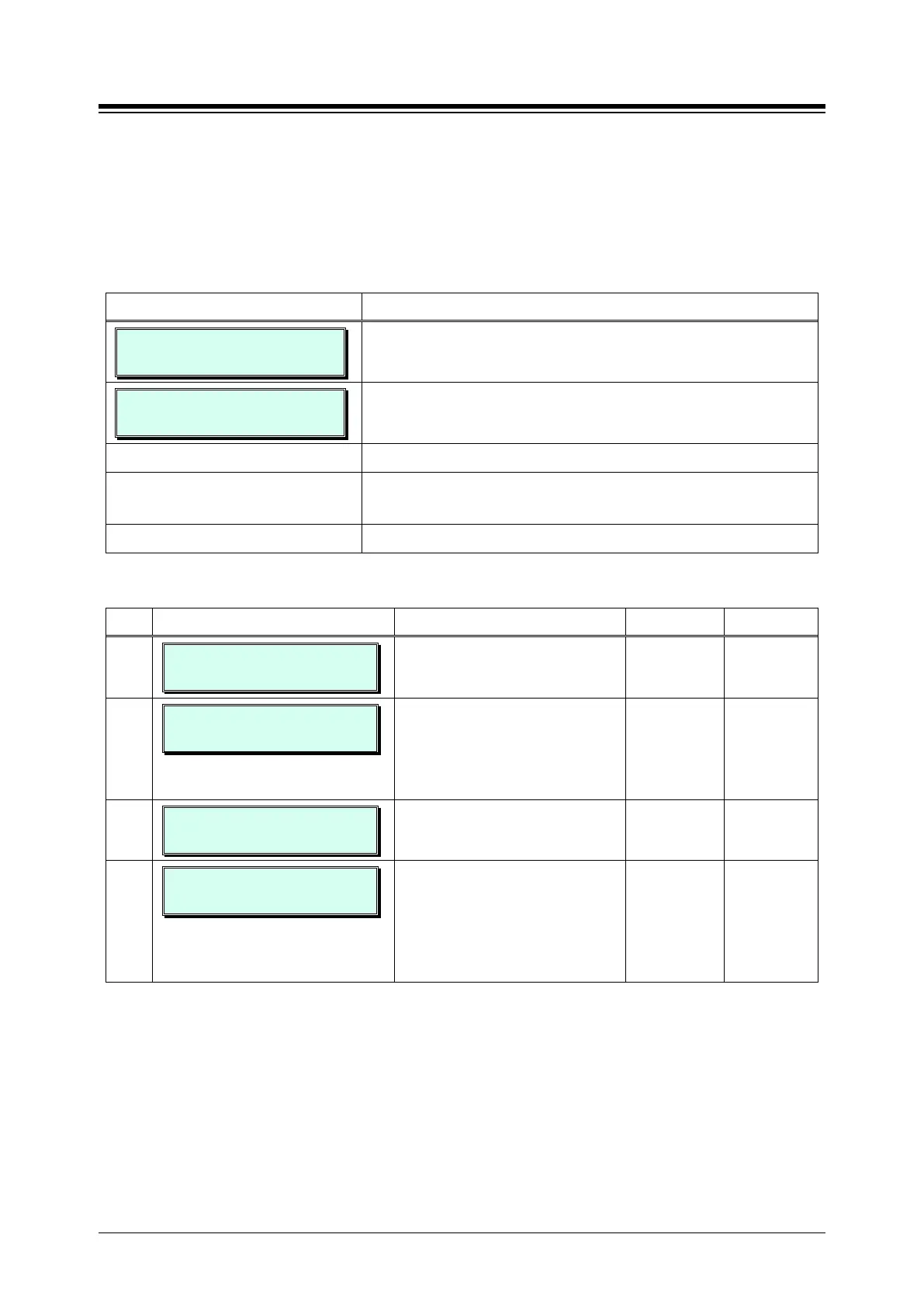
DID ATTRIBUTES
ENTER COL RANGE
1. Press the [PGM] button and dial 145.
01-02 DID ATTRIBUTES
PRESS FLEX KEY(1–4)
Use the dial-pad to enter the DID Line range. For a single
DID Line, enter the same number twice.
Select the desired Flex button; refer to Table 3.3.5.4-1.
Use the dial-pad to enter the desired value for the selected
Attribute, refer to Table 3.3.5.4-1.
Press the [Save] button to store the data entry.
Table 3.3.5.4-1 DID LINE ATTRIBUTES (PGM 145)
BTN ATTRIBUTE/DISPLAY DESCRIPTION RANGE DEFAULT
1
01-02 SIG. TYPE: 1-3
WINK (2)
Assigns the type of DID start
signaling, Immediate, Wink or
1: Immediate
2: Wink
Wink
2
01-02 DID CONV TYPE
(0 – 2) : 1
The received DID digits can be
treated to determine call routing,
simple conversion (PGM 230), “use
as is” (no treatment), or modify
using look-up Table (PGM 231).
0: Convert
1: Use as is
2: Look-up
Use as is
3
01-02 DID DGT RCV NO
3 (2 – 4)
Number of digits expected from the
PSTN DID circuit.
2~4 eMG80:3
eMG800:4
4
01-02 DID DGT MASK
#***
DID digit modification sequence: “#”
deletes the digit, “*” accepts the
digit as is, a digit (0~9) replaces the
digit. The modification is based on
the position of the digit (1~4) in the
(0~9, *, #) #***





 To Next Page