iPECS eMG80 & eMG800 & UCP
Administration and Programming Manual Issue 1.6
276
4.4.2.4 CLI Attributes - PGM 113
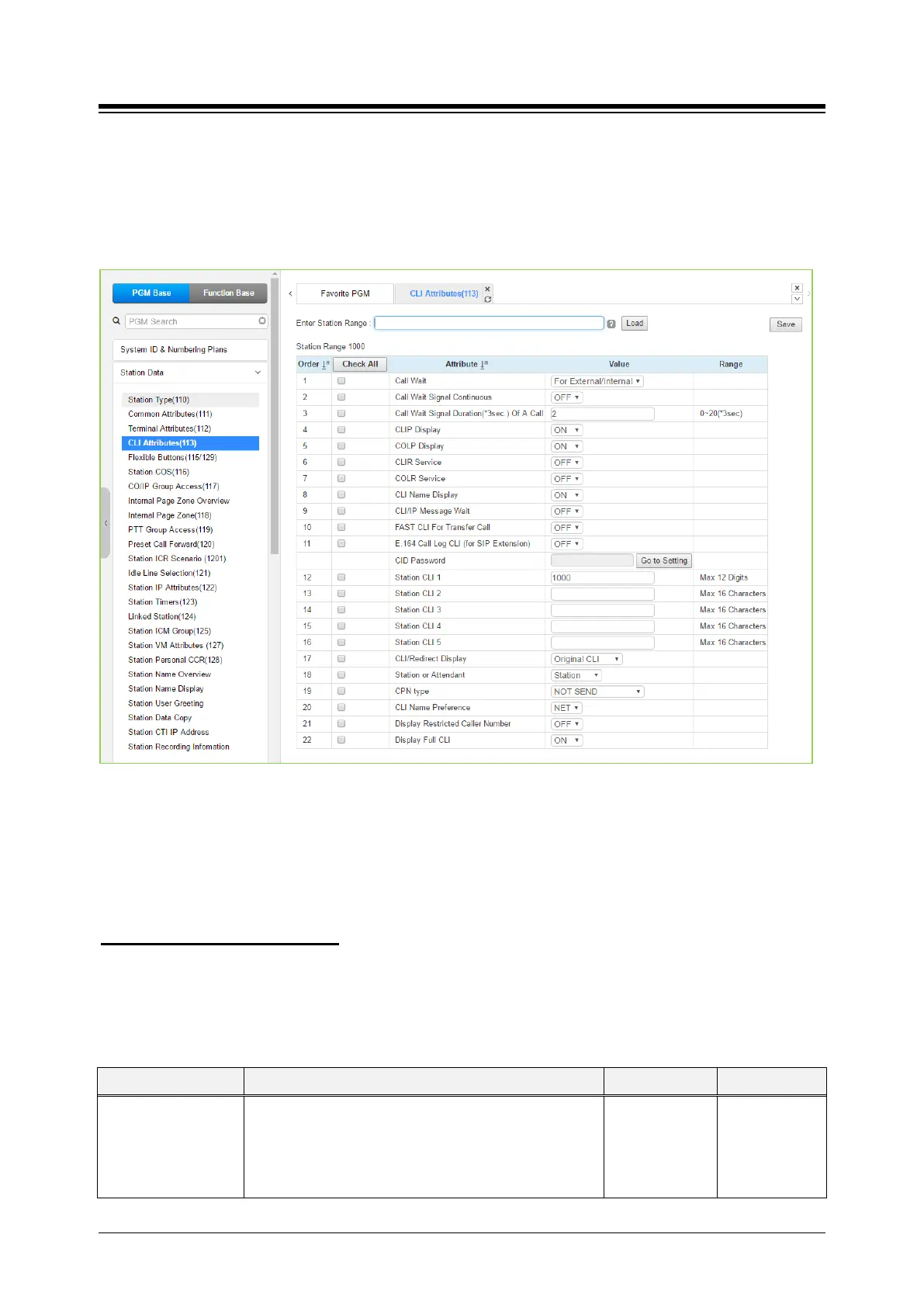
Selecting CLI Attributes will display the CLI Attributes data input page. Enter a valid station range
and click [Load] to enter CLI Attributes data. Use the check boxes to indicate which attributes to
define; data for checked attributes is stored for the entire range of stations by clicking [Save]
Button after changing Value.
Figure 4.4.2.4-1 CLI Attributes (PGM 113)
CLI Attributes define features and functions available to the station. Generally, the entry will turn
the feature ON (enable) or OFF (disable) or enter is made in the text box. Refer to the following
table for a description of the features and the input required.
You can set the CID password to click [Go to Setting] button. After clicking it, you will move to
the following PGM 162 and set the CID password, and then save CID password to mark tick on
the save box and click [Save] button.
Setting CID Password directly
Table 4.4.2.4-1 CLI Attributes
ATTRIBUTE DESCRIPTION RANGE DEFAULT
Call Wait
When a busy station receives a call, the call may queue
to the station instead of receiving busy treatment. With
Call Wait, the caller will hear Ring-back tone and the
CO/IP Line LED flashes. Also, the CLI for the new
OFF,
For
External/Internal,
For External,
For
External/Internal





 To Next Page