iPECS eMG80 & eMG800 & UCP
Administration and Programming Manual Issue 1.6
485
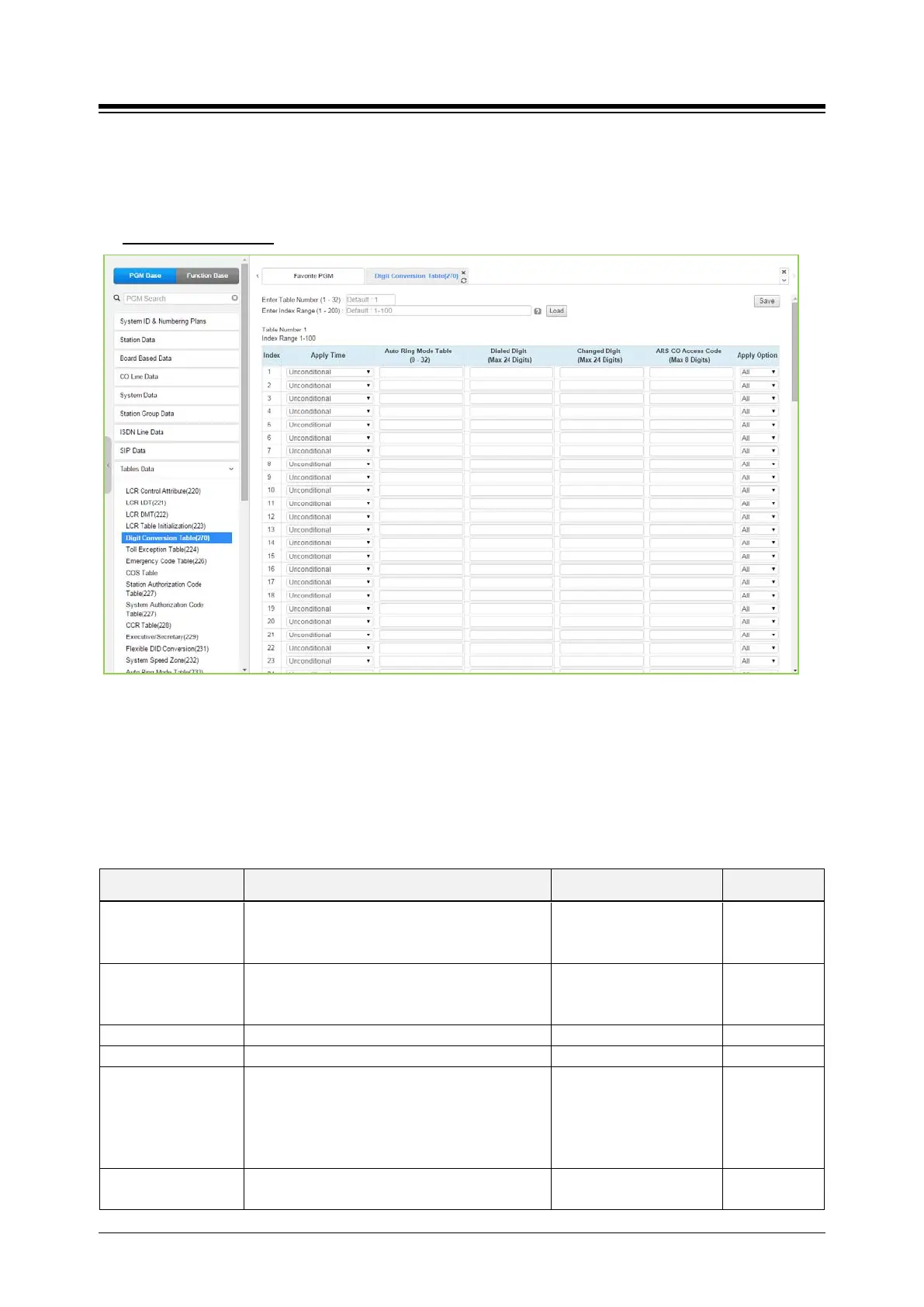
4.4.9.5 Digit Conversion Table - PGM 270
Selecting Digit Conversion Table will display the page shown. Click [Save] button after changing
Value.
Enter Table Number
: eMG80: 1-15 / eMG800: 1-32 / UCP: 1-32
Figure 4.4.9.5-1 Digit Conversion Table
The Digit Conversion Table index is assigned to the Station and CO line. In addition, digit
conversion can be applied according to the Apply Time Type (Unconditional, Day/Night/Timed or
LCR/Time) as necessary. Each Table has 200 entries of up to 24 digits. Entries in the Tables can
be any digit (0-9), “*”, “#”,”X” (Mask Digit), “F” (Ignore digit). Each Index can be applied by Apply
Option (All/Station/CO line/Disable).
Table 4.4.9.5-1 Digit Conversion table
ATTRIBUTE DESCRIPTION RANGE DEFAULT
Apply time
The Apply time type to be applied when the
dialed digit is dialed.
Unconditional,
Follow Day/Night/Timed,
Unconditional
Auto Ring Mode table Day/Night/Timed Time Table Index.
N/A,
eMG:00-15
N/A
Dialed digit to be compared.
ARS CO Access
Code
If a selected path is not available for some
reason (All Busy, Line Fault etc.) after digit
conversion, Alternative Route Selection (ARS)
will connect calls using predefined designated
ARS digit in digit conversion table.
Max. 8 Digits
Apply option
The Apply Option can be applied according to
All / Station /
All





 To Next Page